December 12, 2025
Deprecation of SimpleSAML SSO
SimpleSAML as an SSO provider is no longer supported and all related files and configuration settings have been removed from the CMS to eliminate potential security vulnerabilities. Please use the Keycloak integration for SSO going forward.
Saved Places - Toggle Parking and Custom Location
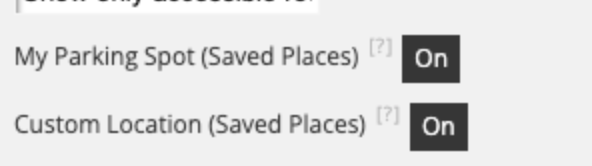
CMS users can now independently toggle the visibility of the Save Custom Location and Parking Spot features. When either feature is turned off, its related UI and any previously saved locations or parking spots are hidden from users. Disabling both will hide all related content, as though My Places is turned off entirely.
Improved Accessibility for Wayfinding Controls
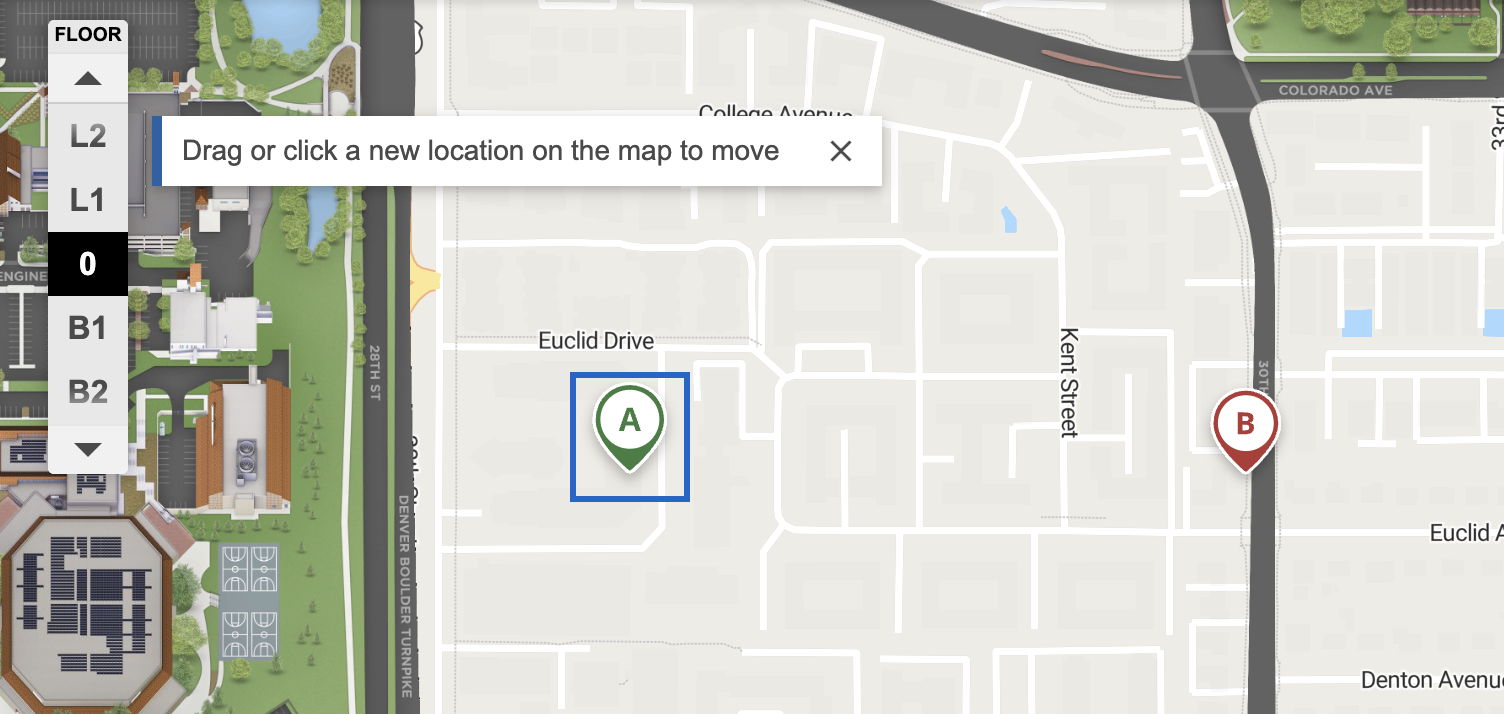
Functionality for selecting "Start point, A" and "End point, B" on the map can now be operated with a single tap or click, without requiring users to perform a dragging motion. This ensures that users with dexterity or mobility disabilities can set wayfinding points more easily and meets accessibility standards (WCAG 2.2, 2.5.7).
Existing functionality for dragging pins remains, but users can tap or click:
Removal of Obsolete SAML Database Fields
Obsolete SAML-related fields have been removed from the database to improve security and streamline data storage. No impact on system functionality is expected.
November 24, 2025
Improved Accessibility for Search Result Categories
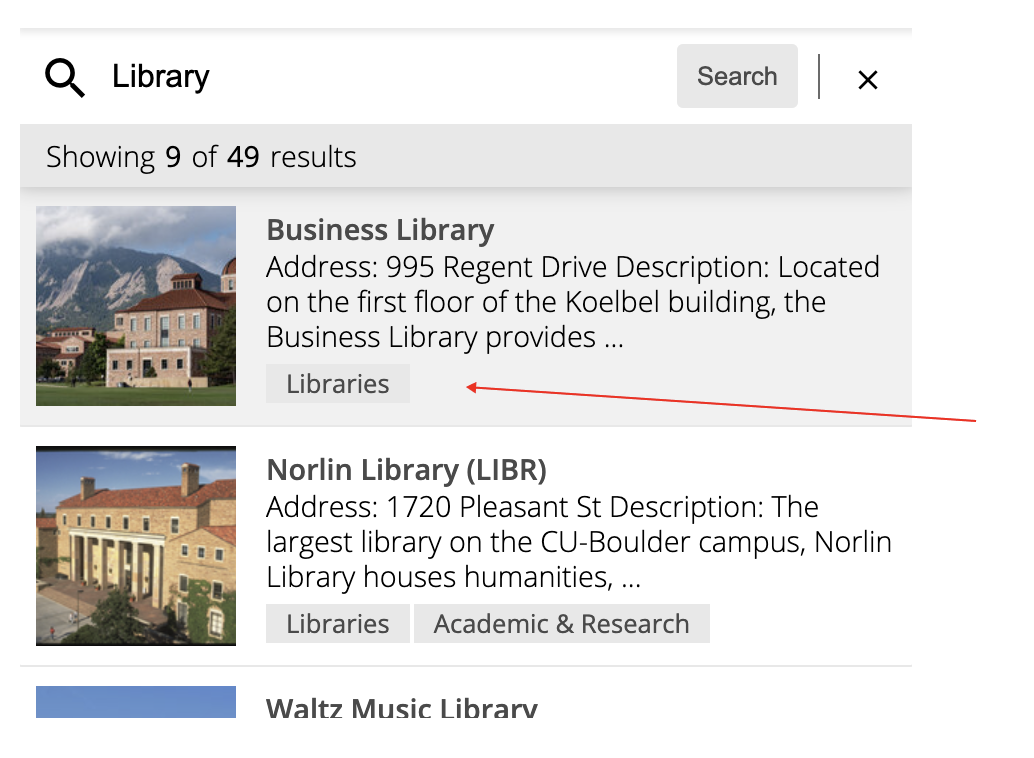
Updated the search results interface to improve accessibility by removing clickable category badges from each search result. Category badges are now displayed as static, non-interactive labels, ensuring compatibility with screen readers and reducing nested button elements in the markup. Search result titles now appear in bold for better visibility. The entire search result row remains fully clickable with existing hover interactions retained.
Terrain View for 360 Maps
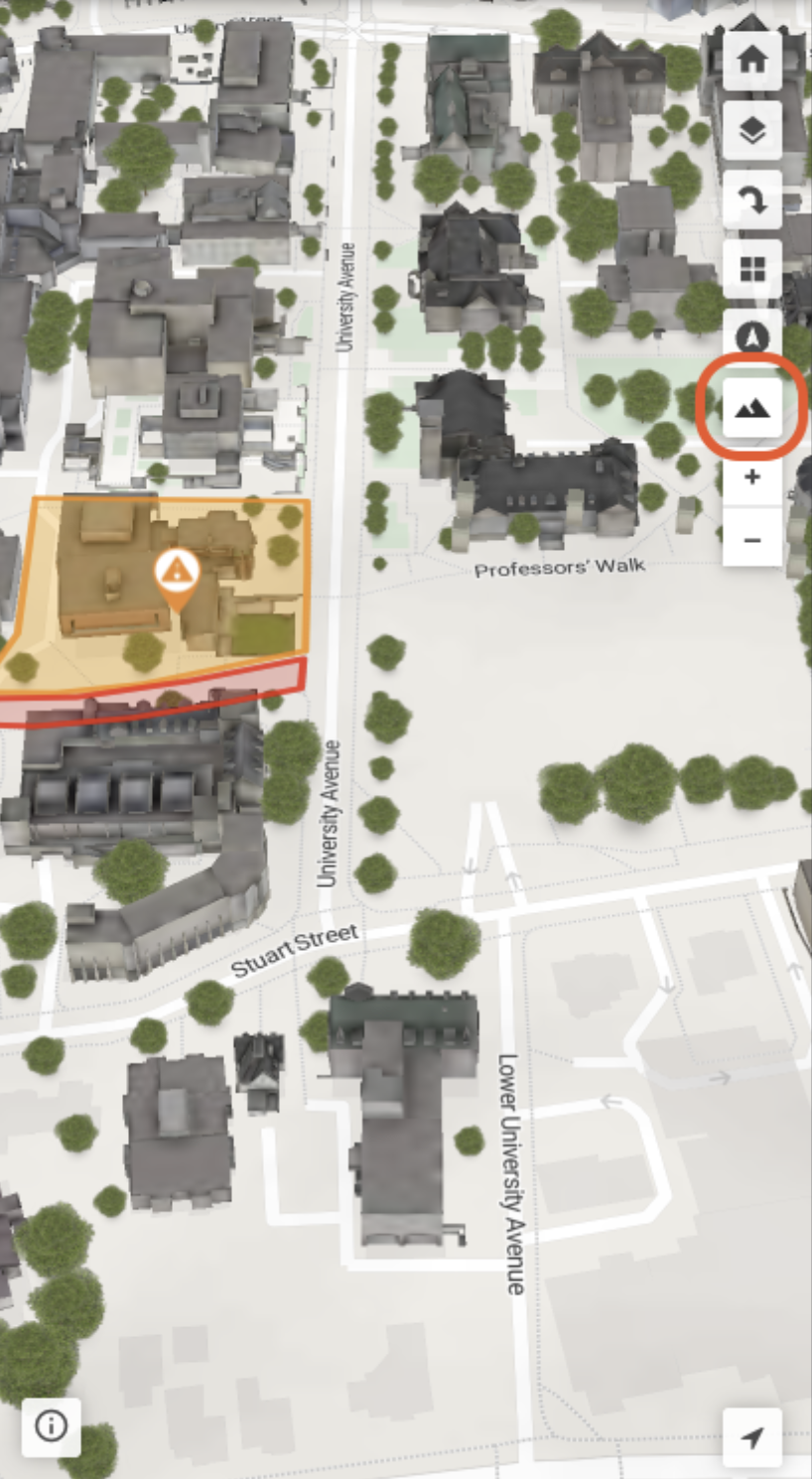
Introduced an optional terrain feature for 360 Maps, now available via a toggle button in the map controls when 360 or multi-orientation maps are enabled. This enhancement is currently supported only on the c3dgl engine and is accessed by adding the &terrain query parameter.
October 31, 2025
New Feature - Saved Places
Now live on production! Saved Places allows mobile end users to save a custom pin location or parking spot on their mobile device session. Once saved, they can share or get directions to that location later.
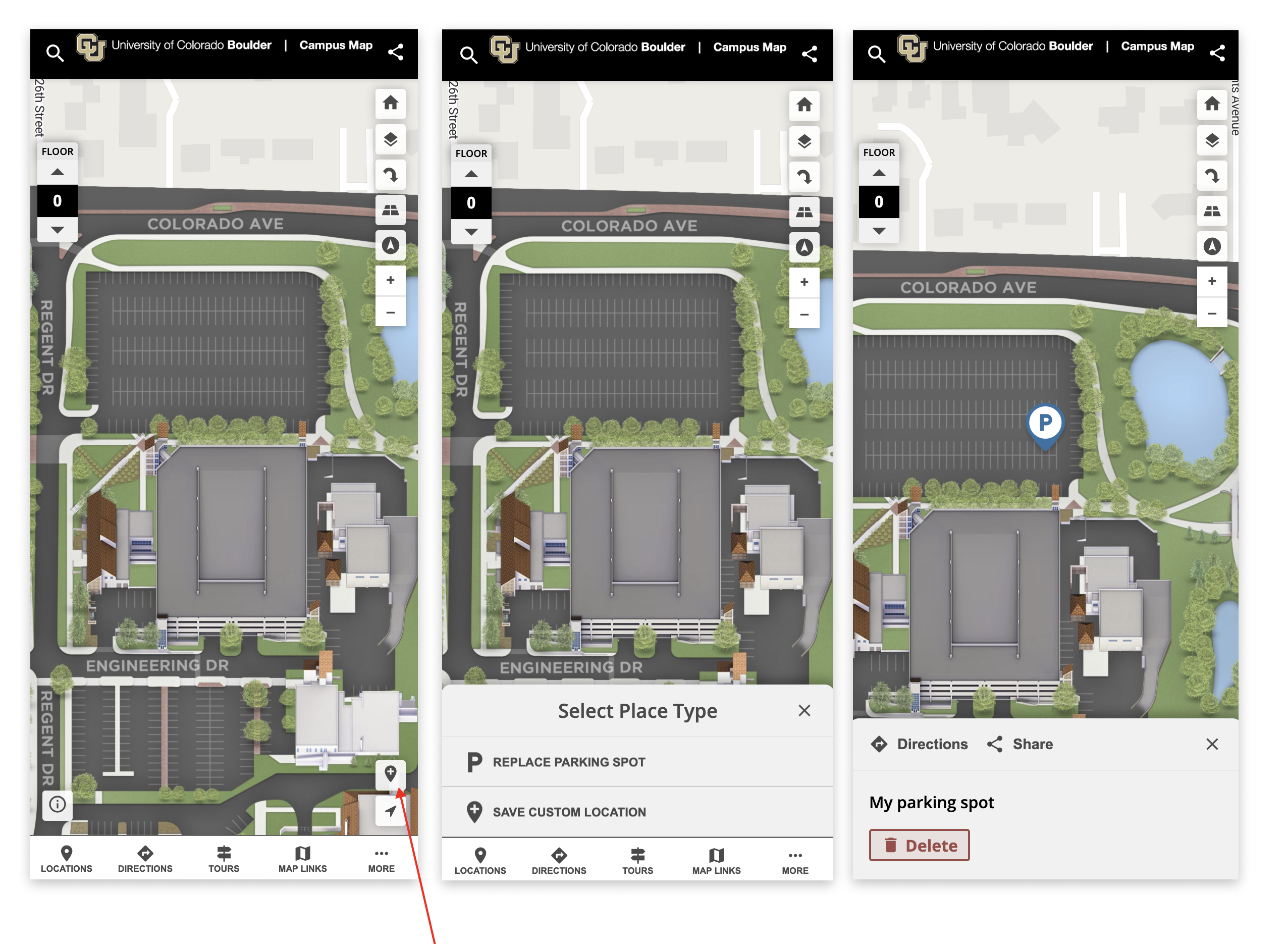
Users save and manage their locations in My Places making it easy to access and store multiple locations.
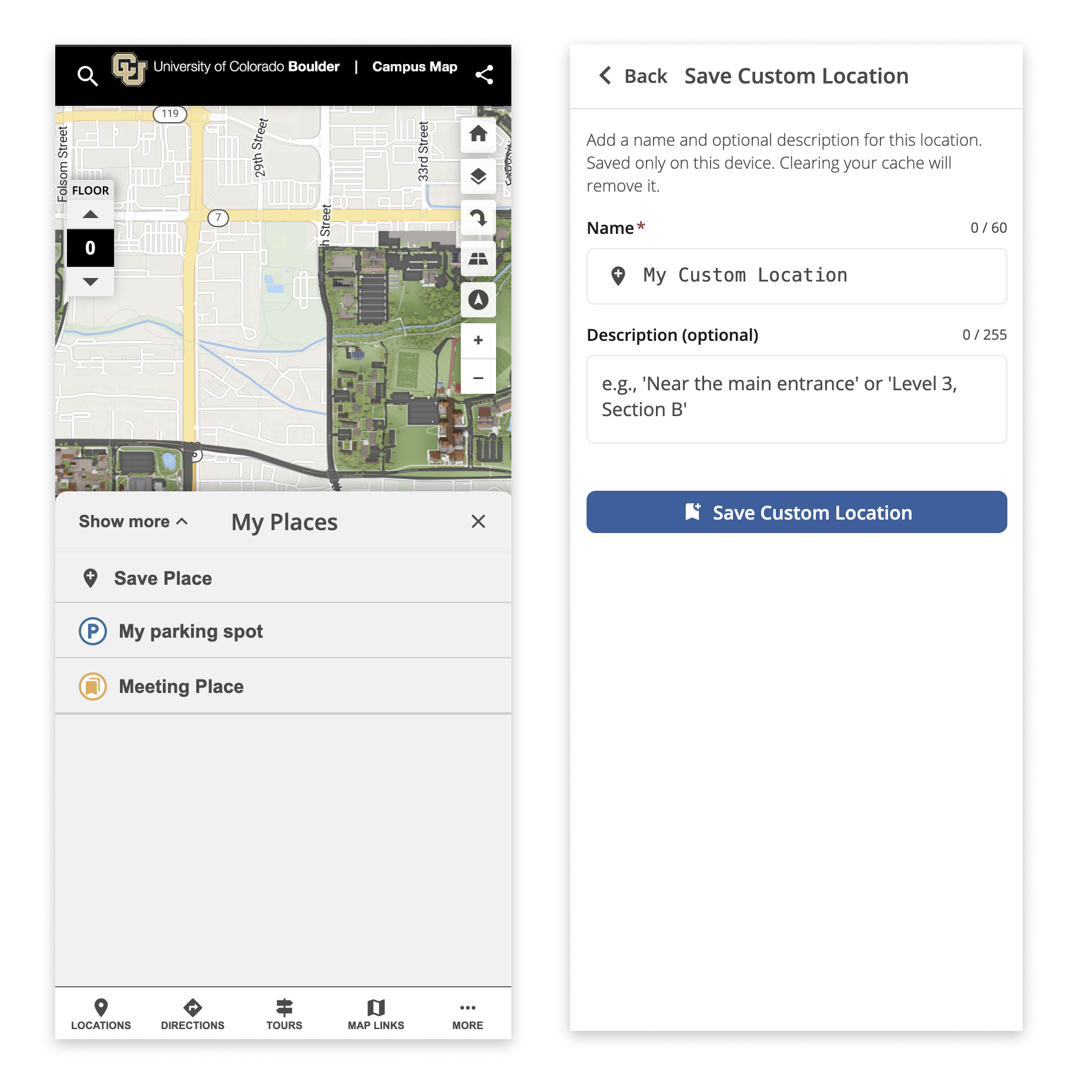
Image Source Indicator in Edit View
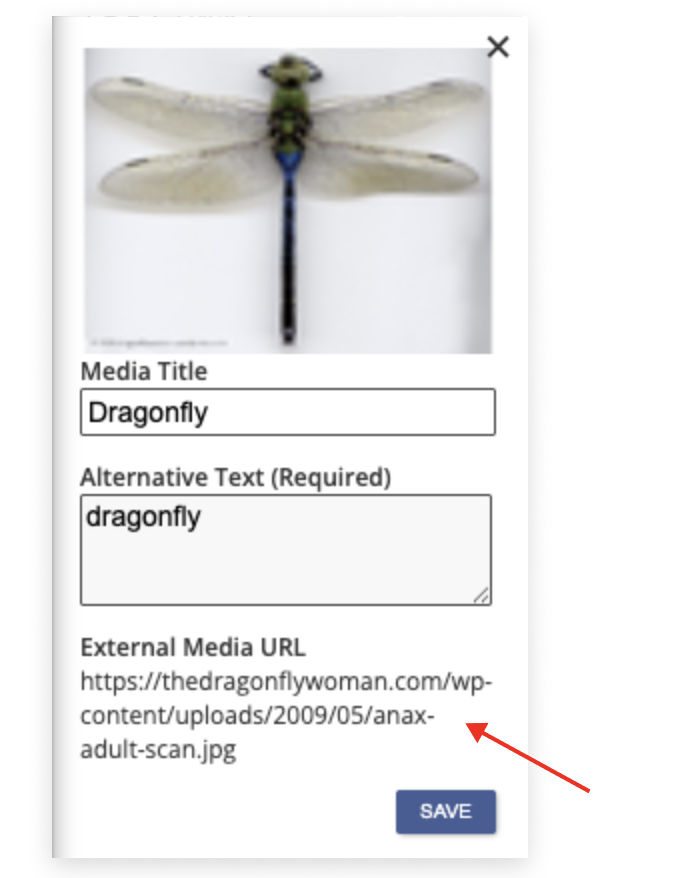
The edit image view now displays whether an image was added via a direct file upload or by using an external URL. When viewing an image, users can see the source listed and, if the image was added by URL, the URL is shown and clickable for easy access. This helps quickly identify how images have been added to the CMS.
Accessibility
Improved Keyboard Focus at 200% Zoom
Tab order for "show more," "share," and "directions" buttons now follows expected sequence for improved accessibility when zoomed to 200%.
Improved Dropdown Focus Indicators
Keyboard focus indicators are now visible on all dropdown submenu items and cut-off display issues on Mac have been fixed, enhancing accessibility and compliance with WCAG 2.1 AA standards.
Improved Screen Reader Accessibility for Map Tour Buttons
The Map Tour button now announces its description to screen readers, ensuring users with assistive technology can better navigate and understand tour options. The image within the tour card button has been updated to be decorative only and is skipped by screen readers, streamlining the focus order for improved accessibility.
Improved Accessibility for Map Tour Modal
Keyboard users can now close the "exit tour" modal using the Escape key, and focus is reliably trapped within the modal until it is closed. This ensures a smooth and accessible navigation experience for all users.
October 21, 2025
Feature Updates
Wayfinding Search by Latitude and Longitude
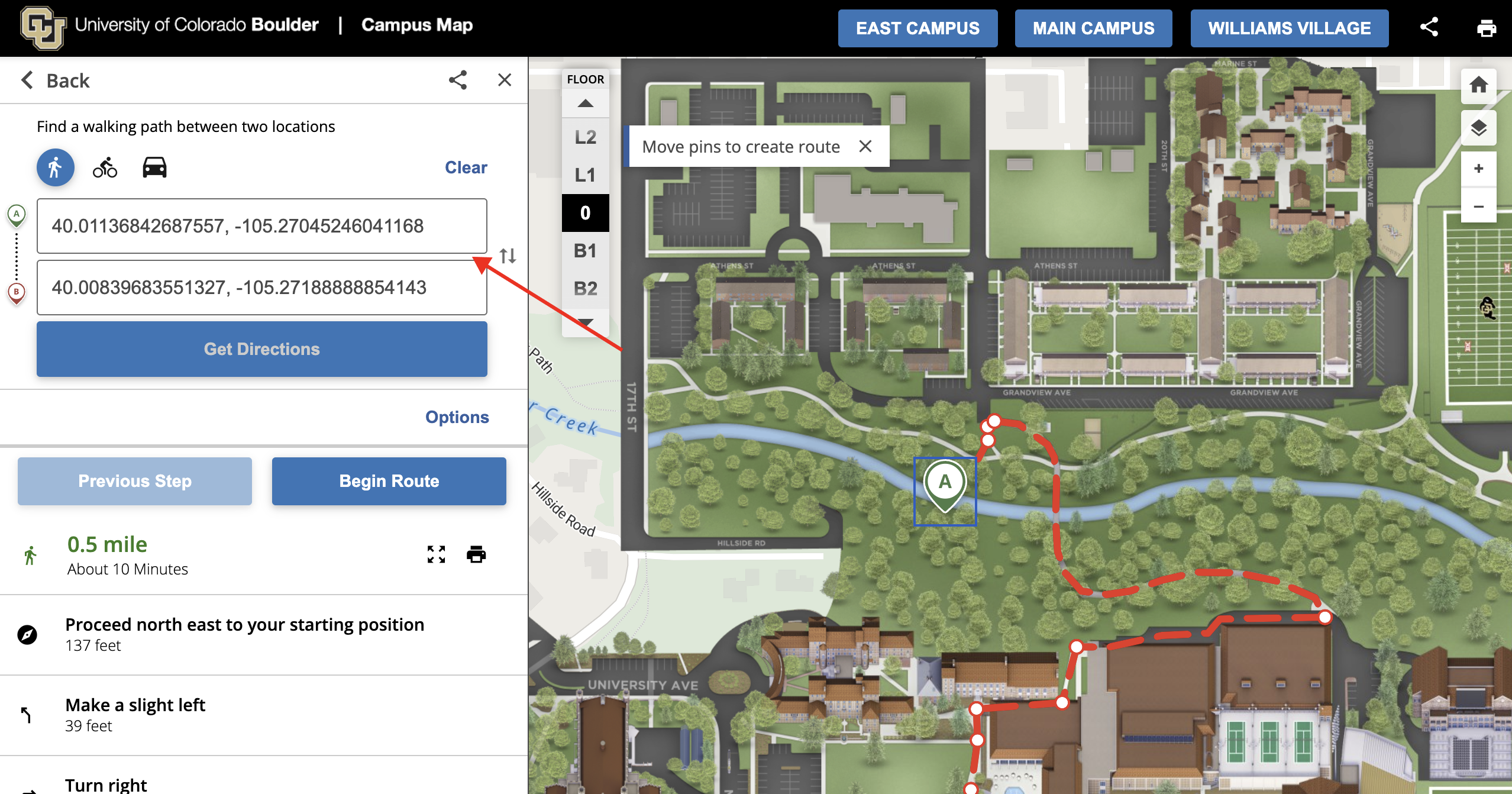
Wayfinding search now supports entering latitude and longitude coordinates directly. Users can input precise location data to help find destinations, adding flexibility for specialized needs and enhancing compliance with location standards.
Users must follow a comma separated format such as:
40.01136842687557, -105.27045246041168
40.00839683551327, -105.27188888854143
September 30, 2025
Feature Updates
Saved Places is Coming Soon!
We started work on a new mobile feature to allow end users to save a custom pin location or parking spot to their mobile device session! Then share or get directions to that location later. More to come as the feature continues through development!
CNAME Restriction to Single Map ID
CNAME URLs are now limited so that each CNAME can only be associated with a single map ID. This prevents situations where a map could inadvertently appear under an incorrect branded URL, ensuring consistent and accurate branding for your maps.
Map Share Modal: Twitter Icon Updated to X
The Twitter icon in the desktop map share modal has been updated to the new X logo to reflect the platform's rebranding. Users will now see the X icon when sharing maps via this social media channel.
Expanded Cookie Policy Parameter Hiding for Mobile App Web Views
We’ve expanded our “Hide Cookie Policy” option to include web views in mobile applications. Previously, this functionality was only available for iframes. With this update, map visits within mobile app web views are now properly tracked in Google Analytics, provided that consent is correctly passed through from the original site.
Accessibility Updates
Improved Styles & ADA Contrast on Cookie Policy Modal: The Cookie Policy modal was previously branded with the Concept3D green. This color fell out of contrast requirements and often looked out of place. We now use client controlled styles to ensure the Cookie Policy not only passes contrast requirements, but CMS admins can tweak the look and feel to ensure it matches their brand.
The following settings can be controlled on the Styles Tab in the CMS to adjust:
- The “Accept” button will follow the “Primary Button” style
- The accent color at the top will follow the Global “Accent” color
- The “learn more” call to action link will follow the “Links” style

Share Modal Accessibility Improvements: Form fields are now properly labeled for screen readers, SVG icons have appropriate roles or are hidden if decorative, and heading structure follows accessibility standards for smoother navigation.
Accessibility Compliance for Mobile Wayfinding Buttons: Removed the prohibited attributes from mobile wayfinding buttons to improve accessibility.
Corrected Heading Structure for "No Search Results" Message: Resolved an accessibility issue by updating the heading structure to be properly sequenced for better screen reader and keyboard navigation.
September 30, 2025
Updates for Google Analytics (GA4) Consent Mode
While end users will see no different on our front end map, our Google Analytics integration now fully supports Consent Mode V2, helping improve both data accuracy and privacy compliance. This update ensures user consent preferences—especially for ads and personalization—are correctly communicated to Google.
It also helps maintain reporting continuity by allowing Google’s systems to model certain metrics (like conversions and engagement) when users opt out of cookies. This means your analytics remain more complete and reliable while still respecting visitor privacy.
Accessibility Improvements
We’ve made a series of enhancements to make the Interactive Map more inclusive and easier to use for everyone:
- Wayfinding Search & Autocomplete: Improved keyboard navigation and screen reader support for search, start, and end fields—making it easier for all users to plan routes..
- Map Tours: Updated attribution visibility so hidden elements stay hidden from assistive technologies for a cleaner, more consistent experience.
- Transit Features: Enhanced accessibility across dialogs, stop lists, and sidebar controls. Screen readers now clearly announce stop names and control states, improving navigation for users with visual or cognitive impairments.
- Transit Sidebar & Modals: Improved responsive layout for small screens, and removed non-interactive elements from the tab order for better keyboard navigation.
- Search Bar: Corrected ARIA attributes to ensure compatibility with screen readers and meet accessibility standards.
These updates improve compliance with accessibility standards (such as WCAG) and create a smoother experience for people using assistive technologies.