September 10, 2025
New Feature
AI-Powered Batch Alt Text Generation for Images on Map Locations
We’ve introduced a new AI-powered process to help improve image accessibility across the Map platform. This process can automatically generate descriptive alt text for active images that are missing descriptions.
- Accessibility support – Fills in missing alt text so more images are accessible to users relying on screen readers and maps can pass automated scanning for accessibility.
- Batch updates – Runs in bulk to quickly cover large sets of images.
- Customer review – A report of generated alt text will be provided, but it remains the customer’s responsibility to review and update descriptions to ensure they are accurate and meaningful in context.
Map Tour Accessibility Enhancements
We’ve made several updates to improve the accessibility of Map Tours, with a focus on making forms and navigation more user-friendly for people using assistive technologies:
- Privacy Checkbox Labels – Screen readers and speech input tools now correctly announce the purpose of privacy checkboxes (e.g., “I agree to the Privacy Policy,” “I am 13 years of age or older”).
- Form Focus on Mobile – When a tour form opens on mobile, the cursor and screen reader focus now move directly into the form, preventing confusion or lost context.
- Icon Screen Reader Cleanup – Decorative icons in form fields (like email, name, or location) are now ignored by screen readers for a smoother experience.
- Autocomplete Support – Common fields such as name, email, and postal code now support browser autofill, making forms faster to complete while improving accessibility.
- Heading Structure – The heading hierarchy in Map Tour forms has been updated to match visual layout, helping screen reader users navigate more easily.
- VoiceOver Fixes – Resolved an issue where VoiceOver incorrectly announced unrelated error messages when selecting checkboxes; now only the relevant information is read.
Additional Accessibility Updates
- Share Location Menu – Updated heading levels for better screen reader navigation.
- Top Bar Header – Removed redundant attributes for improved compatibility with assistive technologies (no visible changes).
Dynamic Label 1.0 Category Creation Disabled
The option to select Dynamic Label 1.0 has been removed when creating or editing categories (except when editing an existing Dynamic Label 1.0 category). Existing Dynamic Label 1.0 categories now display a warning that they will be deleted soon. Users are advised to migrate to Dynamic Labels 2.0. For assistance, please contact support@concept3d.com.
July 31, 2025
Accessibility Enhancements
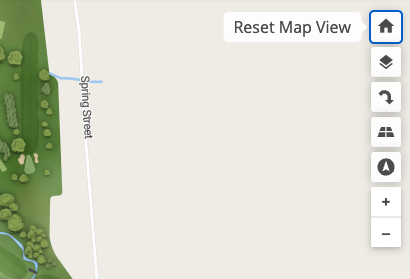
Tooltip Added to Map Home Button
The Home button on the map toolbar now displays a tooltip reading “Reset Map View,” ensuring a consistent and accessible experience across all map control buttons.
Focus Tap for Directions List View on Mobile
The directions list drawer on mobile now traps focus for users of screen readers. This ensures that while the modal is open, all navigation remains within it, preventing focus from accidentally moving to background elements such as the map.
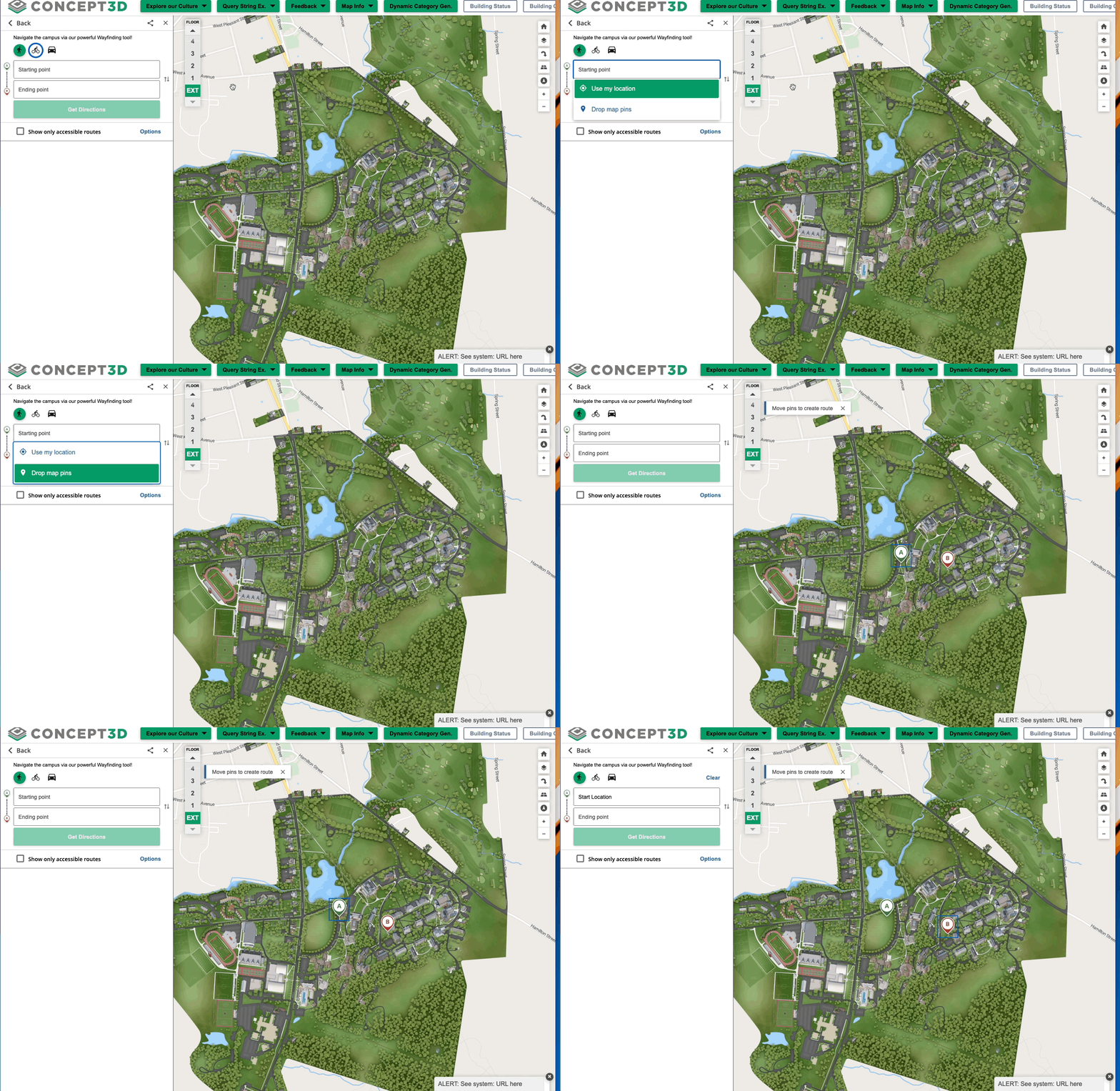
Improved Keyboard and Screen Reader Accessibility for Wayfinding Pins
Wayfinding map pins ("Start Point, A" and "End Point, B") can now be reached and moved using only a keyboard or a screen reader on desktop. These elements are now correctly focusable and operable, making the map experience more accessible for users with visual, physical, or neurological disabilities.
Improved Accessibility for Map Tours
- Improved Landmark Identification: Map Tours now include programmatically defined landmark regions, making it easier for screen reader users to navigate and identify sections.
- Tour stop buttons are now properly grouped and marked as lists using standard HTML list markup. This improves compatibility with screen readers and helps all users understand the structure of the content more easily.
- Screen reader users can now access description information on Map Tour cards and buttons. Descriptive labels have been added so that all visible content is clearly announced by assistive technology, making navigation easier for users with visual and cognitive disabilities.
July 23, 2025
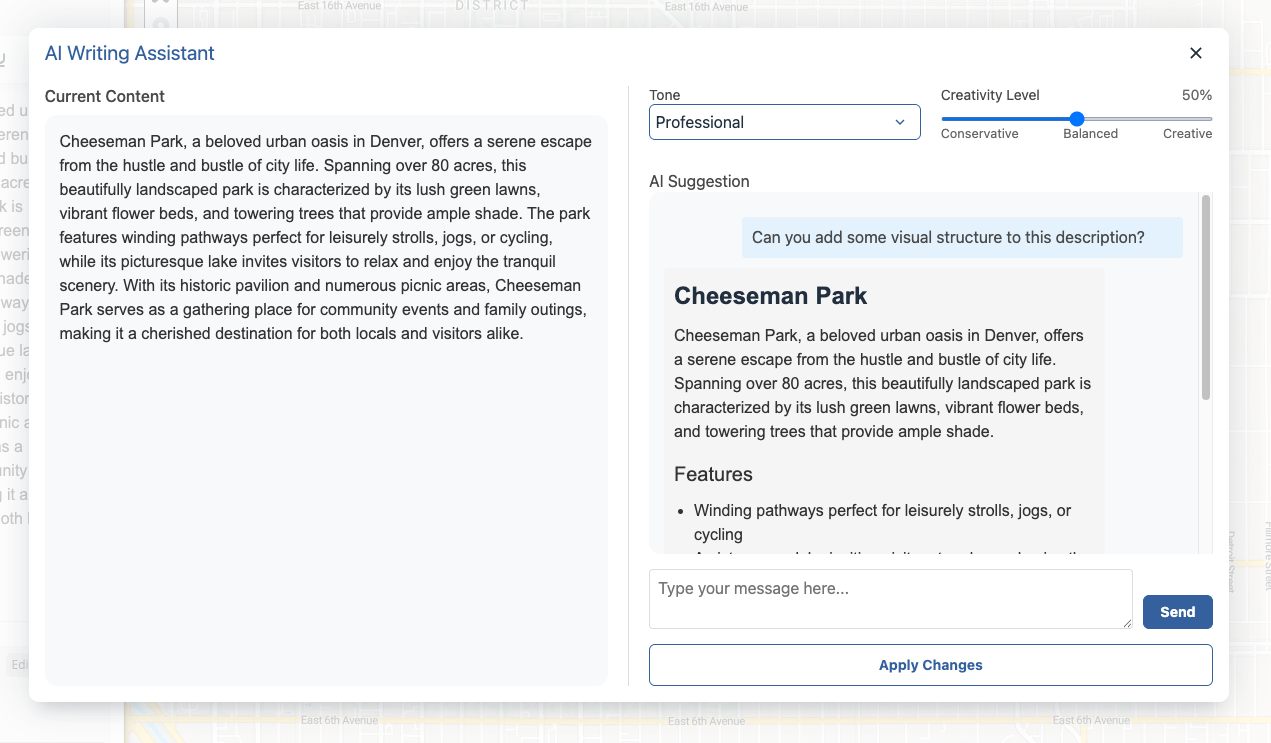
AI Generator: Enhanced Chat Experience for Location Descriptions
The AI Location Description Generator has a fresh new look and improved functionality designed to streamline your workflow and make content creation even easier.
What’s New:
Chat-Style Interface: The generator now features a familiar chat format, making it easier to follow the conversation thread and refine your results.
Contextual Display & Memory: The current location description is displayed within the dialog for better context as you generate new content. The chat also retains your prompts and responses from the current thread, helping you iterate while maintaining continuity.
Improved Usability: The prompt input automatically gains focus when the dialog opens, so you can start typing immediately without any extra clicks.
These updates make it faster and more intuitive to generate and iterate on compelling location descriptions using AI.
Custom Satellite View Links via URL Parameter
Users can now create custom links that automatically open the map in satellite mode by adding ml/satelliteto the URL after the hash. Changing map modes with the layer buttons updates the query parameter and keeps the correct button state. The specified parameter will override the default map mode when the link is used.
Example: https://map.concept3d.com/?id=1216#!ml/satellite
Improved Dynamic Label Scaling on Print Maps
Dynamic labels are now scaled proportionally on print maps, ensuring they remain clear and readable at all resolutions. Labels adjust automatically to fit the map size, preventing them from appearing too small or difficult to read when printing.
Revamped Sidebar for Improved Accessibility on Desktop
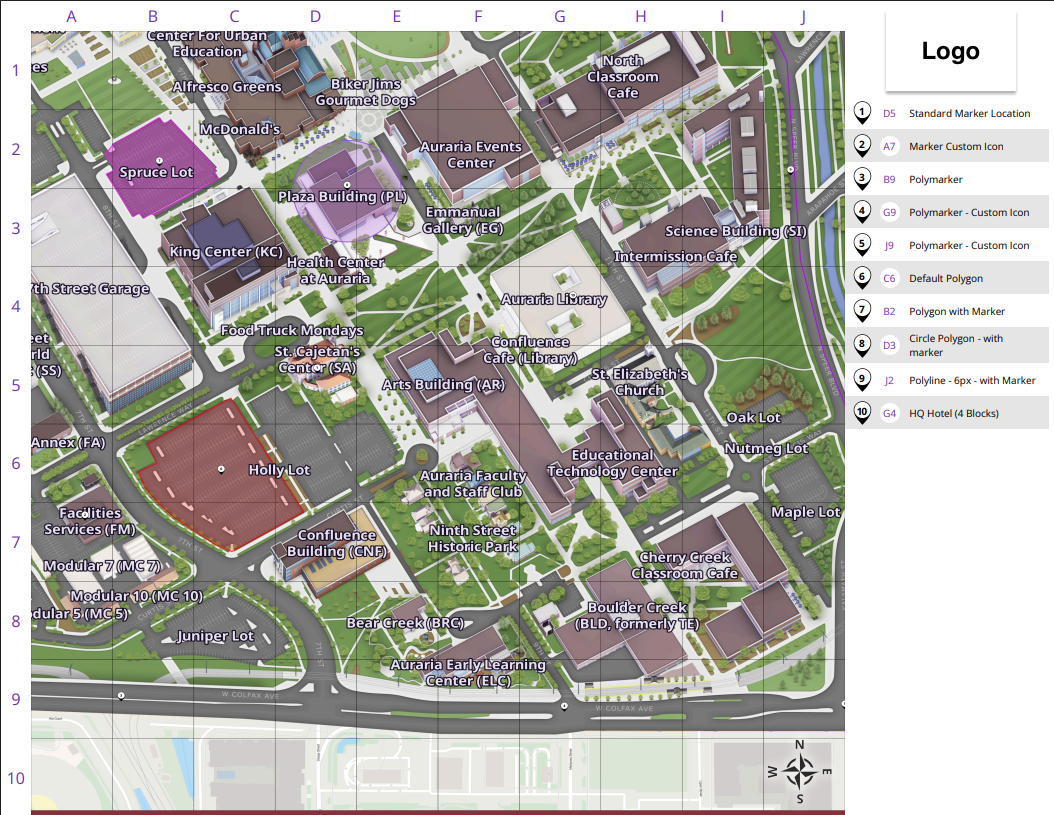
We’ve launched a revamped sidebar on desktop to create a smoother, more accessible experience across the interactive map. While it might not look any different, this new version unifies the different sidebar views — such as location details, directions, map tours, and transit — into a consistent structure that improves usability for everyone.
Key Benefits:
Improved Accessibility: Focus is now properly maintained when using keyboard navigation or screen readers — making it easier for all users to access and interact with sidebar content. No more focus getting lost behind the sidebar!
Smarter Sidebar Behavior: In features like map tours, closing a panel no longer hides important tools like the level selector. Sidebars now open and close more intuitively depending on the context.
Smoother Animations: Transitions between different sidebar views are now animated for a more modern and polished feel.
More Consistent Experience: The new structure sets the foundation for future accessibility enhancements and a more consistent look and feel across map tools.
July 11, 2025
Launch of Clever Transit as Supported Transit Feed Type
Now, Clever Transit is considered a supported feed on our out of the box transit feeds. We've integrated a new real-time transit feed type allowing students and visitors to access up-to-the-minute transportation information. The system provides real-time updates on bus routes and schedules, improving campus navigation and planning.
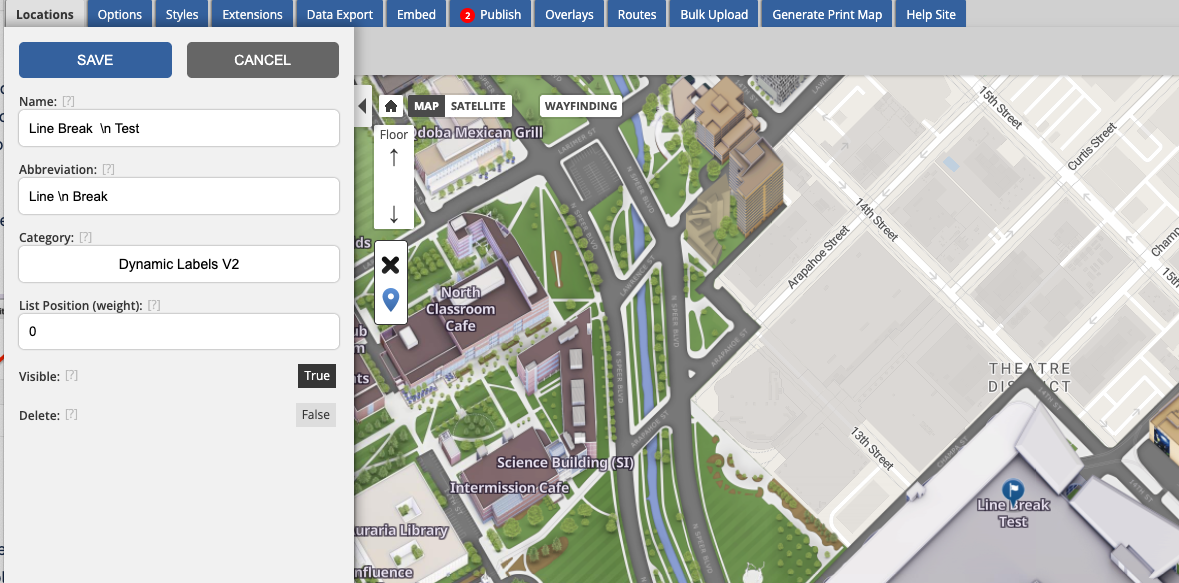
Dynamic Label Abbreviation Line Break Support
Improve map legibility with dynamic labels 2.0, which now supports line breaks for label abbreviations (not just label titles). This enhancement allows for better display of building names and numbers by including user-defined formatting from uploaded spreadsheets. Simply use a line break (\n) to split text into multiple lines.
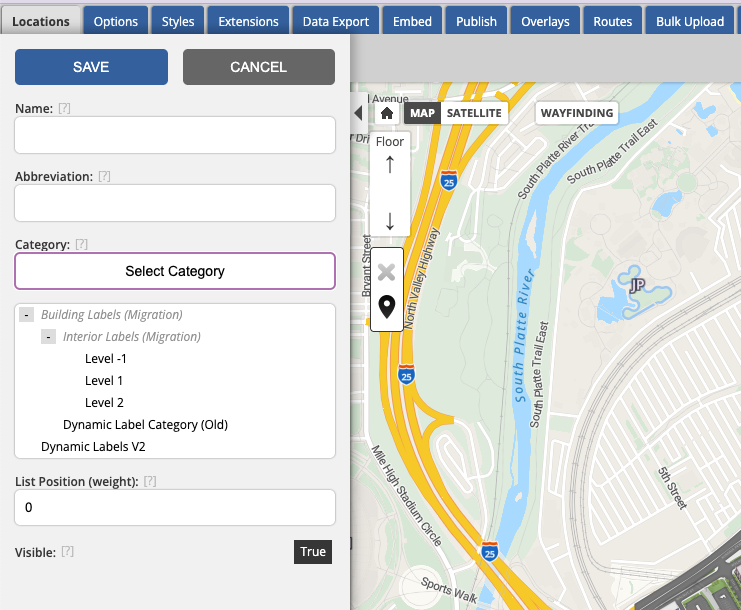
Simplified Category Selection for Labels
We've made creating dynamic labels simpler by displaying parent categories in the category selector. This improvement helps you easily identify nested categories, reducing confusion when selecting from similarly named options.
View 360º Models in CMS
Our 360º Map customers can now view interactive 360-degree models directly within the CMS. This enhancement allows for seamless location and model management, mirroring the presentation found on the front end. The 360º models are also accessible in the route builder for comprehensive configuration and planning.
Corrected Marker ID Export Format
Resolved an issue with marker instance IDs exporting improperly by removing extra commas in the exported data file. This ensures that data downloaded from the export tab will have clean and correctly formatted marker IDs, improving usability and data integrity during bulk exports.
Accessibility Improvements
Improved Search Input Field Accessibility: We’ve improved how the search field works for people using screen readers. It now includes clearer behind-the-scenes labels that help assistive technologies describe the search field more accurately.
Improved Accessibility for Floor Selector: The floor selector title "Floor" now uses heading markup, improving navigation for screen reader users.
Fix for Aria-Controls Invalid ID: Resolved issue where dropdown button's aria-controls referenced invalid IDs, ensuring compatibility with assistive technologies by using valid ID references.
Improved Accessibility in Mobile Share Modal: The share modal on mobile now ensures that the focus remains trapped inside, preventing background elements from being included in navigation and reducing redundant VoiceOver announcements for a smoother experience.
Accessibility Improvement for Minimize Button on Desktop: The "Minimize" button in location balloons now correctly reads as "minimize location balloon" to VoiceOver users, providing clearer navigation and enhancing accessibility.