August 31, 2026
New Features
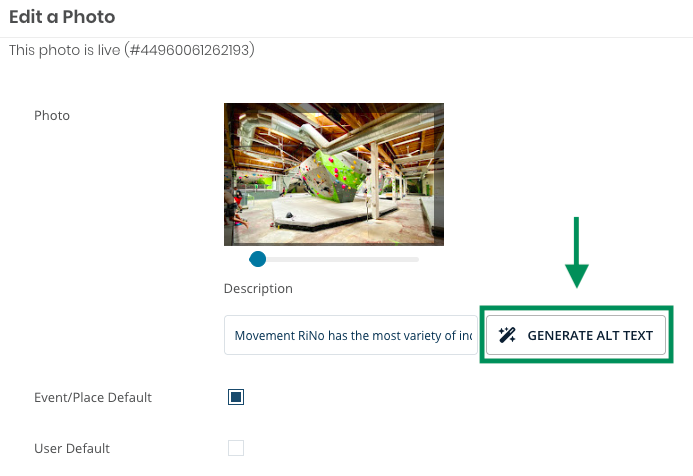
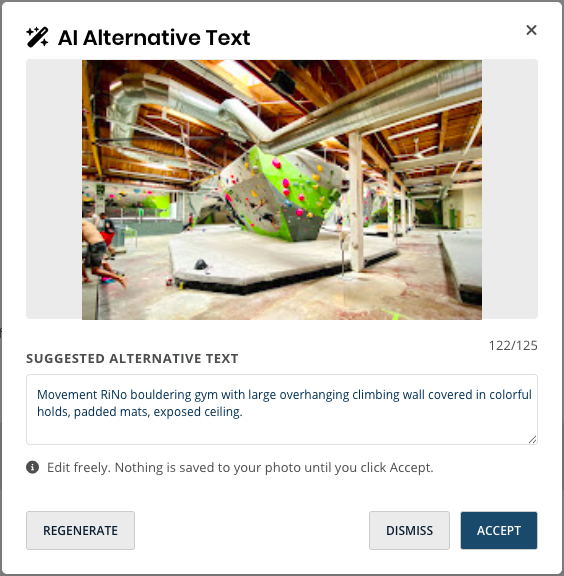
AI-Generated Photo Alt Text
Admins can now generate alt text suggestions for event and channel images while working in the photo chooser. This adds a faster path to writing useful image descriptions and supports more accessible event content without leaving the normal image workflow.
EMS Integration Setup Improvements
The EMS feed setup flow now gives admins more control over how EMS data maps into Localist Events. Group options can be narrowed by the selected group type, and user-defined field mappings can be configured directly in the setup experience.
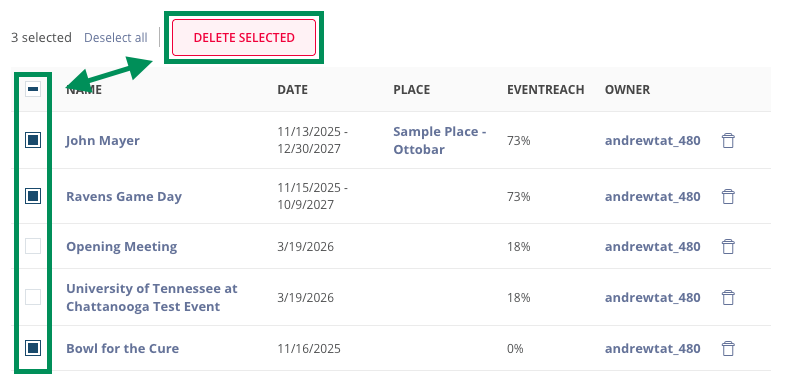
Bulk Event Deletion
Event Editors and above can now select multiple events from the admin Events list and delete them in one batch. The flow includes selection checkboxes, a two-step confirmation, background processing, and completion feedback that reports deleted and skipped events.
July 21, 2026
New Features
Bulk and Individual User Deletion
Platform Admins managing large user bases now have far more control over cleanup on the All Users admin page. Using checkboxes to select users, Platform Admins can delete individual users on the spot, or schedule a bulk deletion for a whole set of users at once:
- Filter the list down to the users that match
- Use the select all checkbox to delete select users
- Delete the whole, filtered set in one action, scheduled for midnight the following day
Both flows share the same two-step confirmation and return a completion summary noting what was deleted and what was skipped (e.g., users with active ticket records). To support these workflows, the All Users page also picked up new filtering and visibility options:
- Filter by Status (All, Pending, Verified, Unverified)
- Filter by Created Date and Last Login (date range)
- Last Login now displays as a column in the users table
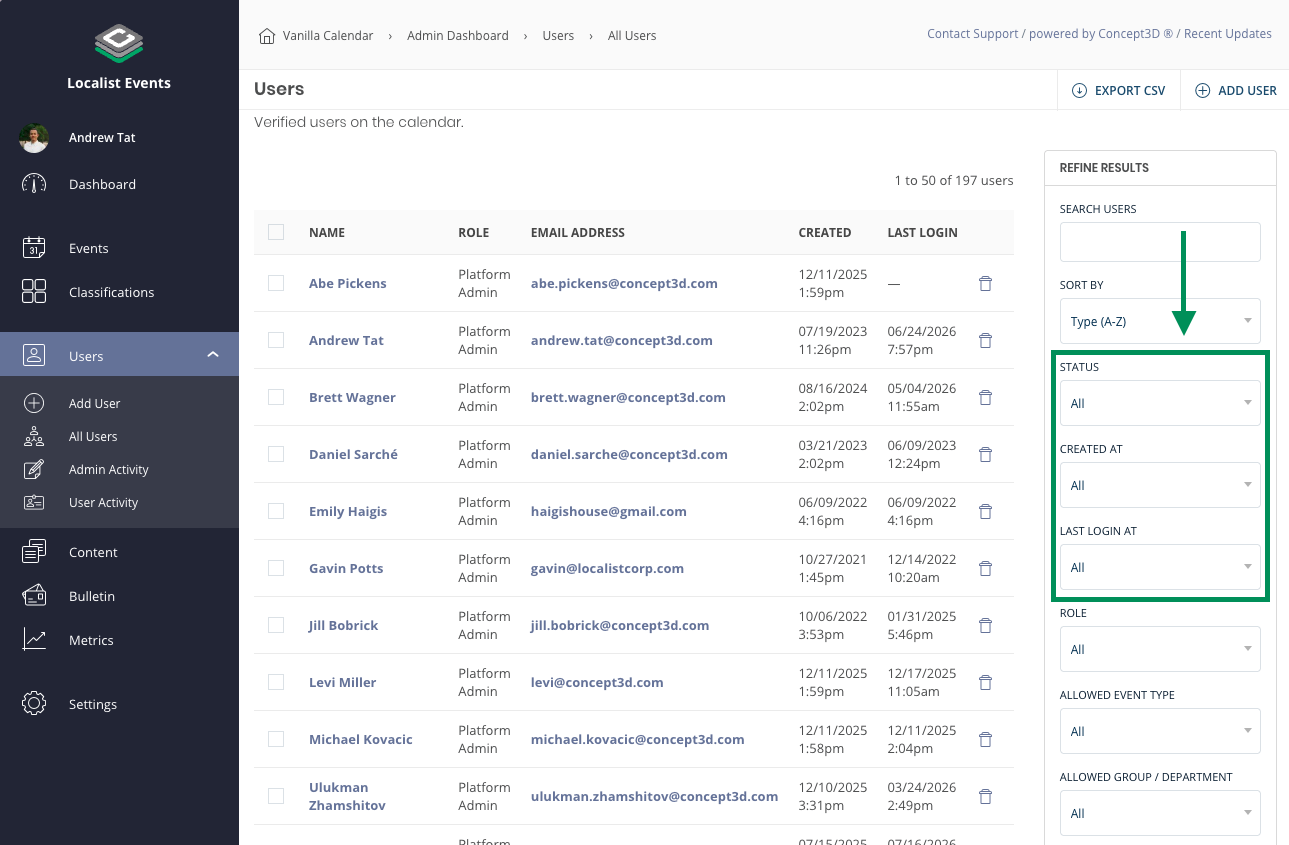
Platform Admins now have access to new filter options for managing users: Status, Created At, Last Login At
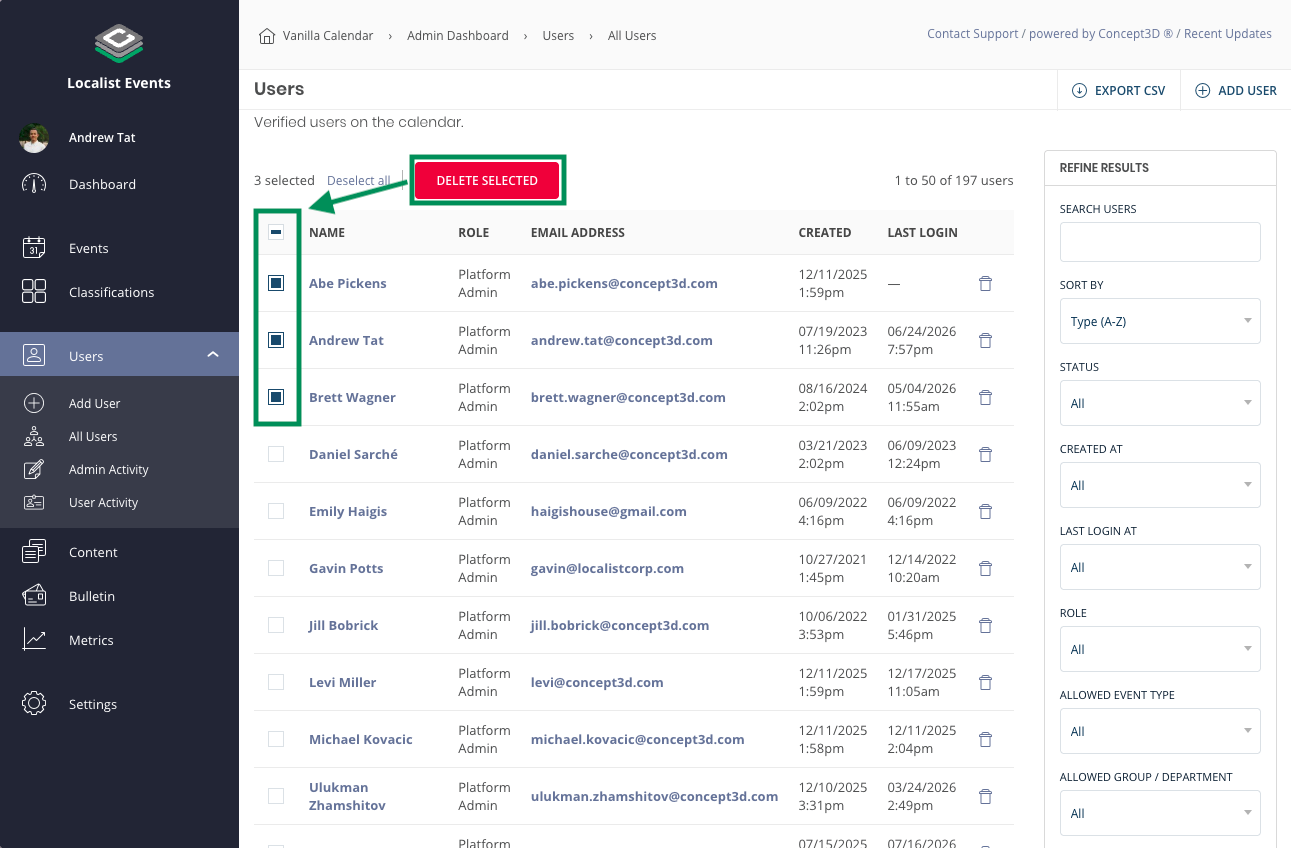
Platform Admins can multi-select users to delete immediately.
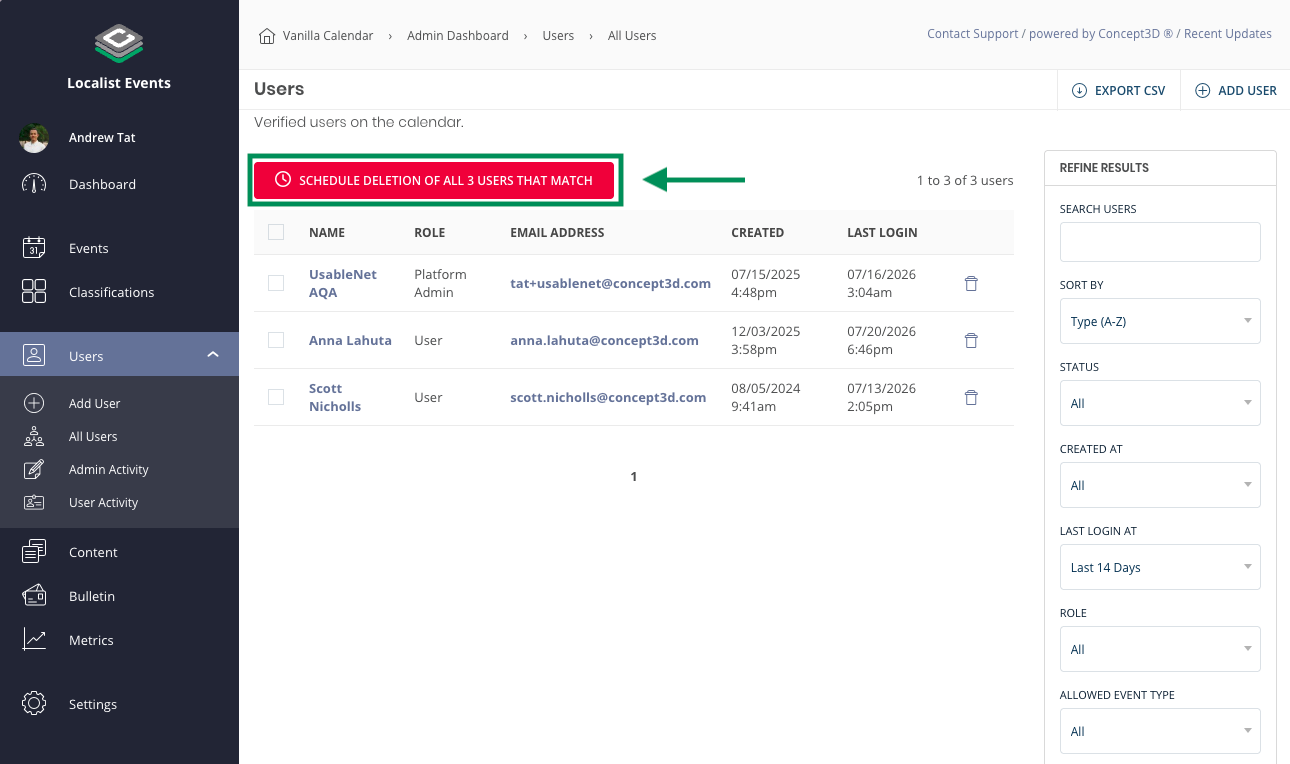
Platform Admins can also schedule deletion of all users that match their filter criteria.
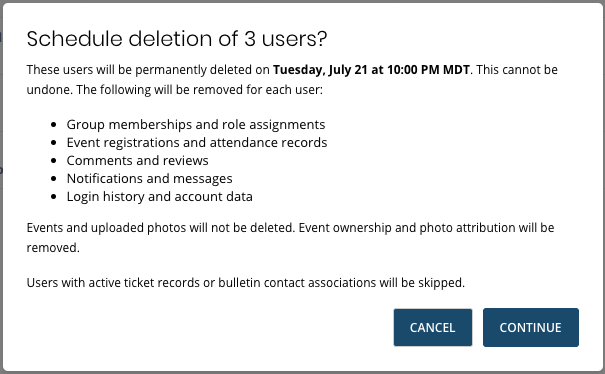
Platform Admins must doubly confirm any user deletions.
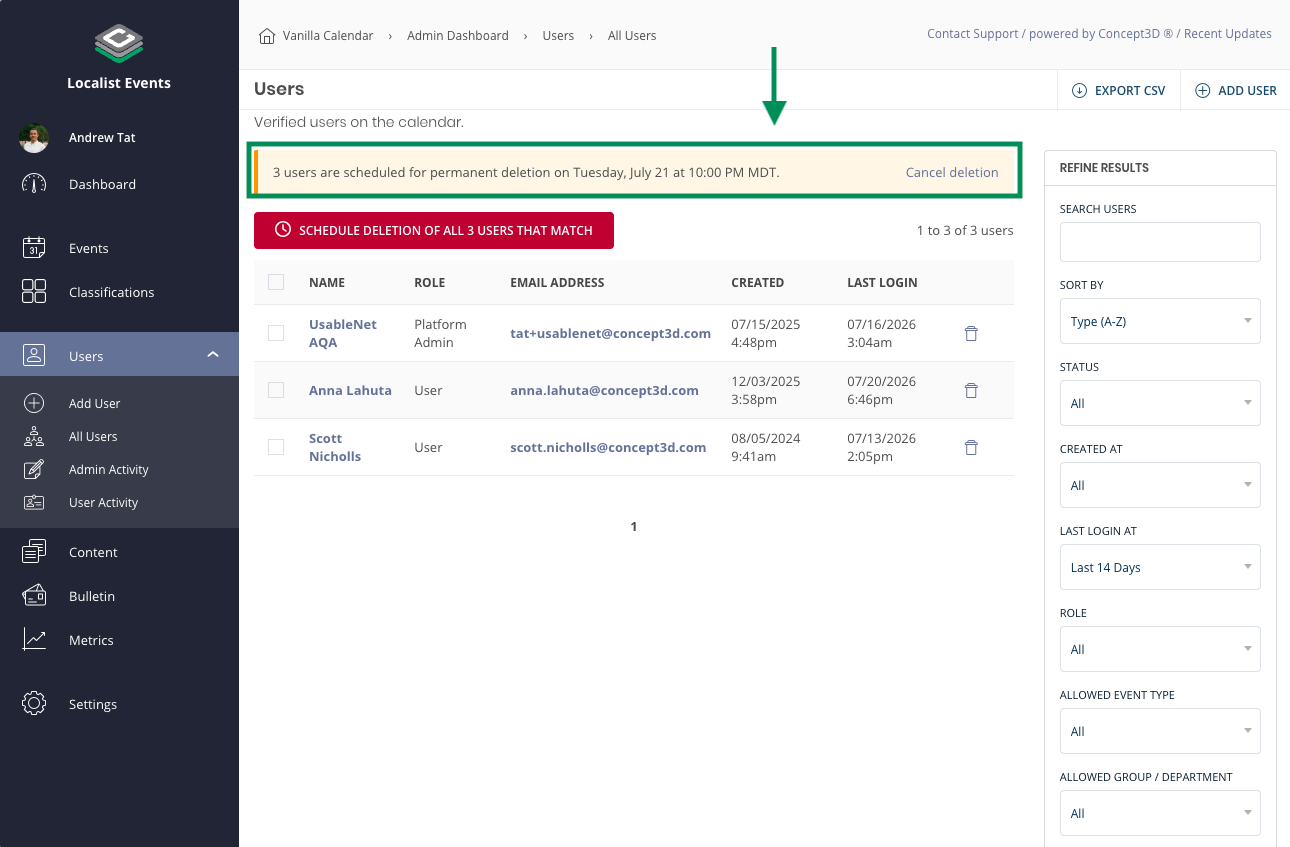
When scheduled, Platform Admins will have the ability to cancel the scheduled deletion.
***Please note - Once a deletion has been processed, it CANNOT be undone. Double- and triple-check before scheduling a deletion*** |
July 6, 2026
New Features
Event Feeds via EMS REST API
Localist Events now supports connecting event feeds directly to EMS Platform Services — Accruent's current, REST-only version of EMS. Previously, Localist's EMS integration relied on the legacy SOAP web service, which newer EMS instances no longer have access to, leaving those institutions unable to sync room bookings to their public calendar. With this release, Event Managers can set up and manage an EMS feed entirely from Localist admin, with no engineering or client success involvement from Concept3D required, while existing SOAP-based feeds continue to work unchanged.
- Connect: Enter an EMS Platform Services base URL and API credentials, with a "Test Connection" check before saving and a "Reconnect" flow if credentials ever need to be updated.
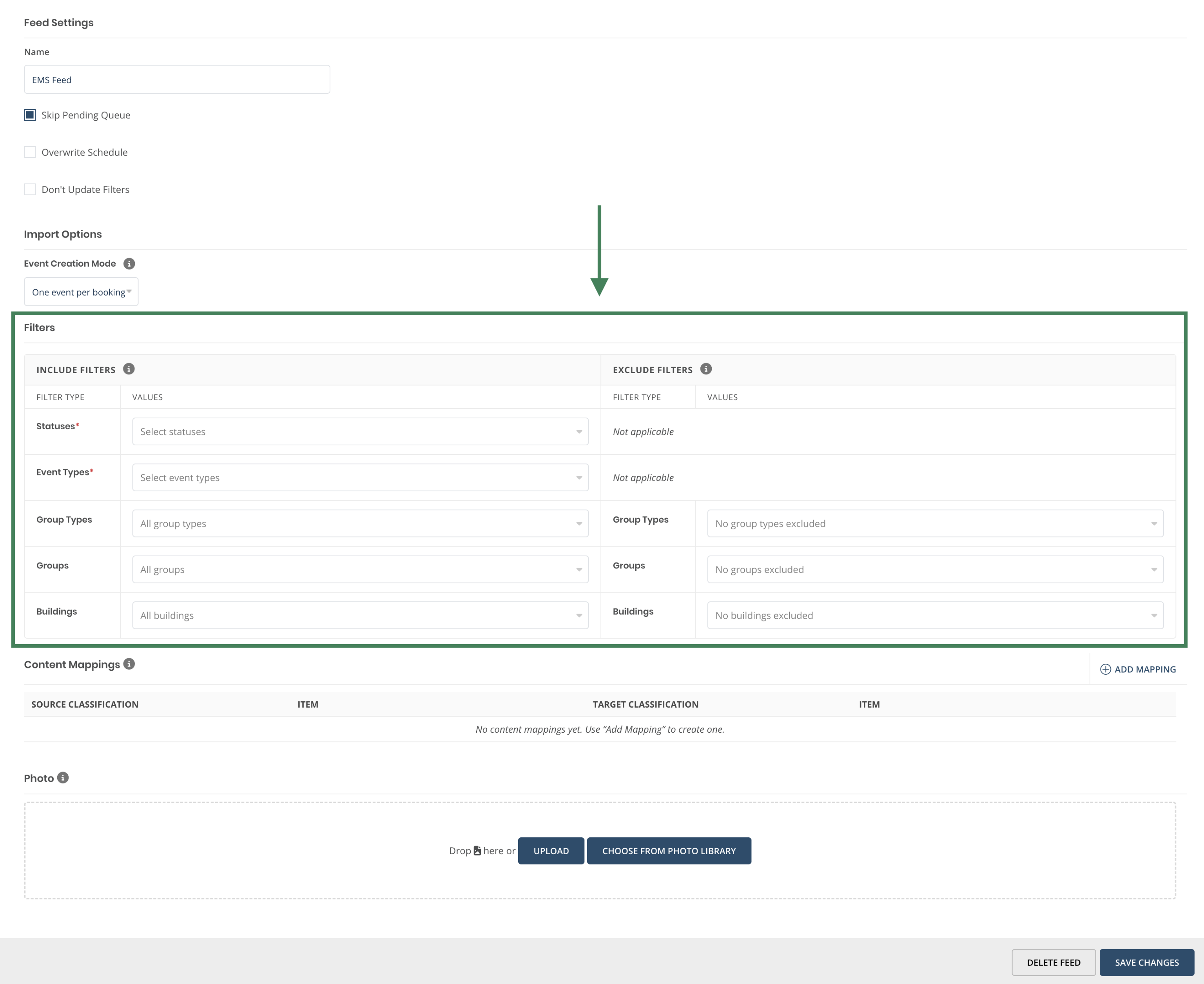
- Filter what syncs: Choose which EMS buildings, statuses, event types, and groups are included, so only relevant bookings come across to the calendar.
- Map classifications: Map EMS event types, groups, and buildings to the matching Localist event types, groups, and places from a dedicated configuration page.
- Stay in sync: Feeds import on our usual nightly schedule and update existing events using EMS's booking ID, so changes made in EMS stay current on the calendar without creating duplicates.
- Get started fast: Saving a feed for the first time automatically kicks off its first import, and building/group data loads from a cached catalog so setup stays fast even for institutions with large EMS instances.
Visit the Help Center for more information on how to set up the EMS Platform Services feed.
Event Managers can set up their own EMS integration directly in Localist Admin.
Event Managers can choose which bookings to bring over from EMS.
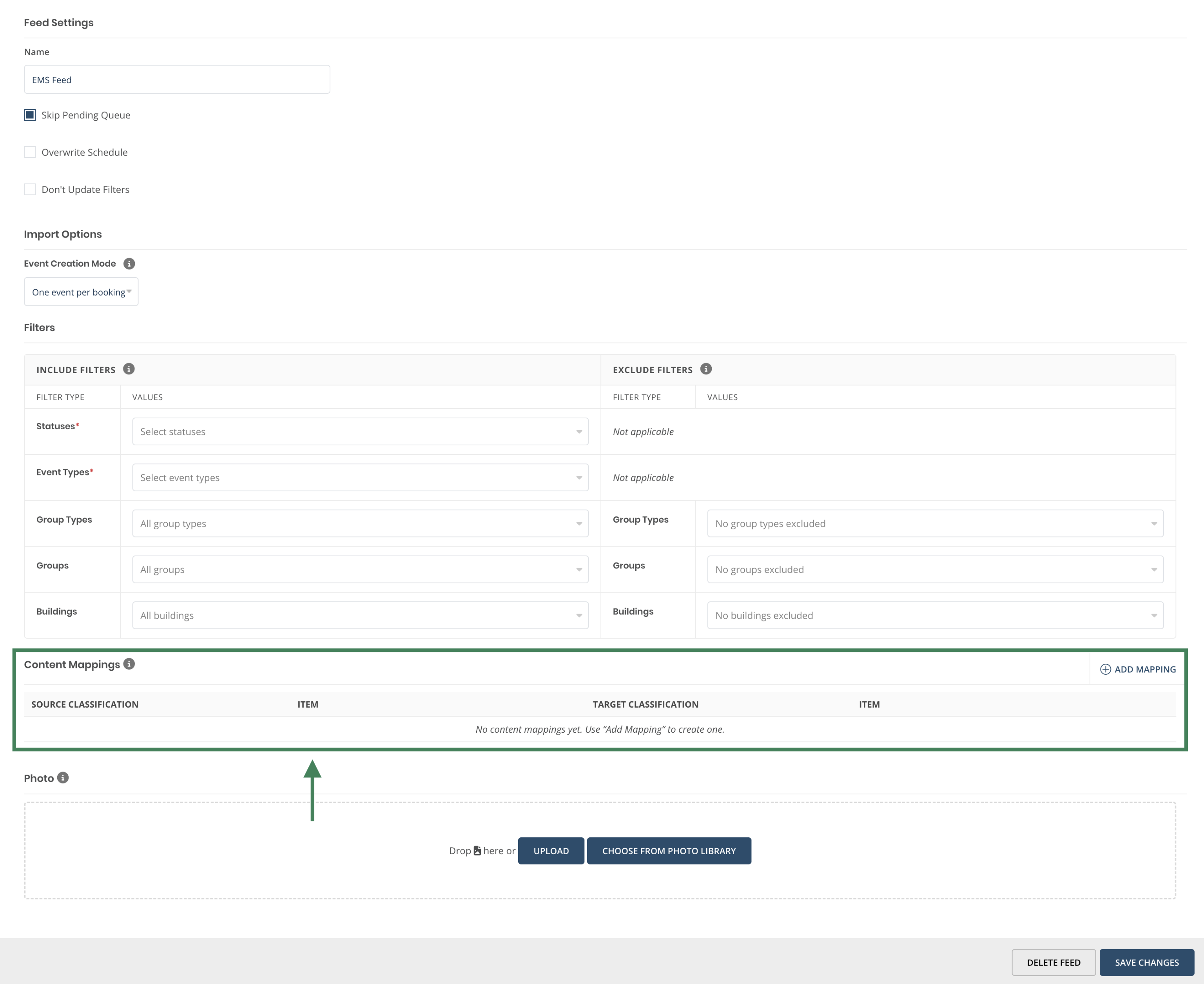
Event Managers can map how classifications in EMS translate into Localist classifications.
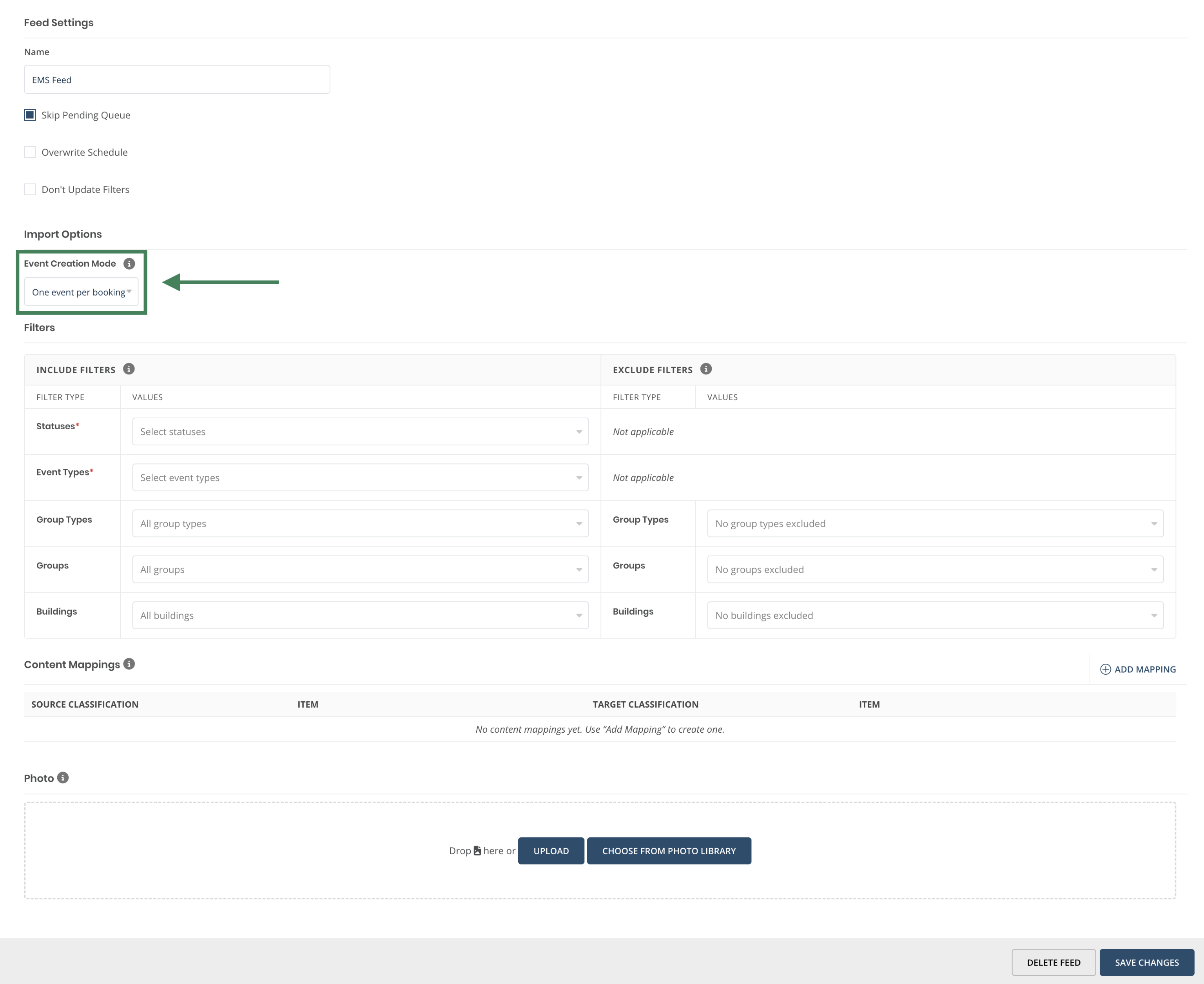
Event Mangers can choose how to group or separate bookings that share the same room in EMS.
Event Feed Visibility Override
Event feeds can now be given a default visibility setting — Public, Unlisted, or Restricted — applied to every event pulled in through that feed. This gives Platform Admins finer control over how imported events surface on the calendar without needing to adjust visibility event by event.
Accessibility Updates
- Require alt text on image uploads — Platform Admins can now require alt text (a written description) on newly uploaded event images across the public event form, Admin, and the photo library, helping ensure images meet accessibility guidelines going forward.
- Faster checkout with autofill — Billing fields on the ticket checkout form now work with browser and password-manager autofill, so attendees with saved payment info can check out faster and with fewer typos.
- Clearer header navigation for screen reader users — Removed a duplicate, hidden link in the site header that caused screen readers to announce the dropdown menu twice, giving assistive technology users a more direct path through navigation.
Usability Updates
- Editing locked on Room Reservation–linked events — Event and location fields are now locked on Localist events tied to a Room Reservation, preventing edits that could put the two systems out of sync.
- Faster event title entry — The similar-event-name check on the event form is now debounced, reducing lag while typing a title.