June 22, 2026
New Features
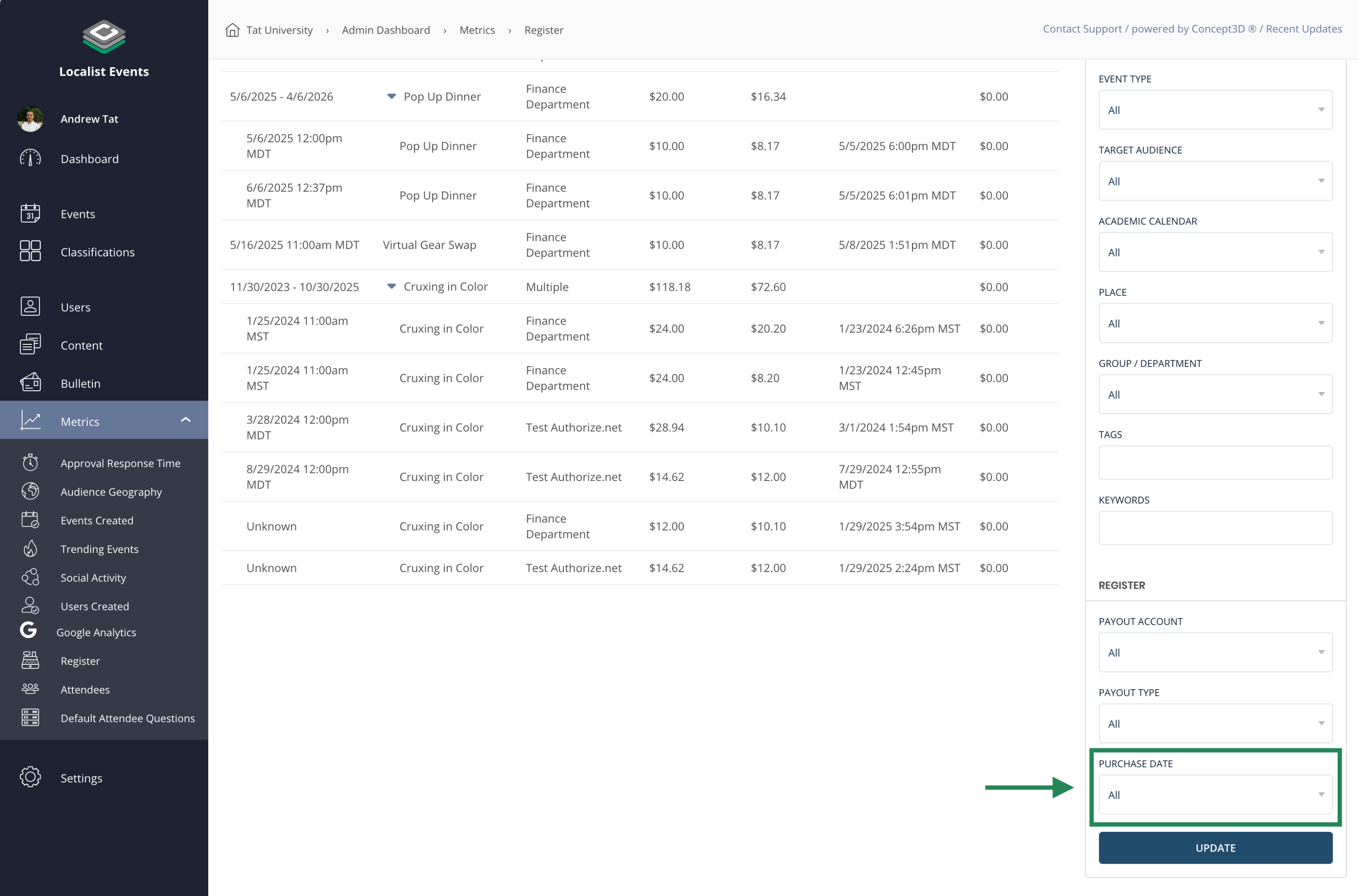
Register Report: Filter by Purchase Date
Admins can now filter the global Register report by the date a ticket was purchased, in addition to the existing event date filter. This makes it easier to scope financial data to a specific window — useful for monthly reconciliation or payout reporting — without being limited to when the events themselves occur. The purchase date filter supports preset ranges (Last 7 Days, Last 14 Days, Last 30 Days, Last 6 Months, Last Year) as well as a custom date range. The active filter is reflected in the URL, making filtered views shareable and persistent across page refreshes. CSV exports respect the purchase date filter and export only the matching rows.
Event Ticket Manager Role
Platform Admins can now assign users a dedicated Event Ticket Manager role, giving staff such as student workers or event-day volunteers access to manage tickets without granting them full admin access. Event Ticket Managers can issue tickets, check in attendees, void tickets, and resend ticket emails, but cannot edit event details, modify Register tickets configuration, or process refunds. Access can be scoped to specific events using the existing allowed/denied group and tag filters.
With this release, Event Ticket Managers can also act on multiple tickets at once from the Confirmed Tickets page. Selecting any number of tickets shows a bulk-action bar with options to check in, cancel check-in, void, or resend — with a clear results summary showing how many tickets were processed and how many were skipped and why.
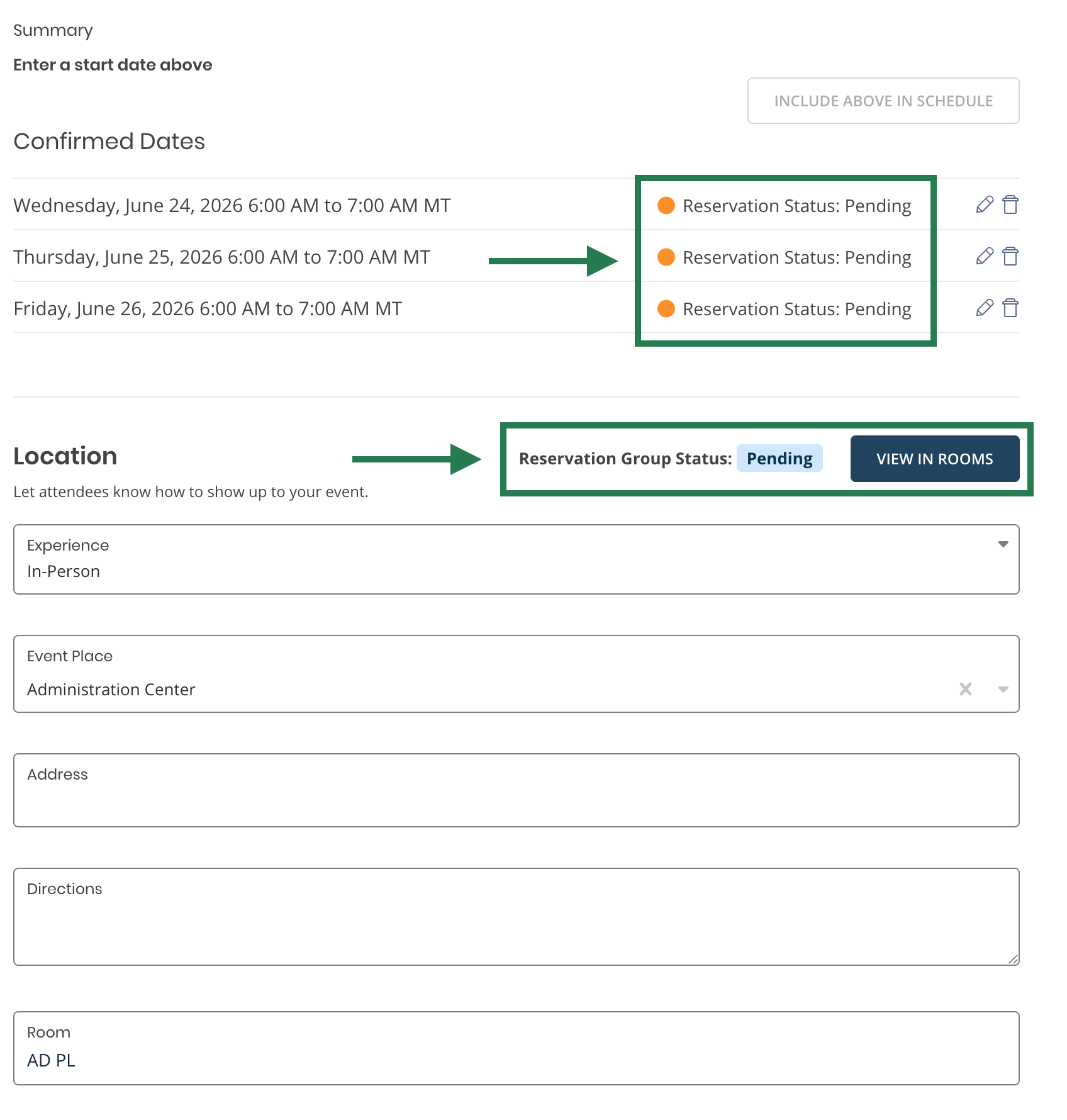
Reservation Status in Localist Event Editor
Event Authors editing a Localist event that is linked to a Room Reservation can now see the status of the associated Reservation Group directly in the event editor, as well as the reservation status for each individual event instance. This gives event managers visibility into whether their space is confirmed, pending, or cancelled without having to leave Localist to check Room Reservations.
Usability Updates
- Quick link to organizer check-in — The Confirmed Tickets page now includes a direct link to the Open Organizer check-in view, making it faster to get to the door-management interface from the ticket list.
- Channels auto-remove deleted filters — When a filter or filter item is deleted from the platform, it is now automatically removed from any channels that were using it, preventing channels from referencing filters that no longer exist.
May 11, 2026
Usability Updates
- Removed unused "View Department" and "View Group" fields from Terminology settings: Two terminology fields that were not rendered anywhere on the front end have been removed from the Terminology / Localization section in Admin to reduce confusion for administrators.
April 20, 2026
New Features
Platform Defaults for Attendee Engagement and Insights
Calendar Managers and Platform Admins can now set default Attendee Engagement and Event Insight settings for the whole platform. Platform Settings includes a new Events section: "Event Search Result Order" and "Enable Event Insights" (renamed from “Event Insights”) sit there with the new defaults. Event authors can still change settings per event.
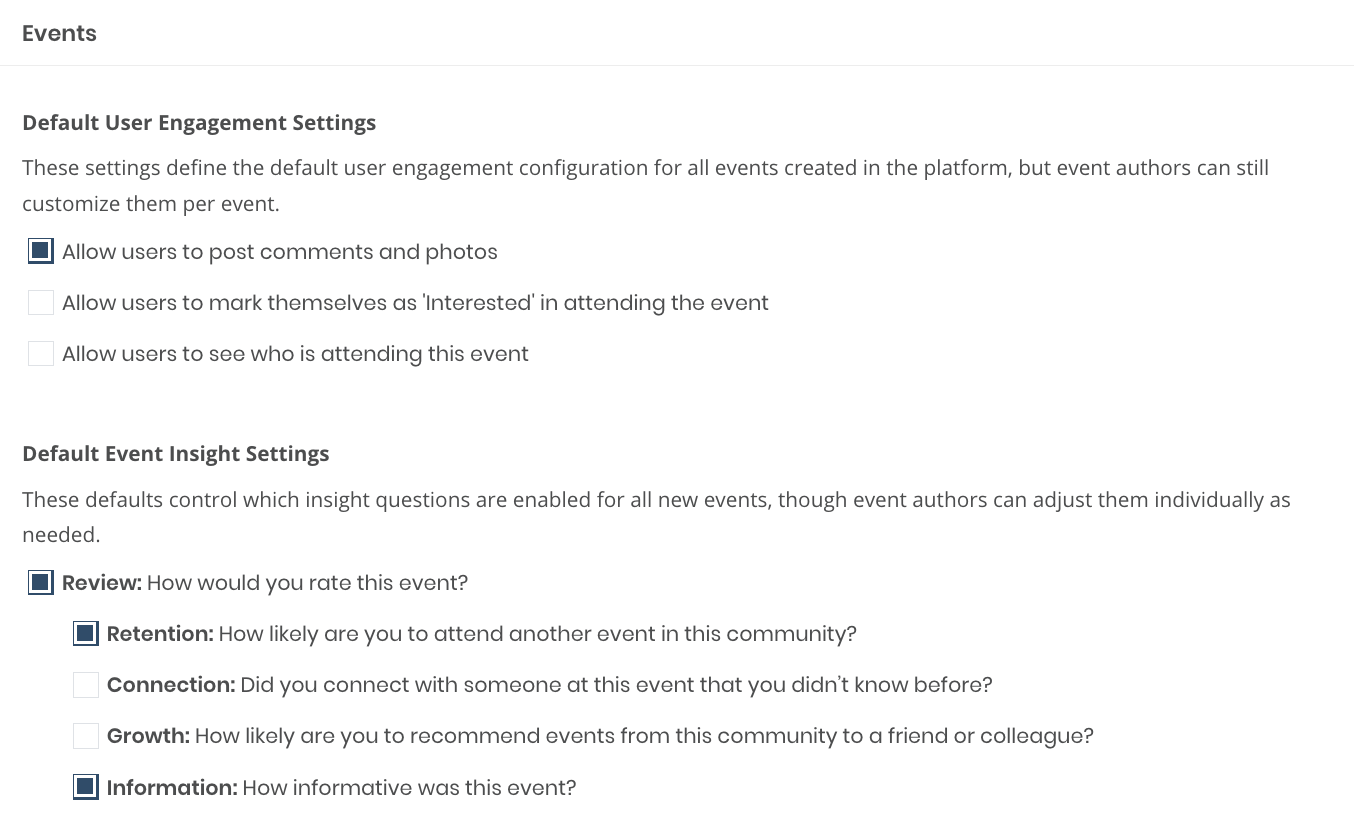
The default User Engagement and Event Insight settings are located under Platform Settings > Settings |
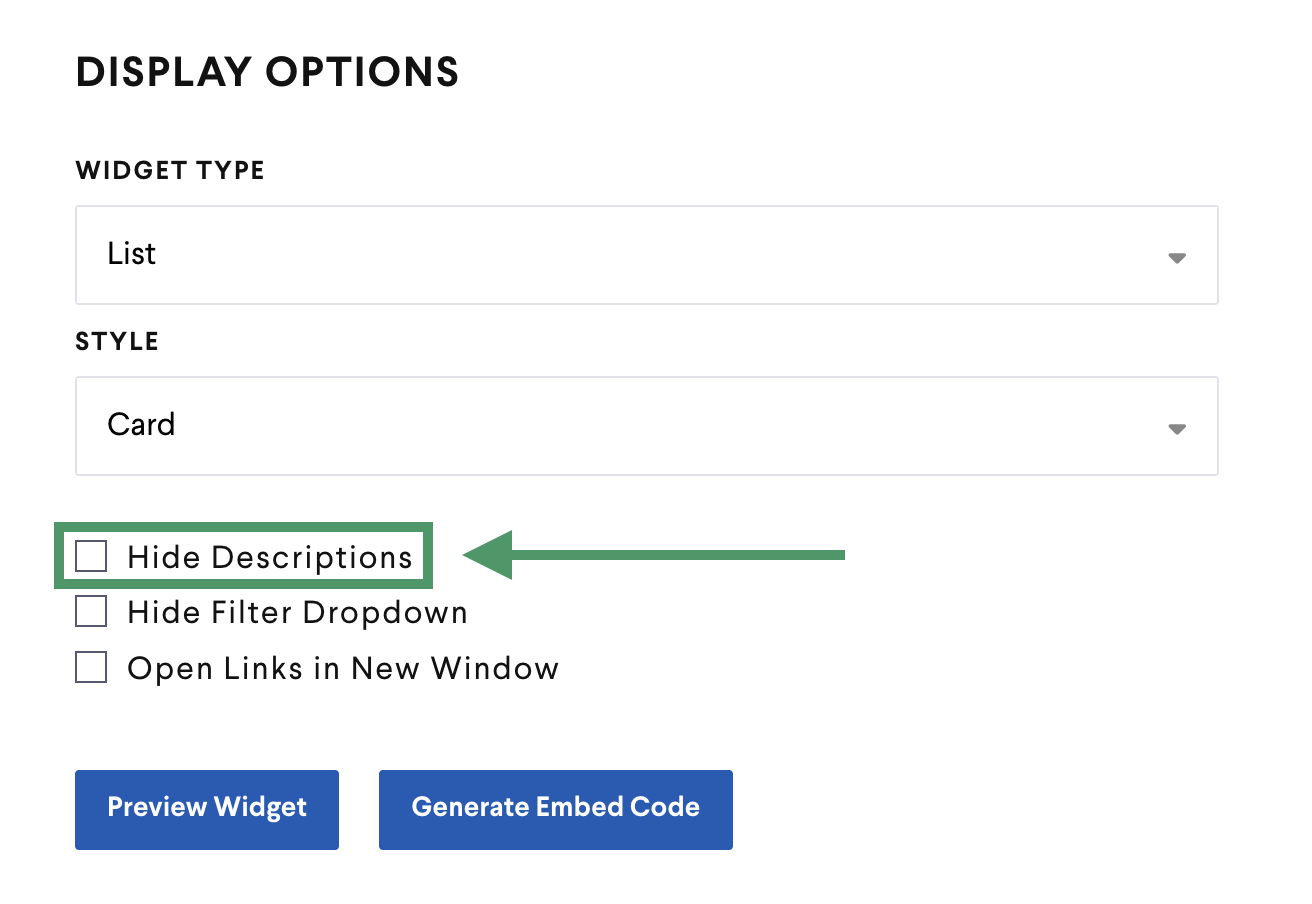
Hide Description for Card Widgets
The public widget builder adds the Hide Description option for Card widgets, so calendars can keep cards minimal when the description should not appear on the card.