August 13, 2025
New Feature
Include Event Name with TouchNet Transactions
We’ve improved our TouchNet payment integration by adding our Localist event name to the transaction during processing. When users purchase tickets through Localist Events, the system now sends LOCALIST_EVENT_NAME to TouchNet alongside the event ID and ticket order ID. This update allows TouchNet clients to create more detailed and meaningful reports within their TouchNet instance, as they can now filter and analyze transactions by actual event names, making it much easier to track revenue and payments for specific events and programs.
August 4, 2025
New Features
Local Time Zone Support for Events
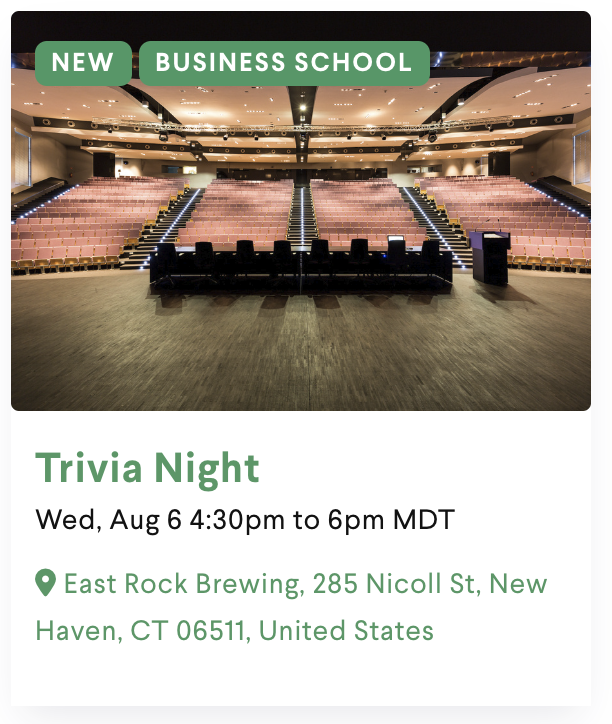
We’ve added time zone support for Localist events, making it easier for users around the world to understand when your events are happening in their local time.
Event times now automatically display in your users’ local time zone when they visit a Localist calendar from a different region. All-day events keep the date unchanged, while events near midnight will translate with correct date adjustments.
There are a few areas where we display your platform’s time zone as is, such as Month View Calendar and Widgets, but the majority of your Localist calendar like event pages, Channels, search results, Departments, Groups, Places, and Register will all display this new translated time zone.
If you host events that happen around the world with users coming from different time zones, check this update out on your calendar today!
Please note: this is available for our Emphasis theme by default. If you’ve customized your theme and don’t see time zones, you’ll need to manually add this enhancement. Visit our Github repository for the update and integrate time zones into your theme.
July 24, 2025
New Features
Configurable SSO Login Button Text
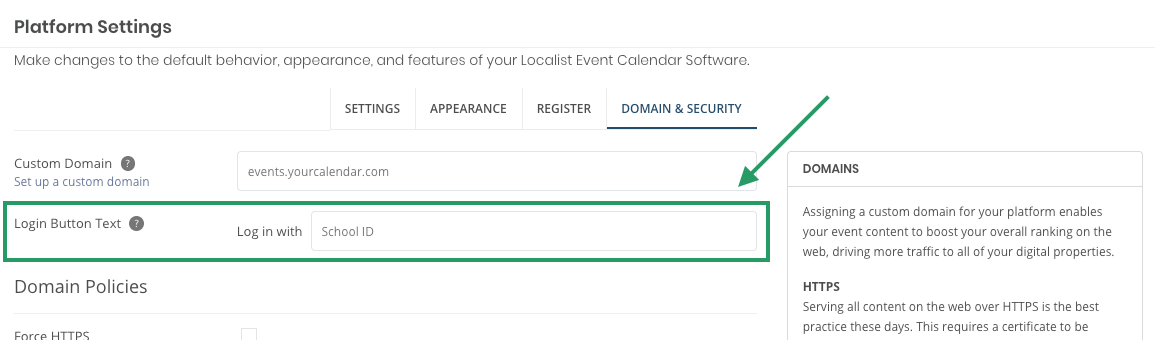
You can now set custom copy for your calendar’s SSO login button using the new “Login Button Text” field under Domain & Security. This option appears after SSO has been set up and applies to all SSO configurations. The entered text will appear after the fixed “Log in with” phrase on the login button.
Streamlined Search Experience
We’ve simplified the search interface by removing the dropdown menu from the top bar. This change eliminates redundancy, as the dropdown duplicated functionality is already available elsewhere. By refining the UI and removing unused elements, we’re improving the overall usability and accessibility across all Localist calendars.
July 15, 2025
New Features
Enhanced Access Control for Shared Payout Accounts
To support PCI compliance, Localist now offers more granular access controls for Shared Payout Accounts in Register.
With this update, you can now define exactly who can view or use specific Shared Payout Accounts. You’ll find a new setting to “Restrict Shared Payout Accounts” for every shared account.
Once “Restrict Shared Payout Accounts” is enabled:
- Platform Admins, Calendar Managers, and System Administrators can always see, edit, and use all shared payout accounts.
- All other users can only see and use shared payout accounts they have access to.
These controls help ensure only appropriate users can see and use the correct financial accounts in Localist Register, while still allowing flexibility where needed.
If your team uses shared payout accounts with Register, we recommend reviewing your current access settings to take full advantage of this new feature!
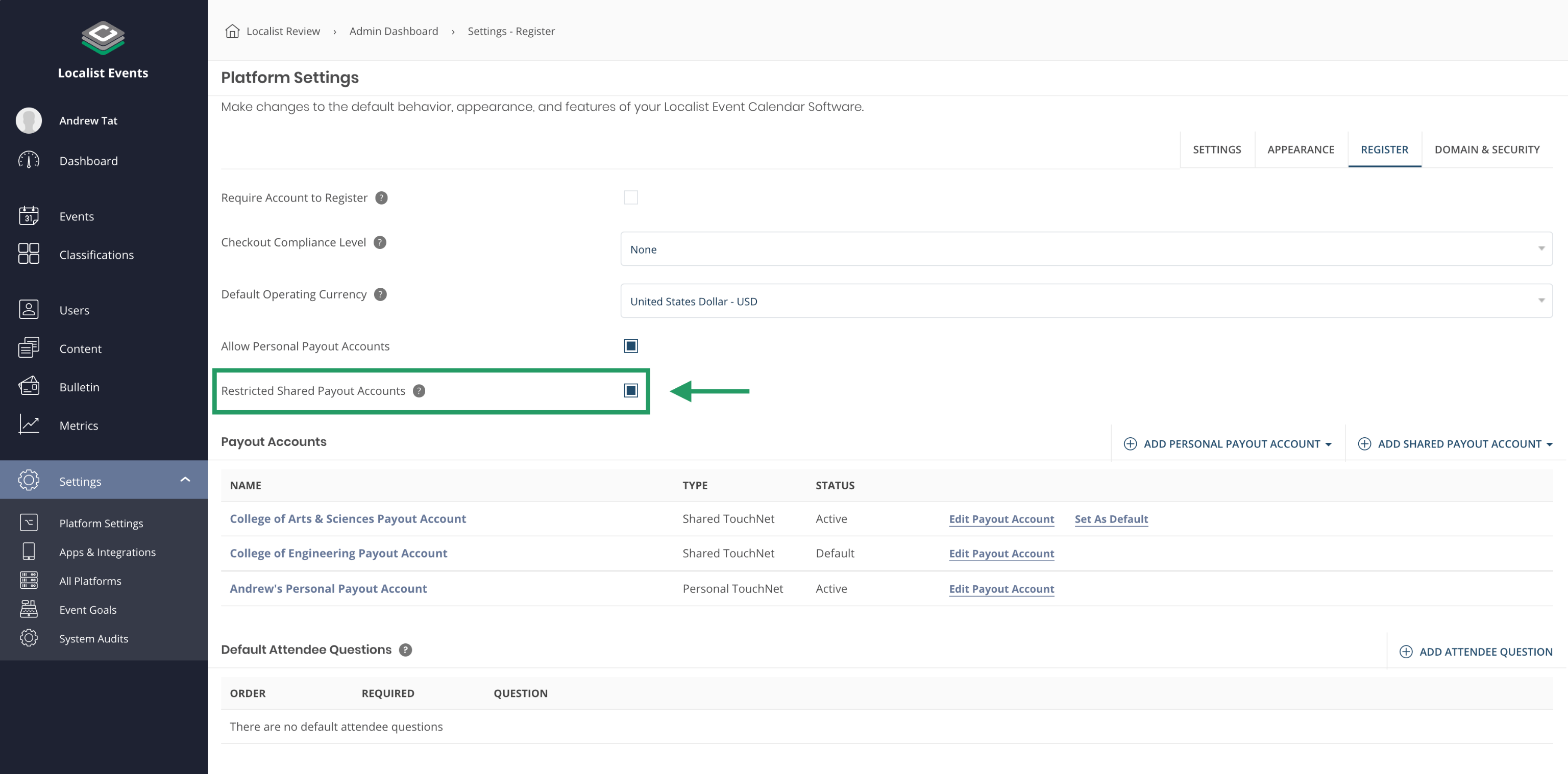
A new “Restrict Shared Payout Accounts” setting is available to users who can manage Shared Payout Accounts in Register.
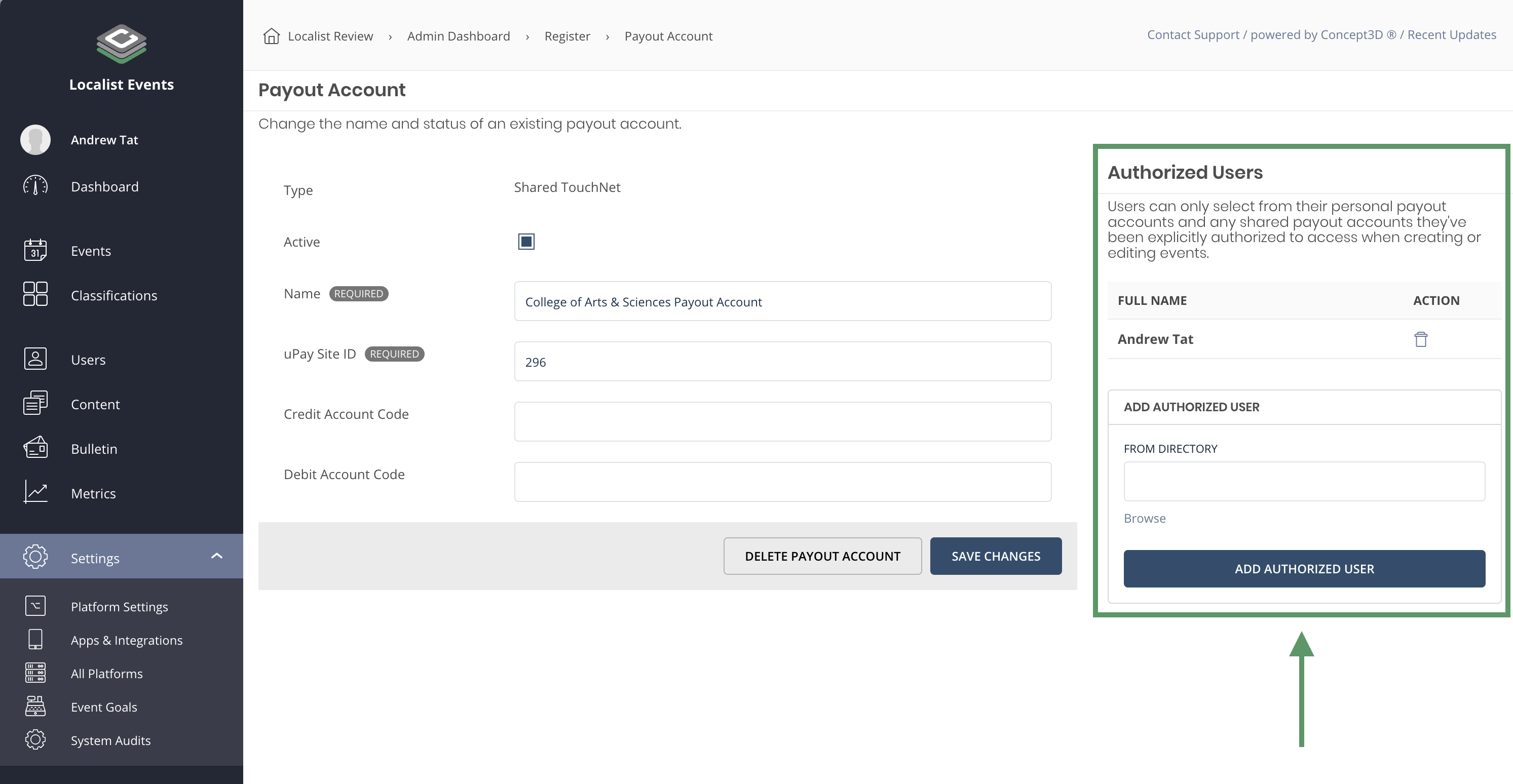
Once “Restrict Shared Payout Accounts” is enabled, you’ll find a new Authorized Users table while editing existing payout accounts.
Accessibility Updates
"Skip to Main Content" Button
Localist calendar pages now include a hidden "Skip to main content” link for keyboard and screen reader users. This link is the first focusable element, making it faster and easier to access the main content on public calendar pages.
It is available for our Emphasis theme by default. If you’ve customized your theme, you’ll need to manually add this enhancement. Visit our Github repository for the update, integrate it into your theme, and ensure your calendar is accessible!
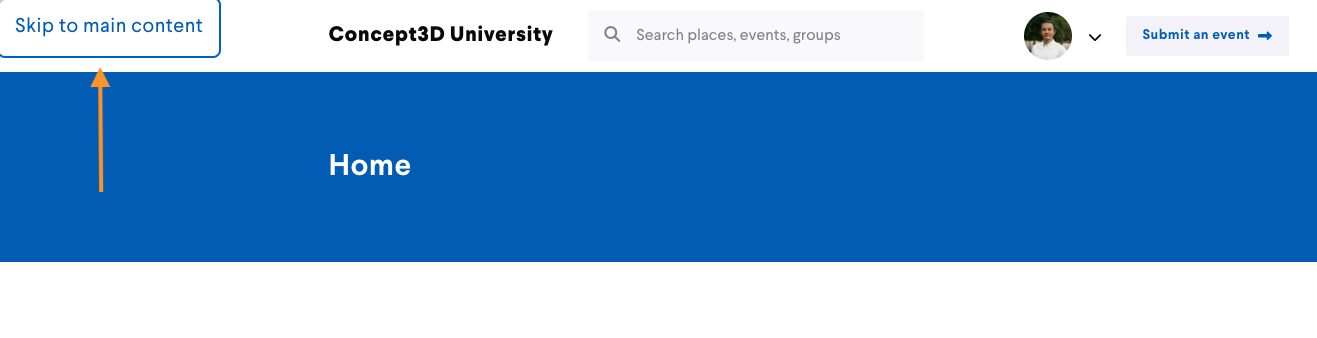
The “Skip to main content” link is the first focusable element and will quickly bring user to the main content of the calendar page they are on.