November 16, 2026
New Features
Edit a Recurring Reservation Series
Admins and event coordinators can update a recurring reservation group's schedule or move its future reservations to another space without rebuilding the whole reservation. A preview shows dates that will be added, cancelled, moved, or rescheduled before saving, while past and already-started reservations stay unchanged. Availability, policy, and approver checks prevent conflicting changes, and optional email updates notify the reservation owner.
Edits are blocked for reservation groups with paid invoices, and reservation groups linked to a single Localist event can be edited only while every reservation is still in the future.
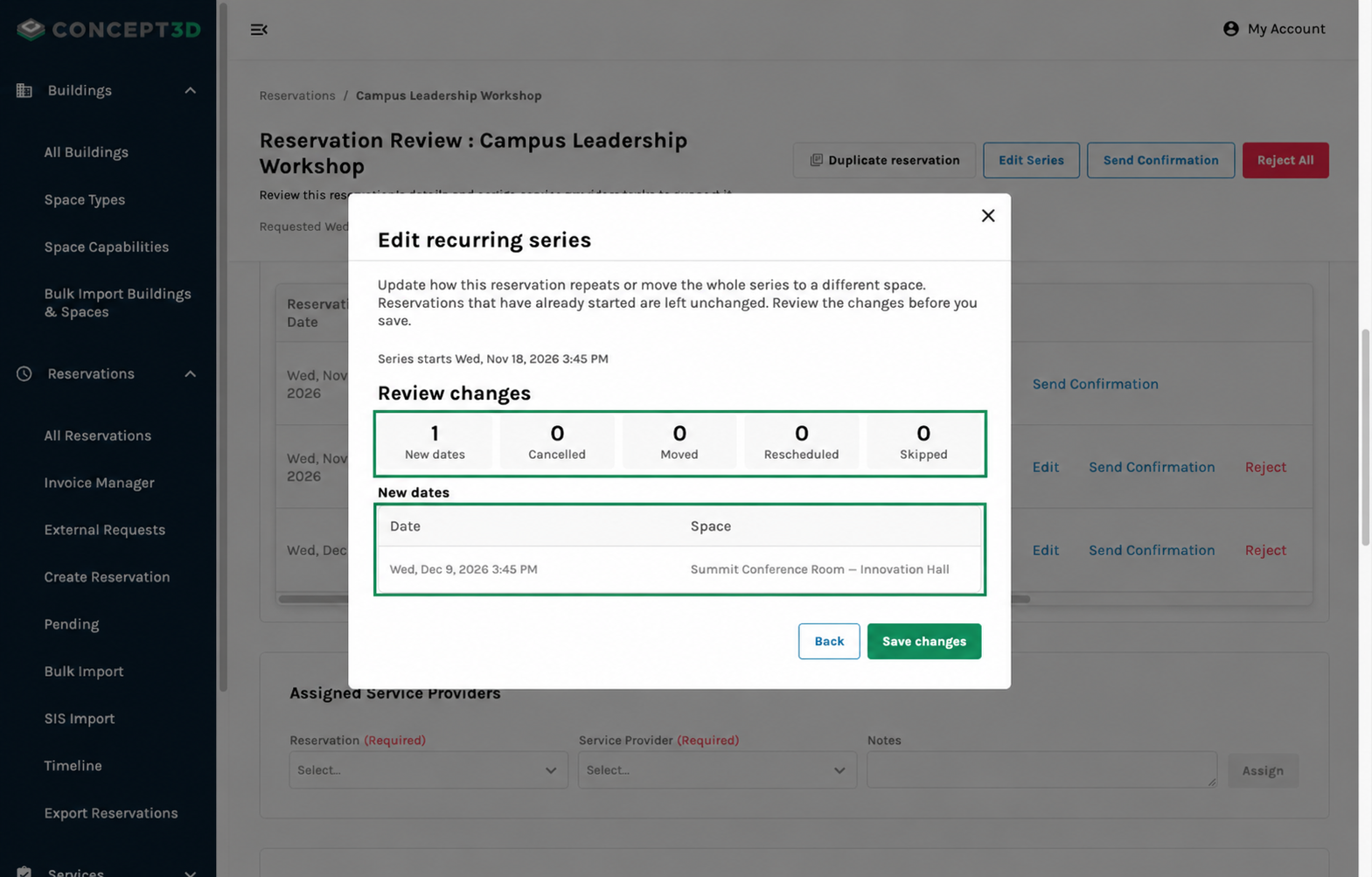
Review the affected dates and spaces before saving a series change.
Timeline Updates: Filter by Space + Expand All
Schedulers can focus the timeline on selected rooms across Day, Week, and Month views. Expand All and Collapse All make it easier to scan all rooms across all buildings.
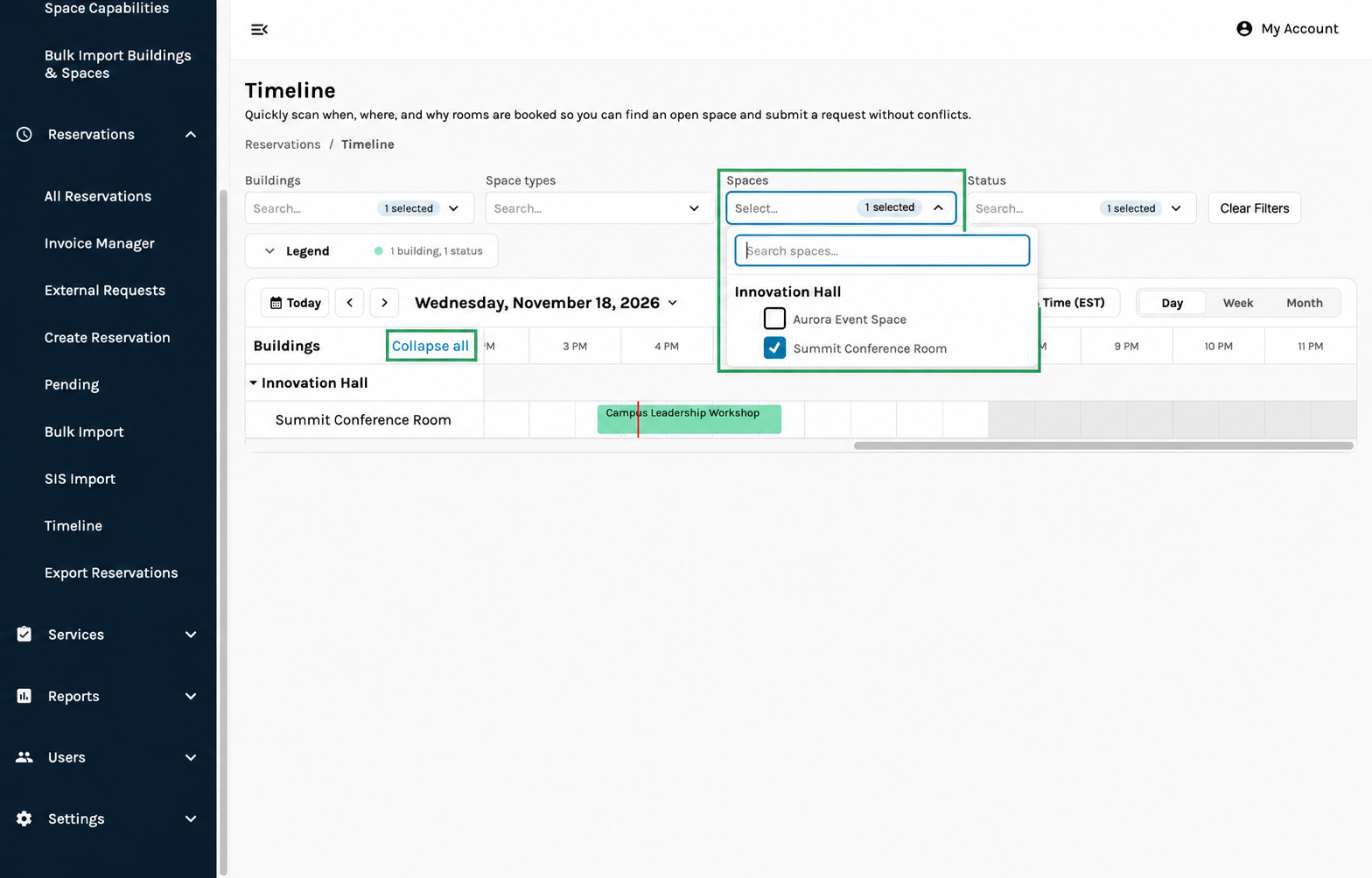
Focus the timeline on selected rooms and expand or collapse buildings together.
Usability Updates
Admin-created reservations can include an optional Event Contact selected from existing contacts or entered manually, so reservation notifications reach the event's point of contact instead of the reservation owner when provided.
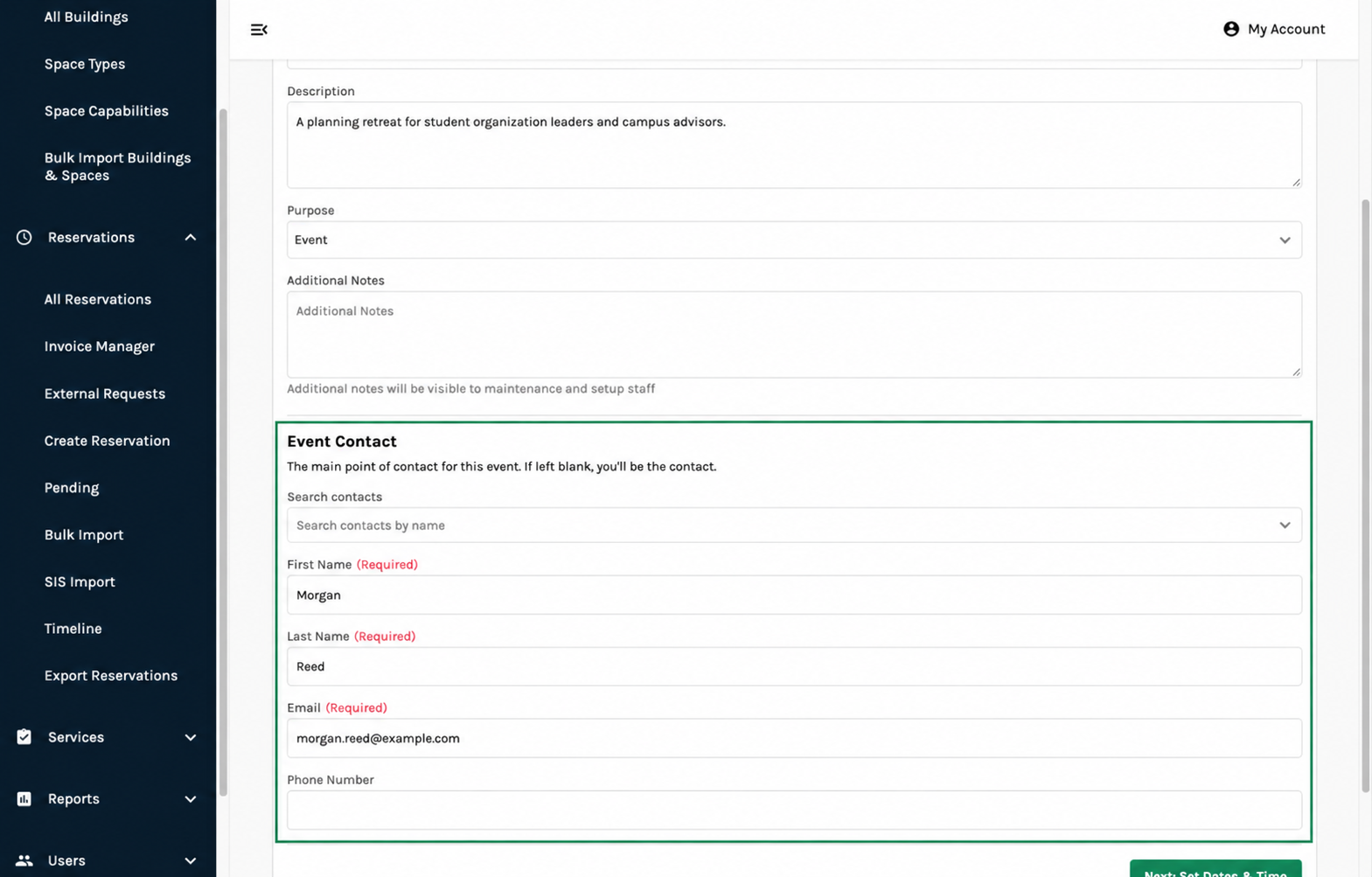
Choose an existing contact or enter the event’s point of contact while creating a reservation.
Accessibility Updates
- Timeline room filters and expansion controls support keyboard navigation, visible focus, and accessible names and selected states.
- Series-edit previews present affected dates and change counts in text, with improved focus movement between configuration and review steps.
- Event Contact fields provide programmatic labels and inline validation messages that identify missing or invalid information without relying on color alone.