September 28, 2026
New Features
Public Space Discovery
Public Space Discovery gives institutions a public, self-service way to showcase bookable campus spaces. Visitors can explore available spaces without creating an account, understand whether a space fits their needs, and begin a request for the space they select.
Platform Admins decide which spaces are publicly offered and manage the request experience, while the product keeps non-public spaces and reservation details protected. This creates a more approachable path for community members and external organizers to discover campus spaces and submit well-informed requests.
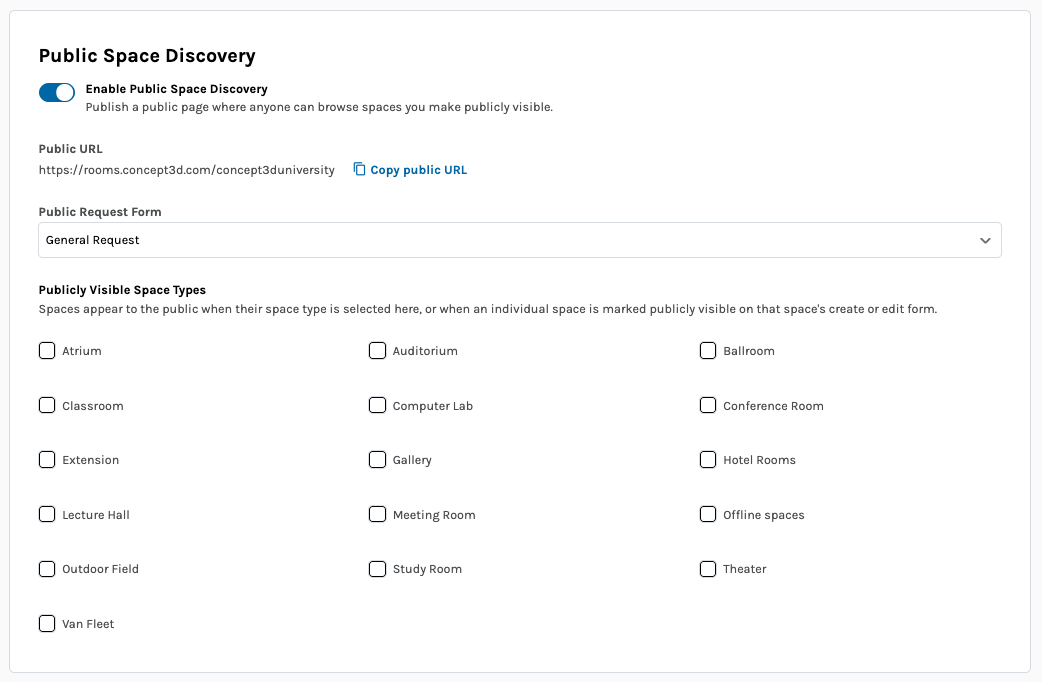
Platform Admins choose which Space Types are publicly available.
Scheduled Operations Schedule Reports
Operations Schedule reporting is now easier to reuse, share, and deliver automatically. Coordinators can save their preferred report configurations, return to them whenever needed, and keep them current as operational needs change.
Teams can share and collaboratively maintain standard reports, while Platform Admins and Facilities Managers can oversee reporting across their institution. Saved reports can also be emailed automatically on a recurring schedule, with clear controls for managing schedules and reviewing delivery history.
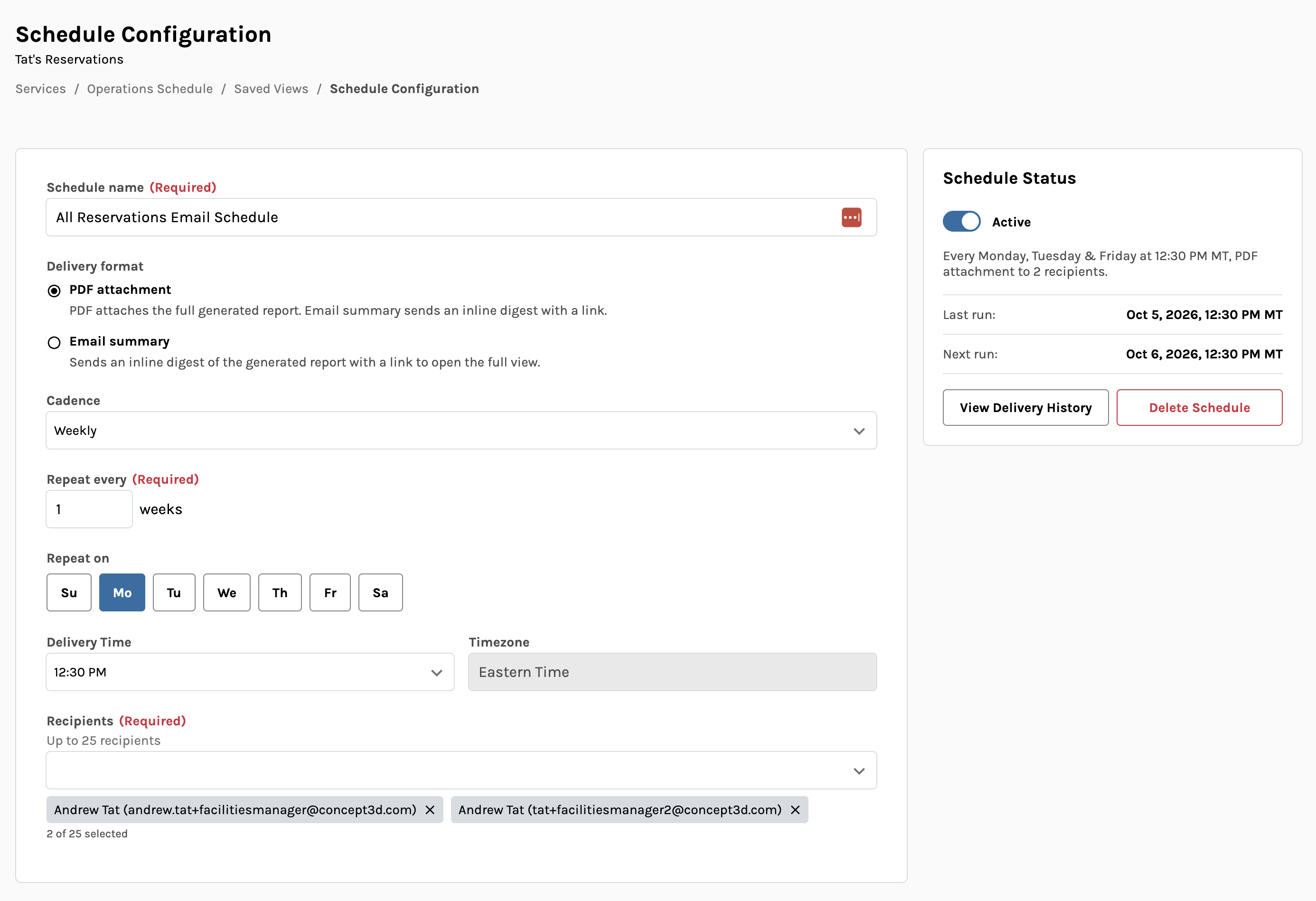
Saved report views can be scheduled to automatically email up to 25 recipients.
One Way SIS Integration: Ellucian Banner
Institutions using Ellucian Banner can now bring academic class schedules into Room Reservations, giving Event Coordinators a more complete view of room availability and reducing the manual work required to maintain classroom reservations.
Facilities Managers can select an academic term, connect Banner rooms to their Rooms spaces, review incoming classes, and make informed decisions about conflicts before completing an import. The workflow provides clear progress and import history, keeps imported classes identifiable within Room Reservations, and notifies affected people when an import changes an existing reservation. This creates a more reliable foundation for coordinating academic and event schedules in one place.
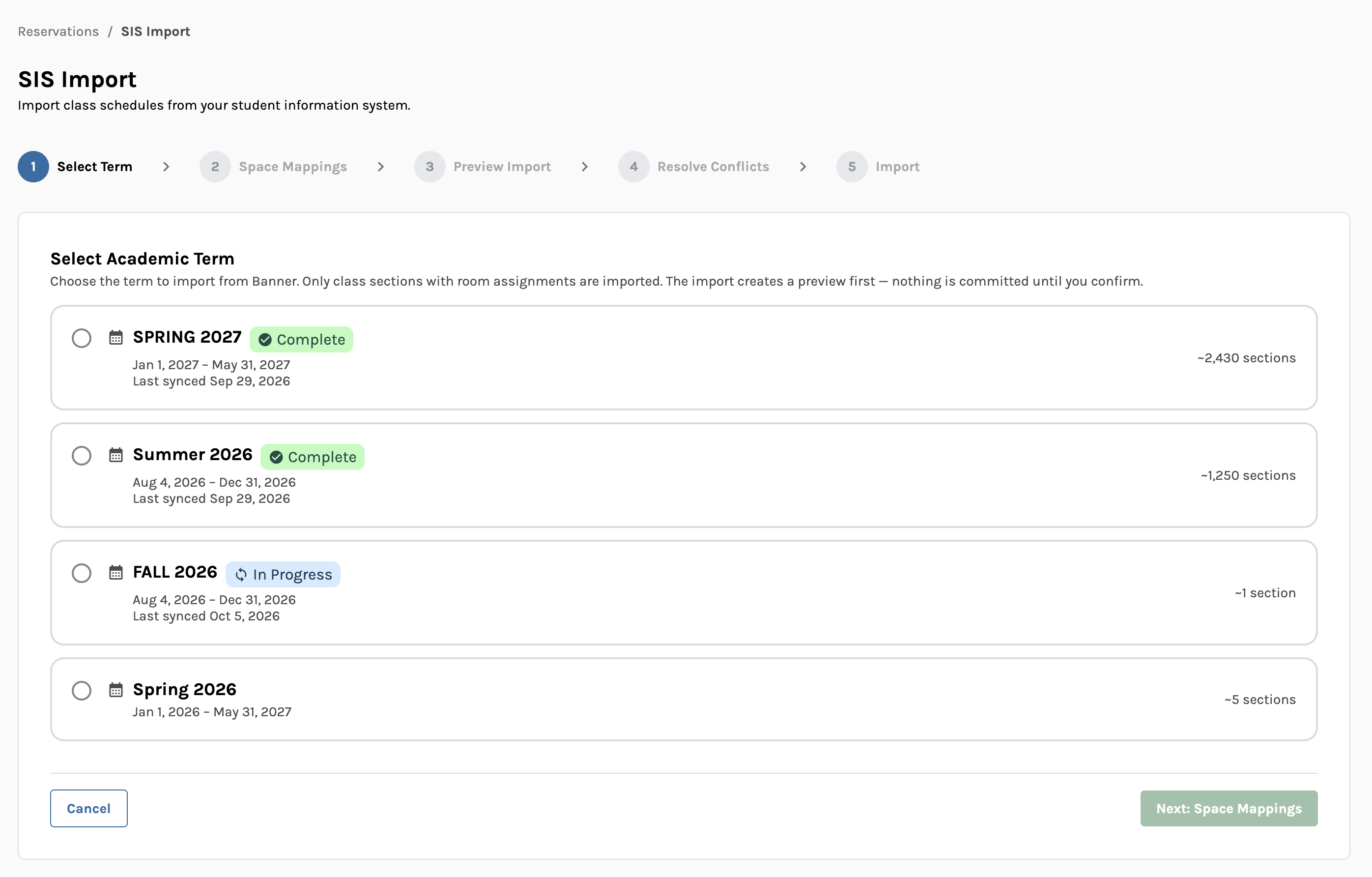
Facilities Managers can select which academic term and classes they want to import from their SIS.
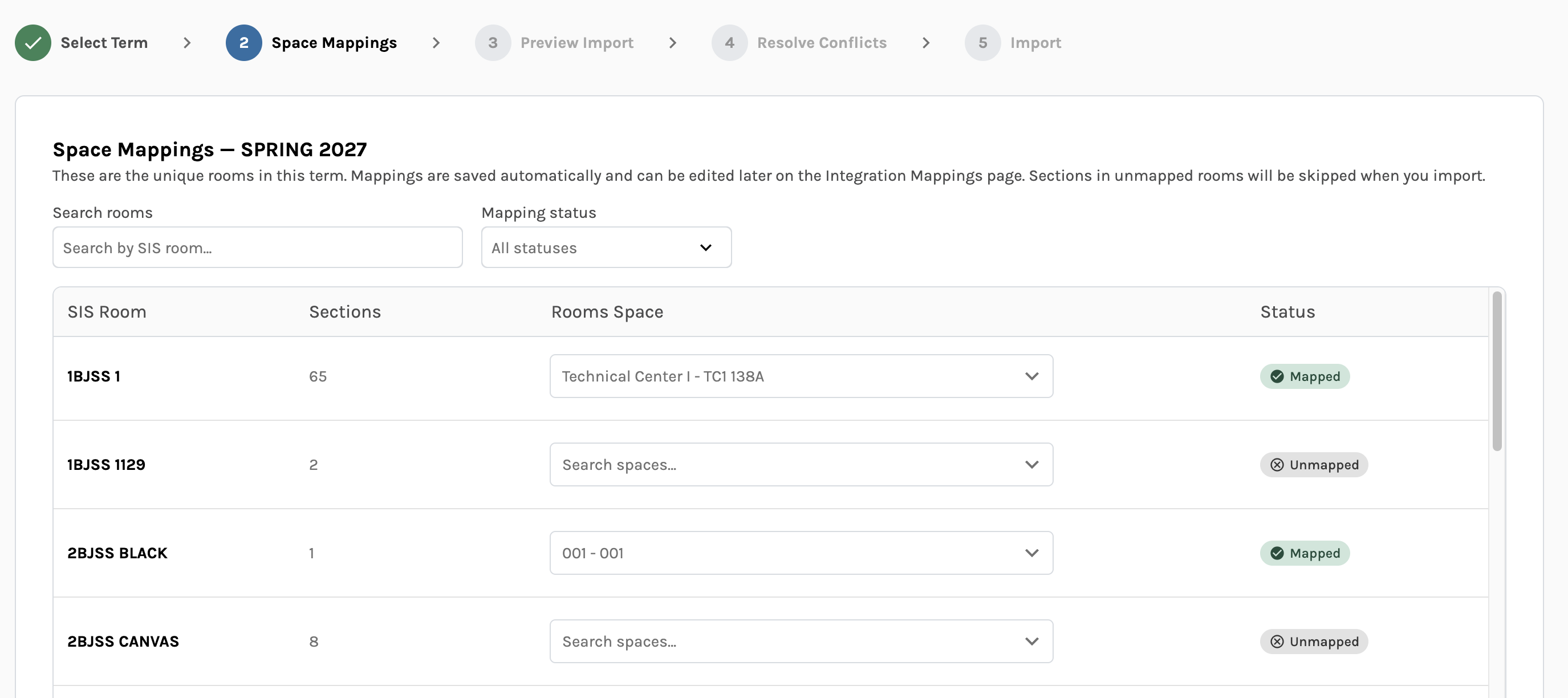
Facilities Managers choose how rooms in their SIS map over to Room Reservations.
August 31, 2026
New Features
Rich Text Editing and Reservation Notes
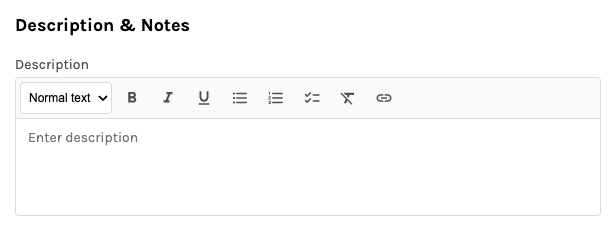
Reservation records now support richer operational context. Reservation descriptions, additional notes, and space descriptions use a rich text editor, and admins can maintain internal notes on reservation groups. Service Provider notes can also be edited by admins, and reservation records now capture clearer status-change history with actor and timestamp details.
Separate Event and Billing Contacts
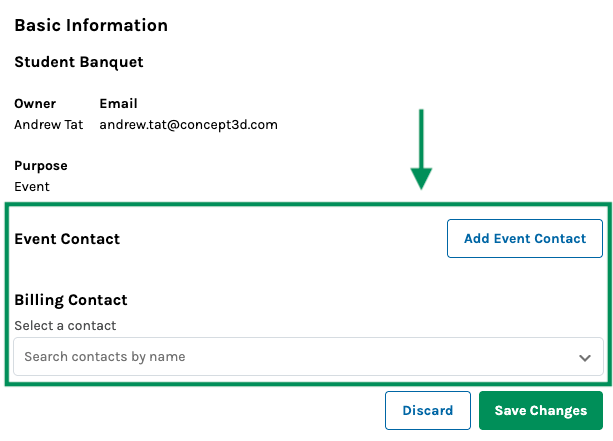
Reservations can now include separate event and billing contact information, giving institutions a more structured way to track who should receive event or billing-related communication for an event.
Usability Updates
- Operation Schedule reporting is more flexible, with support for rolling date windows and filtering by space.
- Admins now have more control over recurring reservation dates.
- Multi-space reservation groups can now be duplicated to new dates instead of being recreated from scratch.
- The Admin timeline now preserves selected date, filters, building expansion state, and scroll position when coordinators navigate into a reservation and return.
- Admin reservation lists now include filters for Owner or Event Contact, Service Provider, and Resource.
- Admin reservation date displays now include the day of week.
- Admin reservation filters now support date ranges up to one year.
- External Request Forms now place Additional Notes after the other event fields and custom questions, keeping the form flow more natural for requesters.
- Service Provider emails now include the reservation owner for added context.
- Reservation status history now includes clearer audit context for admins reviewing reservation activity.
Accessibility Updates
- Public request and reservation forms now better announce and focus invalid non-text fields, helping users understand and correct validation issues.