September 8, 2025
New Features
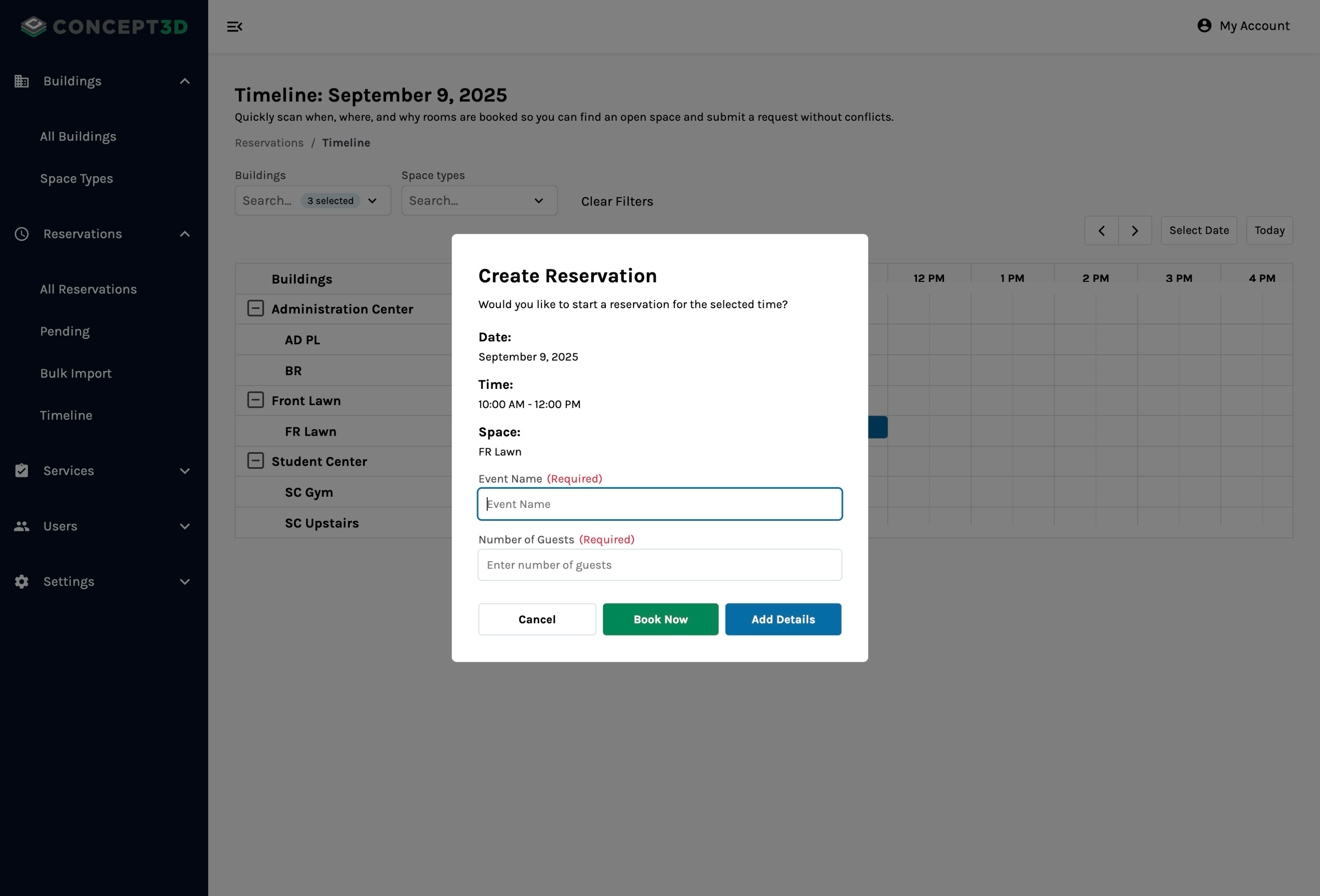
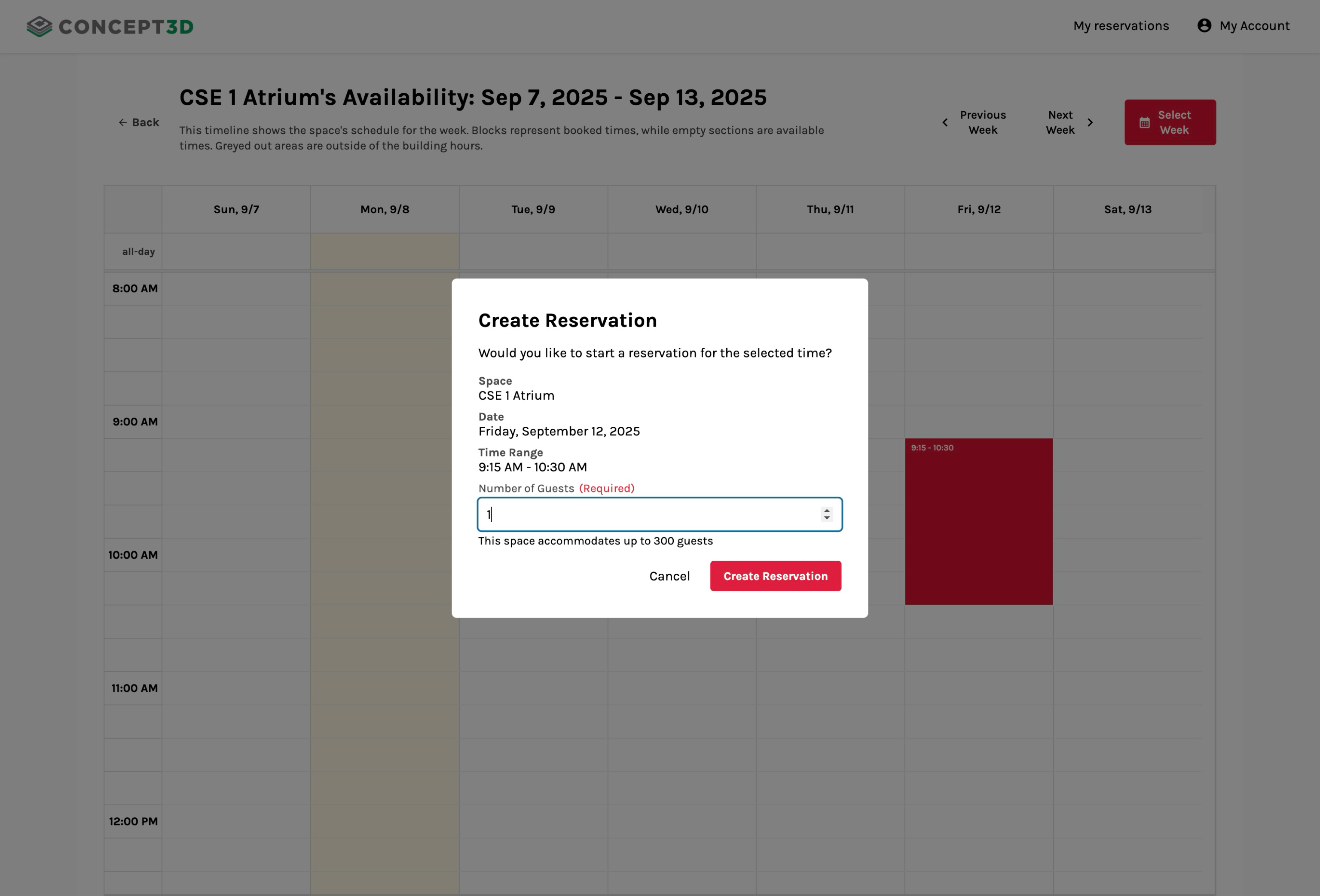
Create Reservations from Timeline Views
Both Admins and Reservers can now create reservations directly from their respective timeline views. This streamlines the reservation process by allowing you to visually select available time slots and immediately start the booking process. Click and drag on the timeline to get a reservation started today!
Assign Resources up to Available Quantity
Assigning resources to reservations now display available quantities, helping you make informed decisions when reviewing reservations. You’ll only be able to assign quantities up to what is available. Resources with zero availability will remain visible but are not selectable.
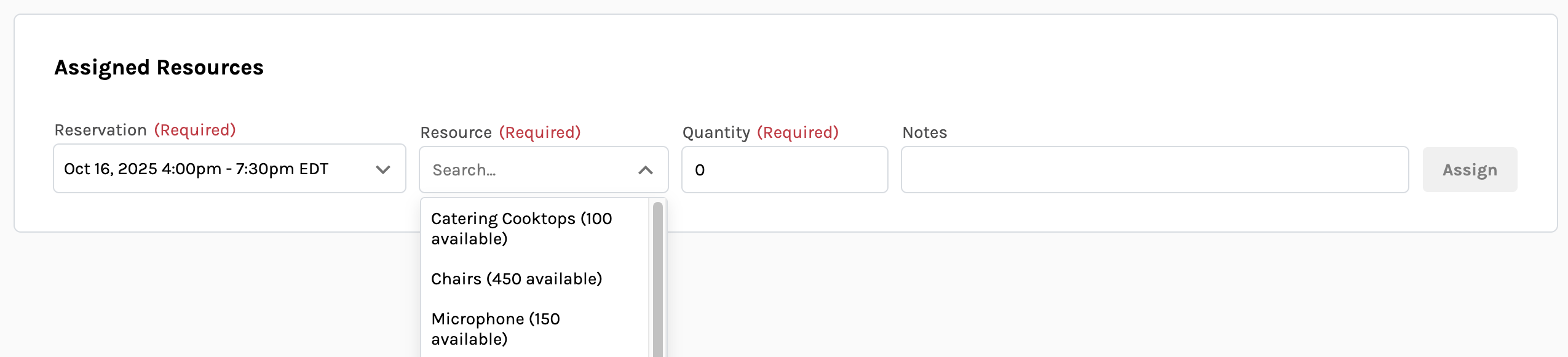
Every resource now includes its available quantity for a specific reservation date and time.
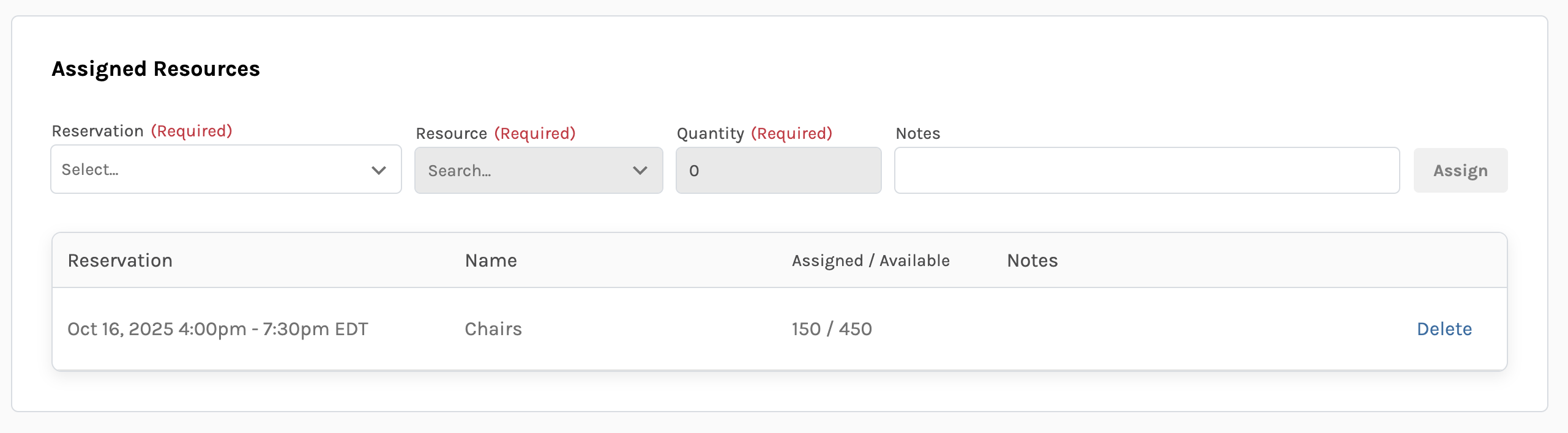
Once assigned, resources will display assigned vs available quantities.
Email Notifications for Edited or Transferred Reservations
Email notifications send to both approvers and reservers when existing reservations are edited and resubmitted now. And if you’re an Admin who transfers the ownership of a reservation, the new owner receives an email stating the reservation has been transferred to them along with the reservation details.
Bulk Import Reservations for Academic Schedules
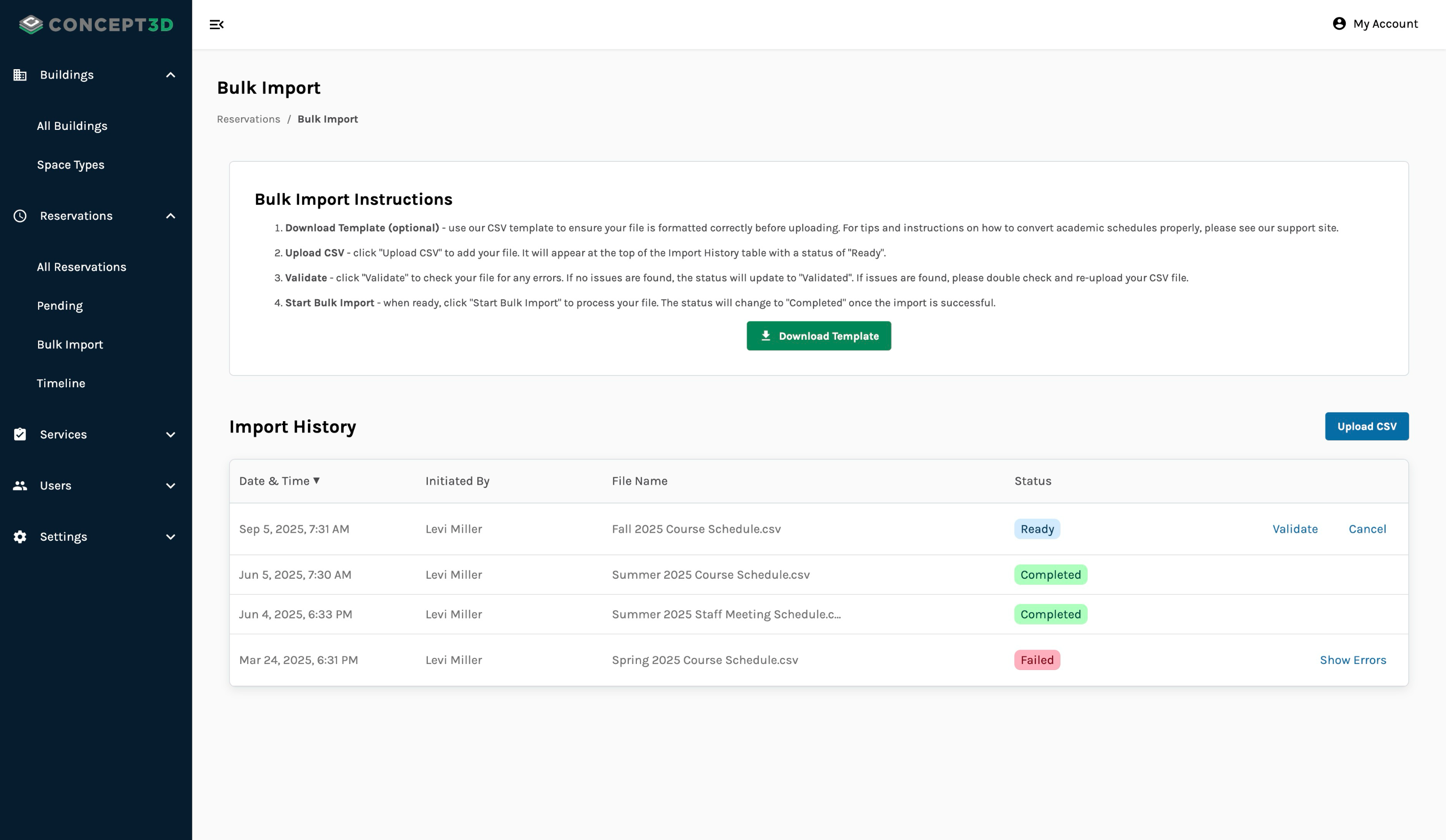
You can now bulk import reservations into your Room Reservation platform and bring in reservations or an academic schedule from your other external systems. A few key features of this bulk upload system:
- We provide a template for you to use while uploading. This will ensure your reservations and academic schedules are imported correctly
- We’ll validate all rows you provide during the process. If there are any conflicts or invalid data, we won’t complete the upload and let you know where the errors are.
- We’ll keep track of the latest 5 uploads to help you troubleshoot and avoid duplicates.
Usability Updates
- Improved accessibility of dropdown selector menus to properly announce field labels and follow best practices for comboboxes
Display of Reservation Groups on My Reservations
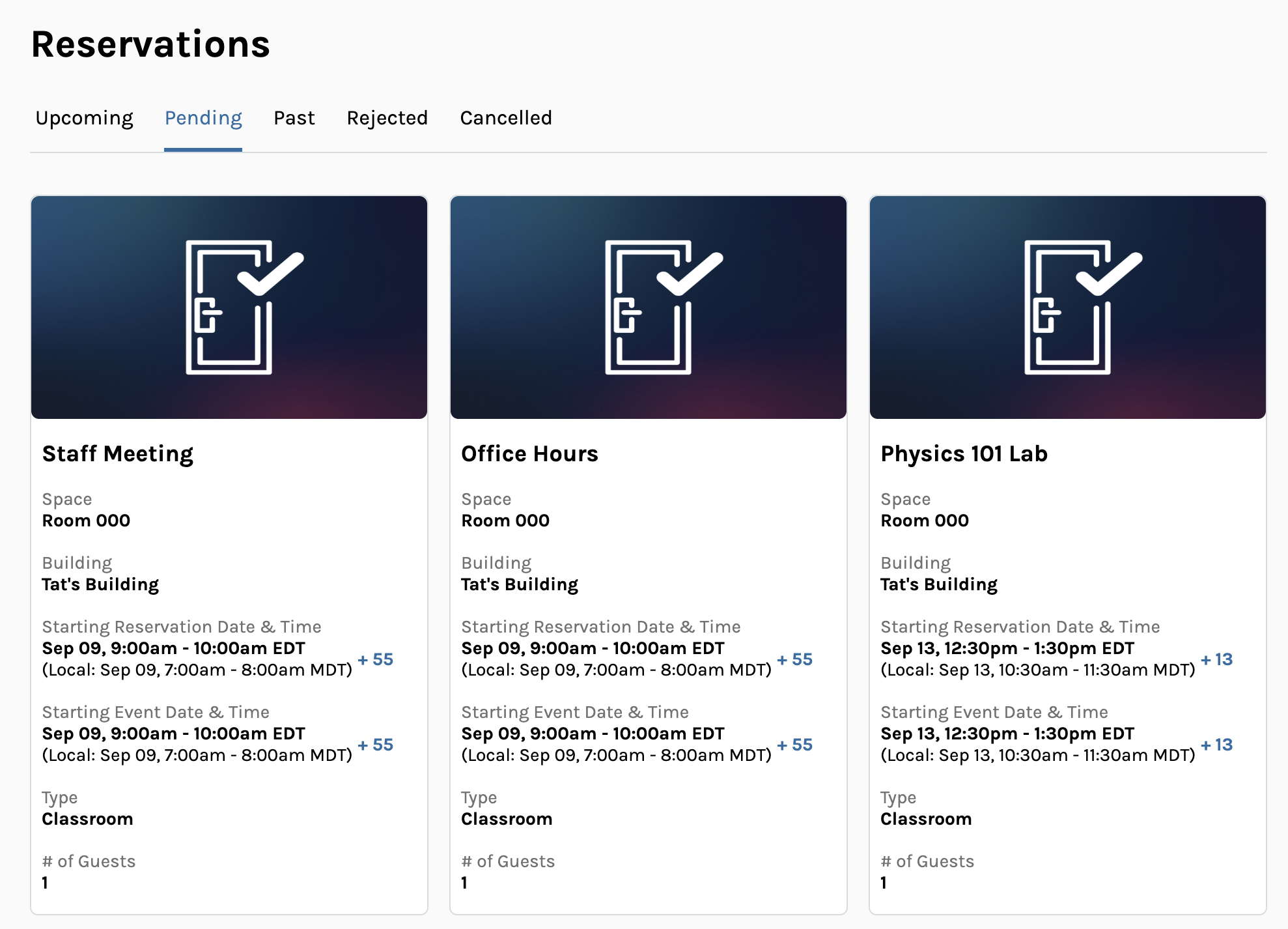
Reservations belonging to a reservation group now appear as a single card on the My Reservations page, showing only the group’s starting date and time with a “+ #” indicator reflecting the number of additional reservations in the group.
August 26, 2025
New Features
Space Availability Timeline View for the Week
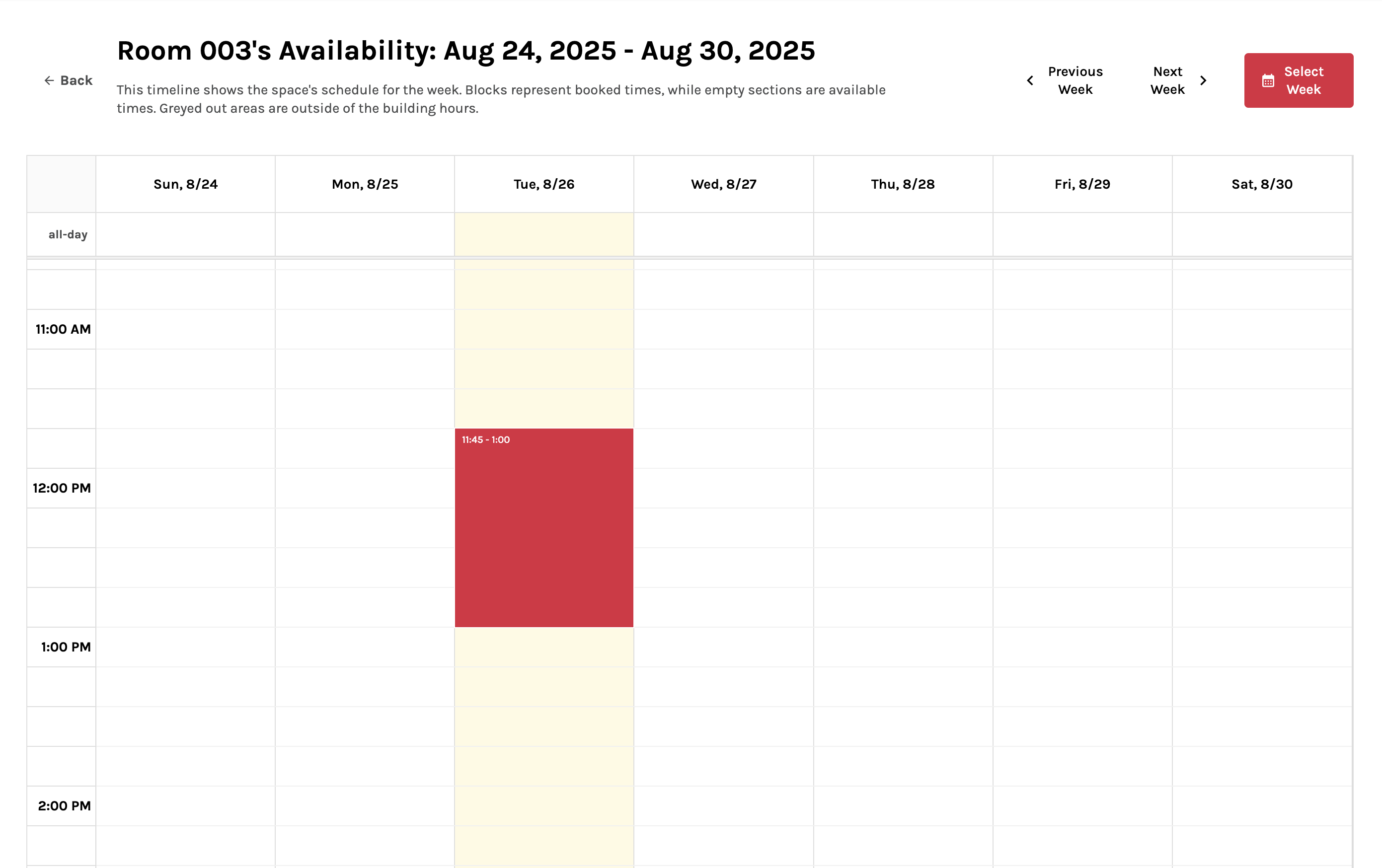
Finding the best time to book a space just got much easier. Reservers can now:
- “See Availability” for a specific space
- View a complete week timeline showing when spaces are available or booked. Event names are hidden for privacy
- Navigate forward or backwards week-by-week
- Jump to a specific week on the calendar
- View when the space’s open and operating hours are
Check out the space availability timeline in one of your spaces and quickly identify the best times to schedule your events without conflicts today!
Admin Timeline View: Filter by Building and Space Type
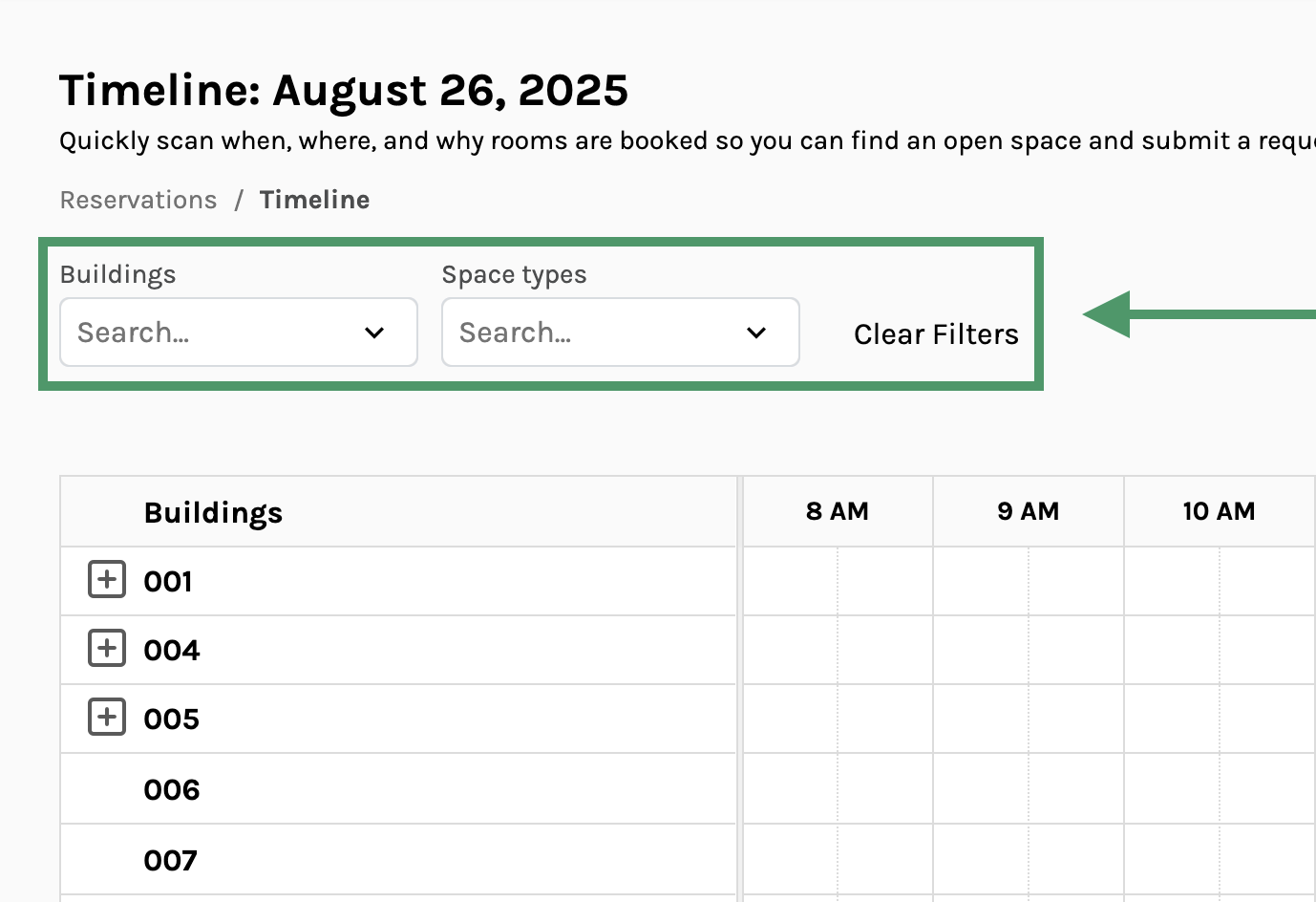
If you have Admin access to your Room Reservation platform, you now have more control over the timeline view. You can now:
- Select buildings to display only the relevant facilities to your role
- Filter by space types to narrow which spaces you’re interested in seeing on the timeline
Try out the new filter options so you can focus the timeline on buildings and spaces that matter the most to you today.
August 21, 2025
New Features
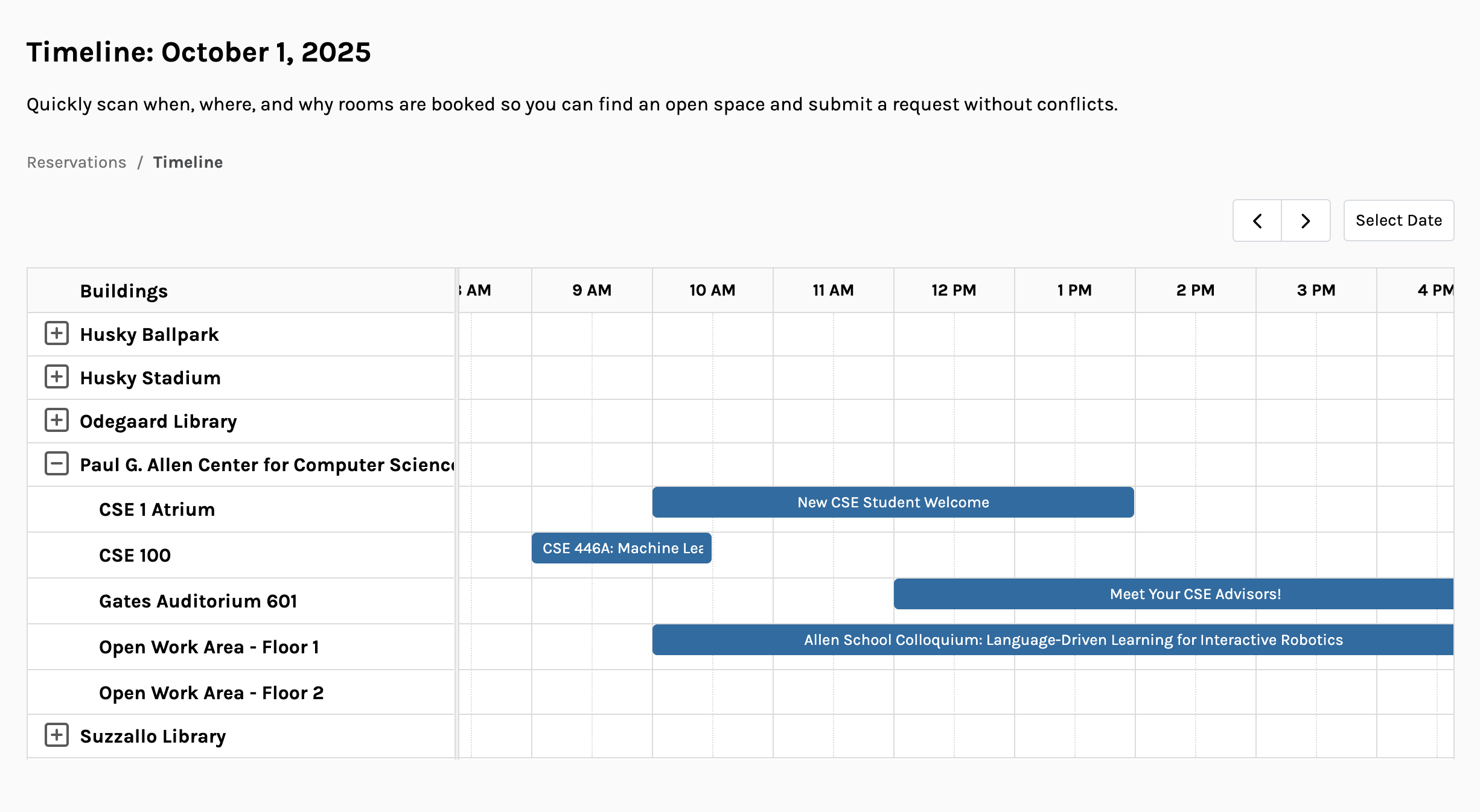
Admin Timeline View of Reservations
Get a bird’s eye view of all your campus events with our new Timeline interface! As an admin, you can now see reservations across multiple buildings and spaces on a single timeline, making it easier to identify available rooms across campus. More to come with our timeline view, so stay tuned!
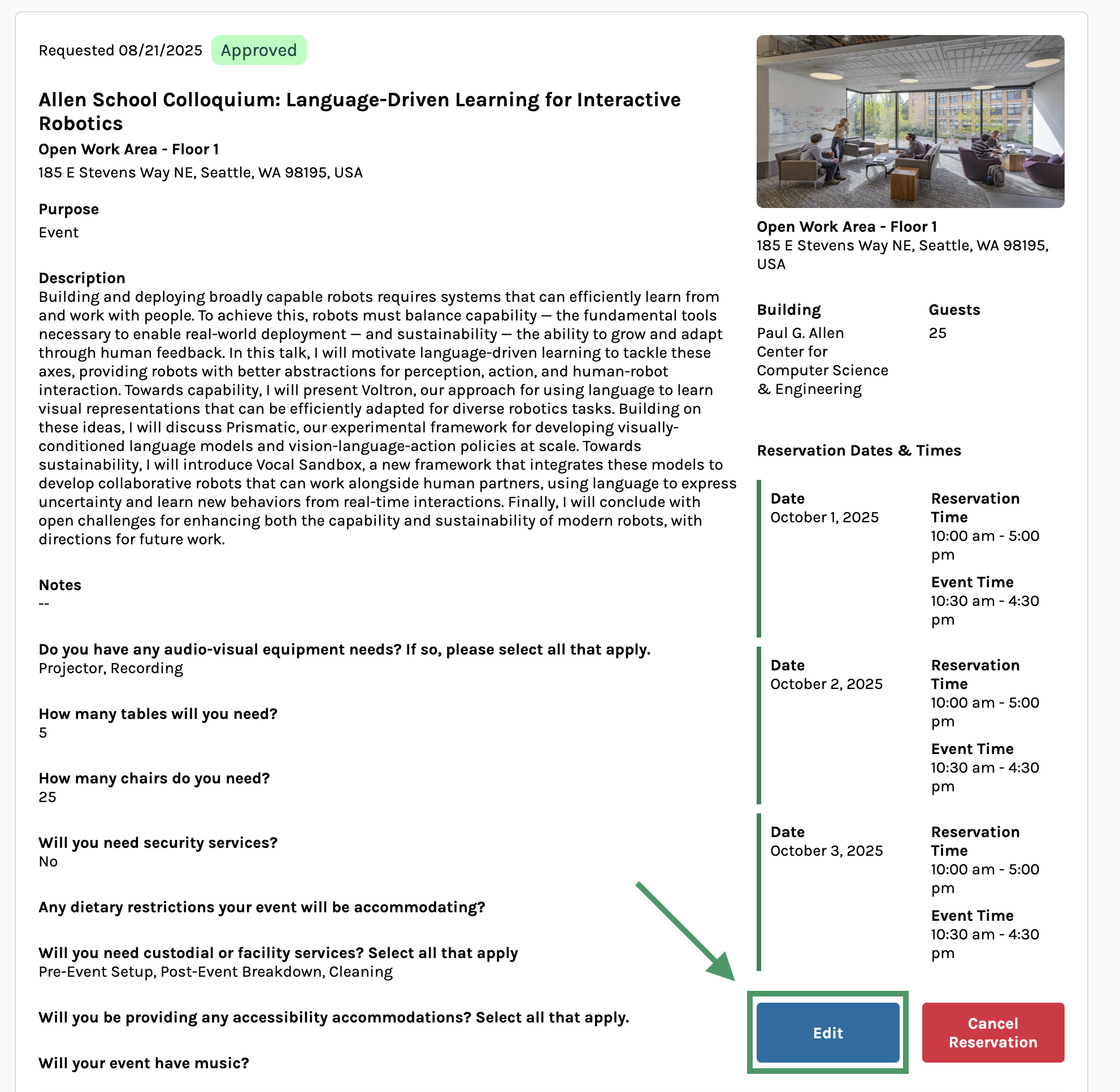
New Ability: Edit Reservations
Both reservers and admins can now edit reservation details after submission, providing greater flexibility when planning events.
For Reservers:
- Edit your reservation’s details like event name, guest count, and event times
- Update your responses to reservation questions
For Admins:
- Everything Reservers can edit, plus…
- Reassign reservations to different owners
We’ll do our usual guest capacity and scheduling checks to ensure any updates to reservations fit the rooms you’re looking to book!
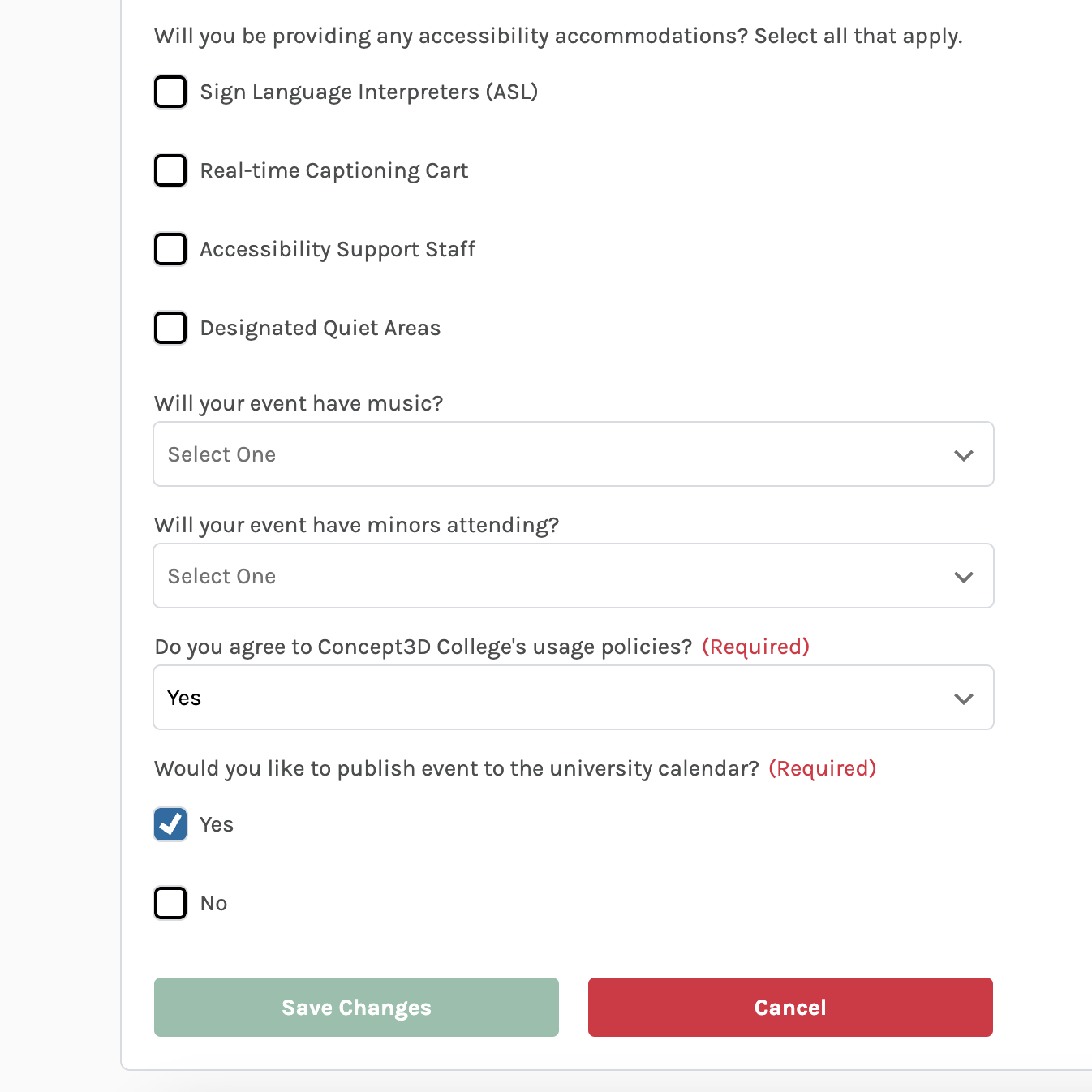
You are able to edit responses to any associated reservation questions for your specific room.
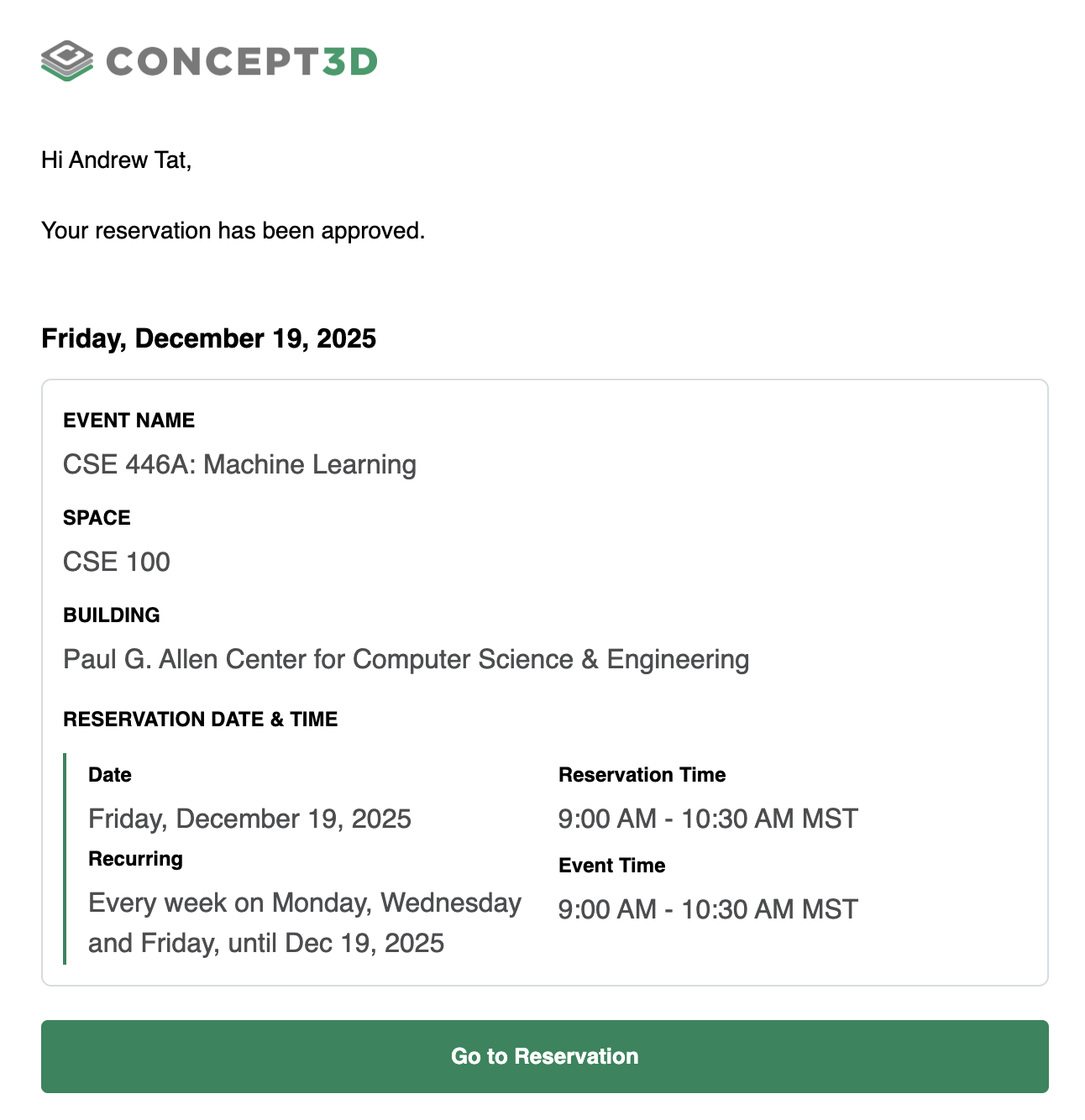
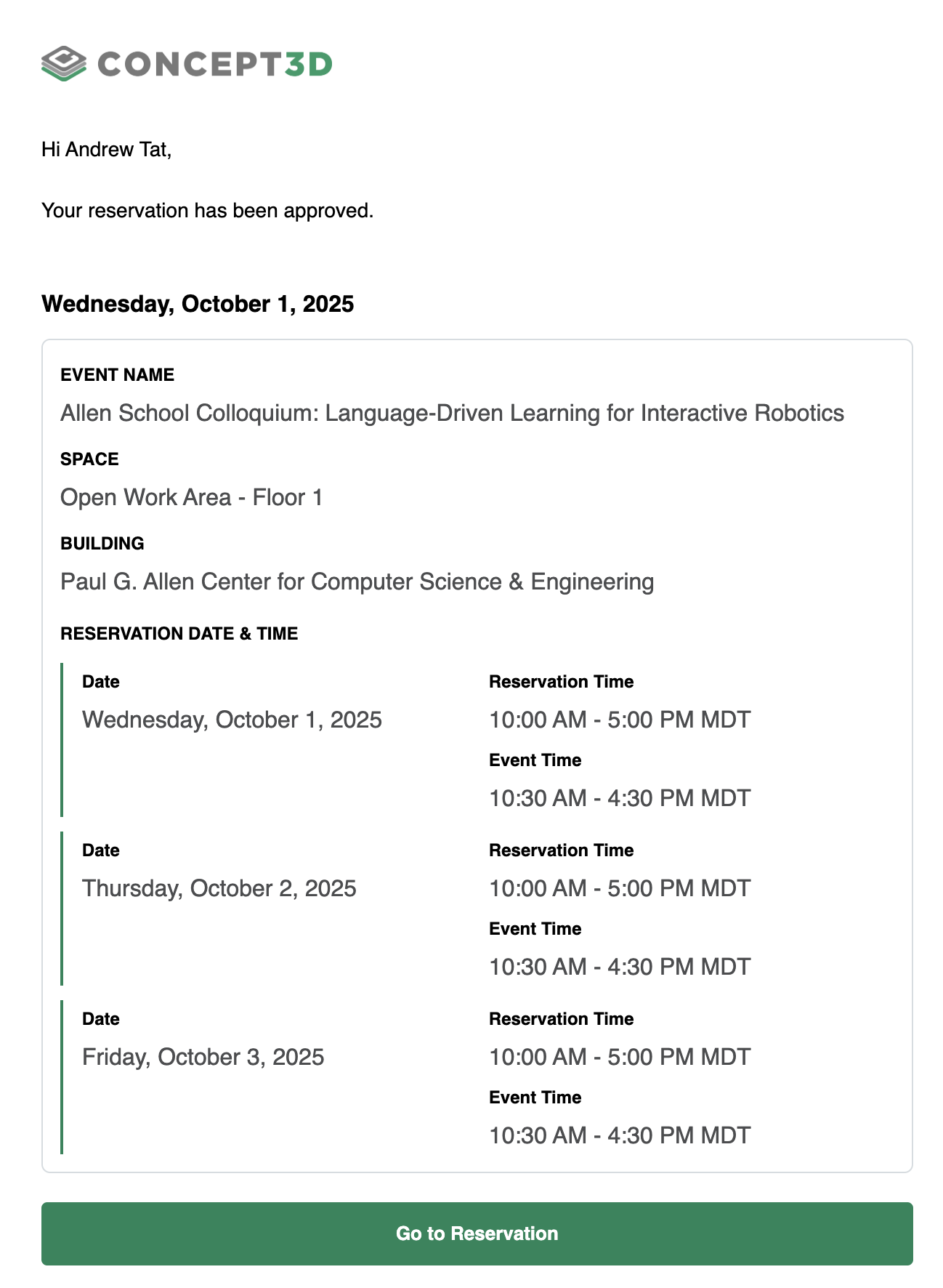
Updated Email Notifications for Multiple Day / Recurring Reservations
We’ve updated the layout of the automated emails sent from our Room Reservation system. Reservations for single, multiple, and recurring dates now provide clearer, more actionable information:
- Better handling of recurring and multiple date reservations
- Clear display of event dates and times
Service Providers will also receive clear notifications when a reservation has been cancelled.
Support for Favicons
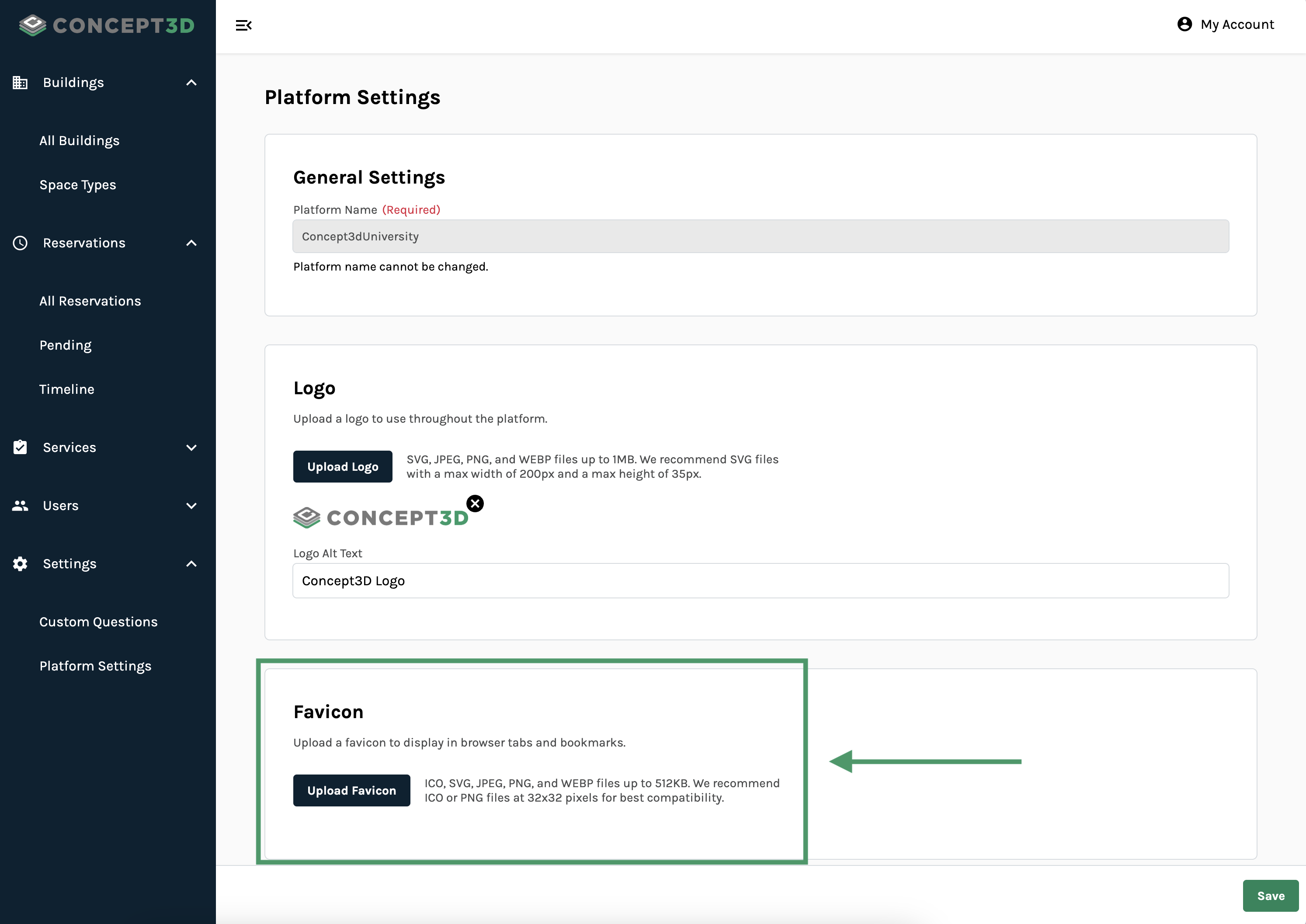
You can now upload a custom favicon in your Platform’s settings page. We support ICO, SVG, JPEG, PNG, and WEBP files up to 512kb. We recommend using ICO or PNG files at 32×32 pixels for best compatibility.
August 13, 2025
New Features
Cancel Reservations
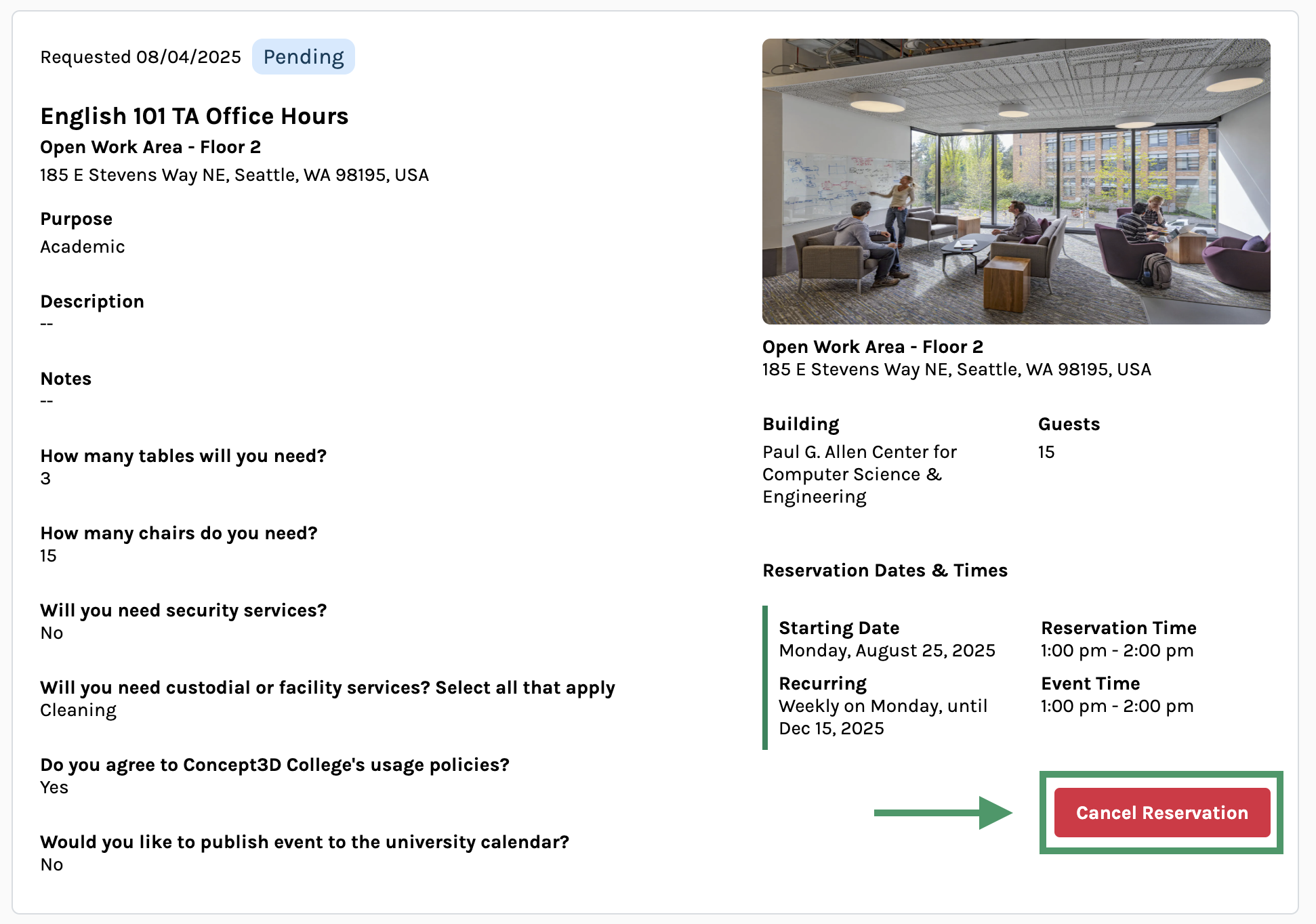
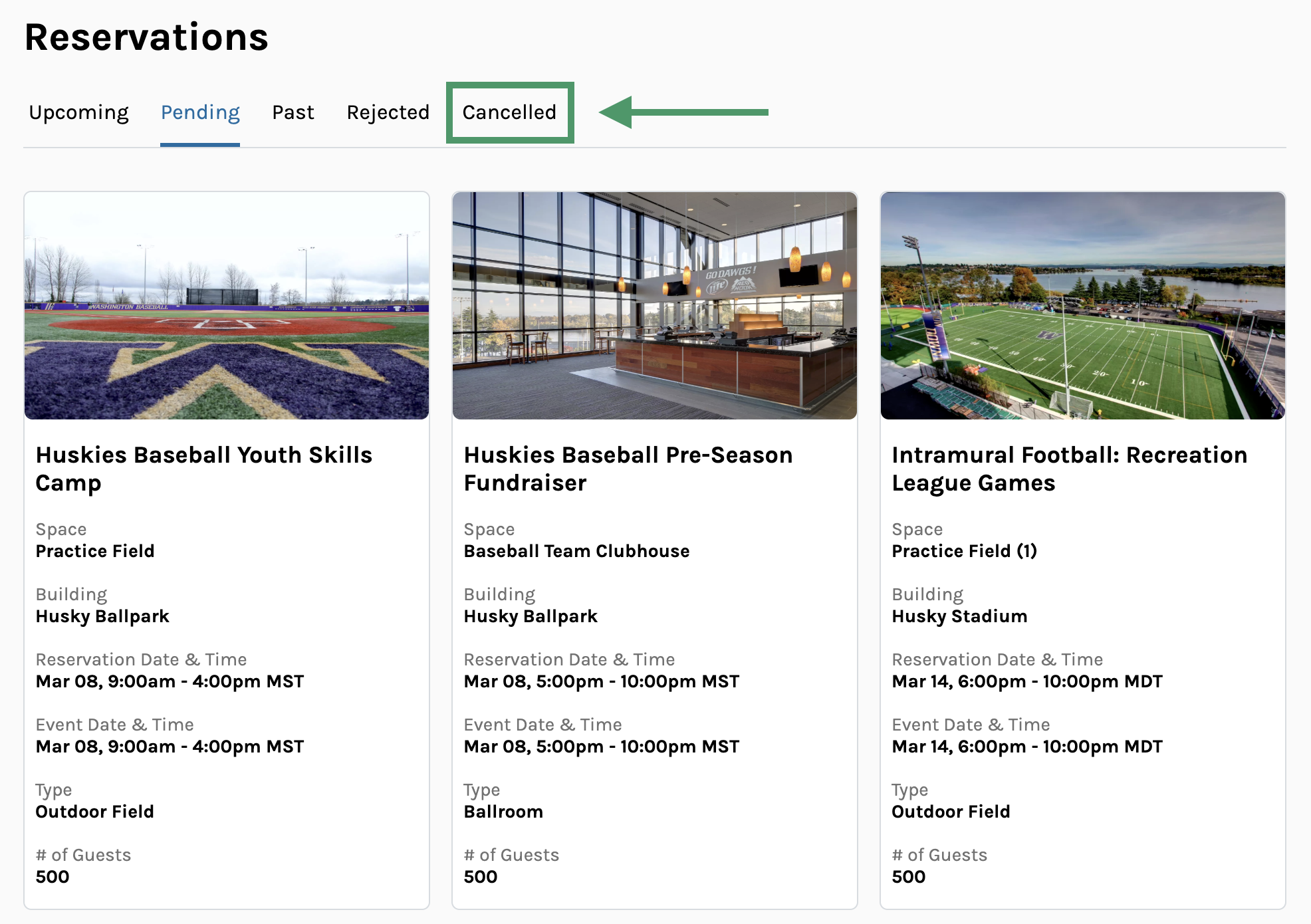
Users can now cancel their own reservations directly through the Room Reservations platform, giving them more control and flexibility when their plans change. Reservers can cancel any pending or approved reservation (as long as it hasn't already started) by clicking the new "Cancel" button on their reservation details page. Once cancelled, reservations move to a new "Cancelled" state with its own dedicated tab, making it easy for both users and administrators to track cancelled bookings separately from active ones.
This enhancement streamlines the cancellation process by eliminating the need for users to contact administrators directly, while still maintaining proper oversight. When a reservation is cancelled, any assigned service providers automatically receive email notifications letting them know their services are no longer needed, ensuring everyone stays in the loop.
Usability Updates
- Updated all dropdowns to fit more items within the visible area of the dropdown menu
- Clarified all required fields by updating the display from * to "(required)”
- Added clear row dividers and hover effects for tables in Admin
-
Added clear, accessible names for each reservation table and their respective statuses in Admin
August 4, 2025
New Features
Support For Multiple Date and Recurring Reservations
Room Reservations now supports multiple date and recurring reservations, a big update that streamlines the booking process and supports users making reservations at scale. Users can now create reservations that span multiple dates with customizable repeat rules, making it easy to book weekly staff meetings, academic classes, or extended events.
We still show which dates are unavailable and block users from double booking spaces, ensuring scheduling conflicts are avoided.
For administrators, we’ve redesigned the reservation management experience to handle these grouped reservations easily. Multiple date and recurring reservations appear as collapsed groups in the list view for easier navigation, with the ability to expand and inspect individual dates as needed.
Admins can also approve or reject the entire reservation group with a single action, while still keeping the flexibility to assign different Service Providers and Resources to specific dates within a group. This update reduces the administrative overhead while providing granular control needed for event management.
Multiple date and recurring reservations are now live, so give them a try next time you’re making a reservation!
For a video walkthrough of the new update, click this link!
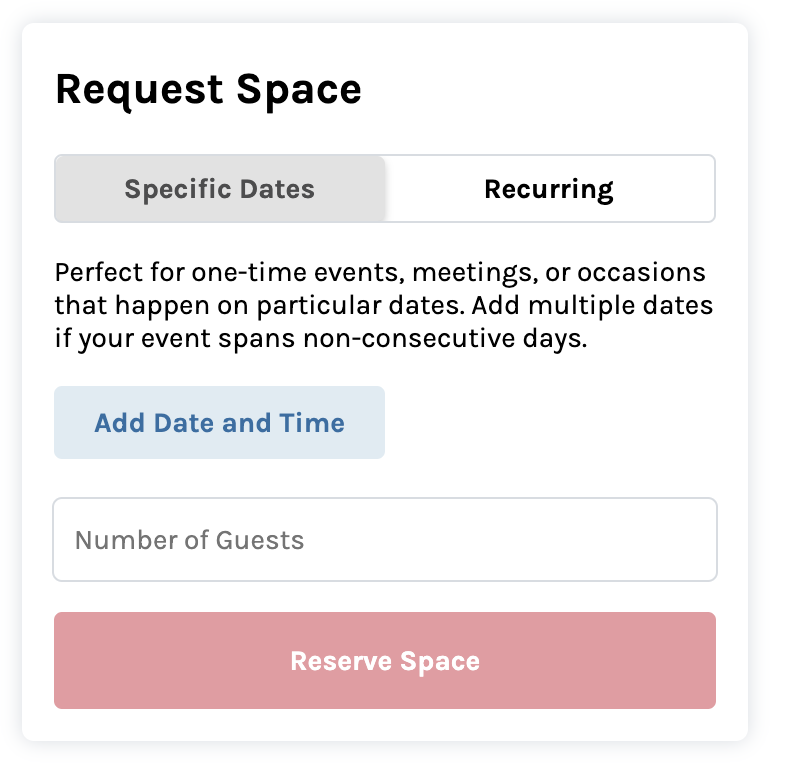
The Request Space form has been updated to support single date, multiple dates, and recurring reservations.
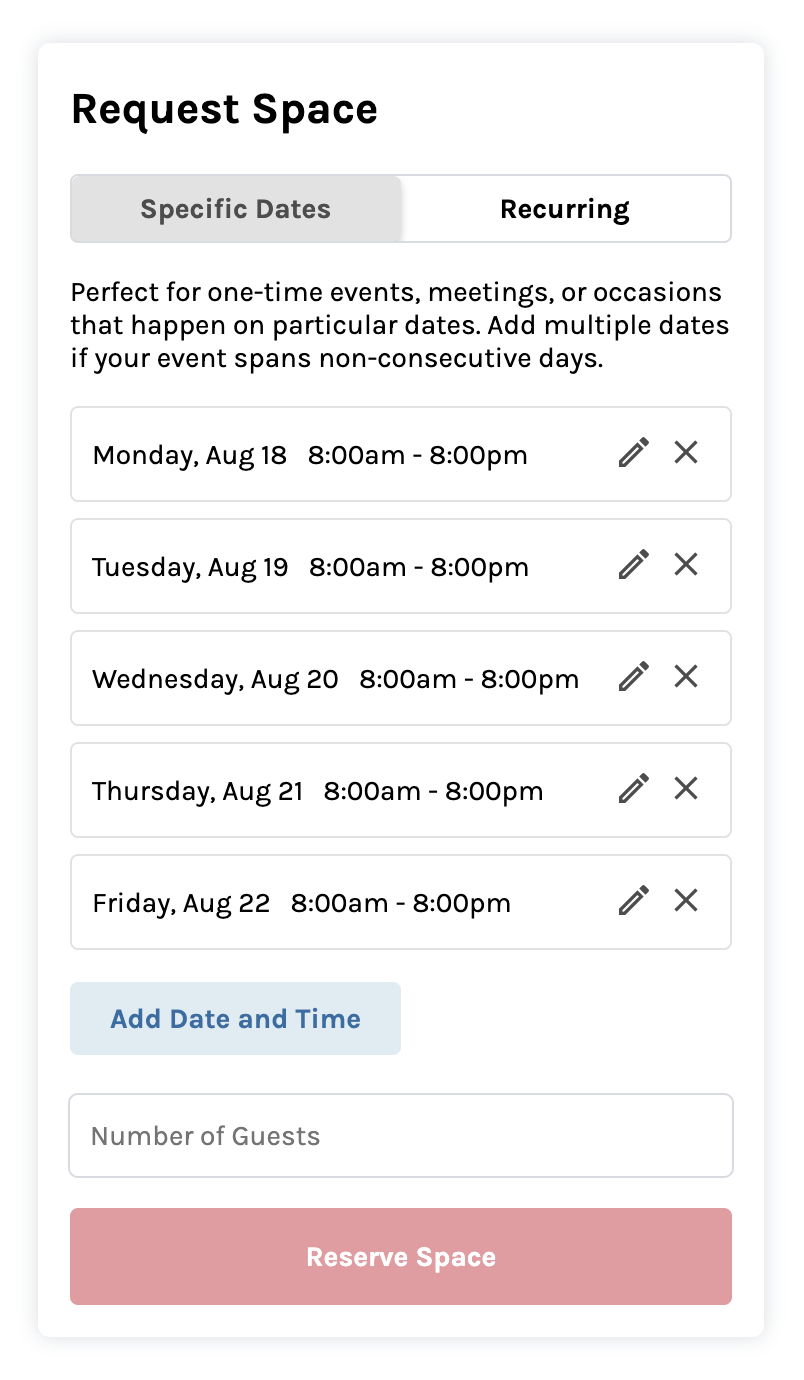
You can now specify multiple, specific dates for one reservation.
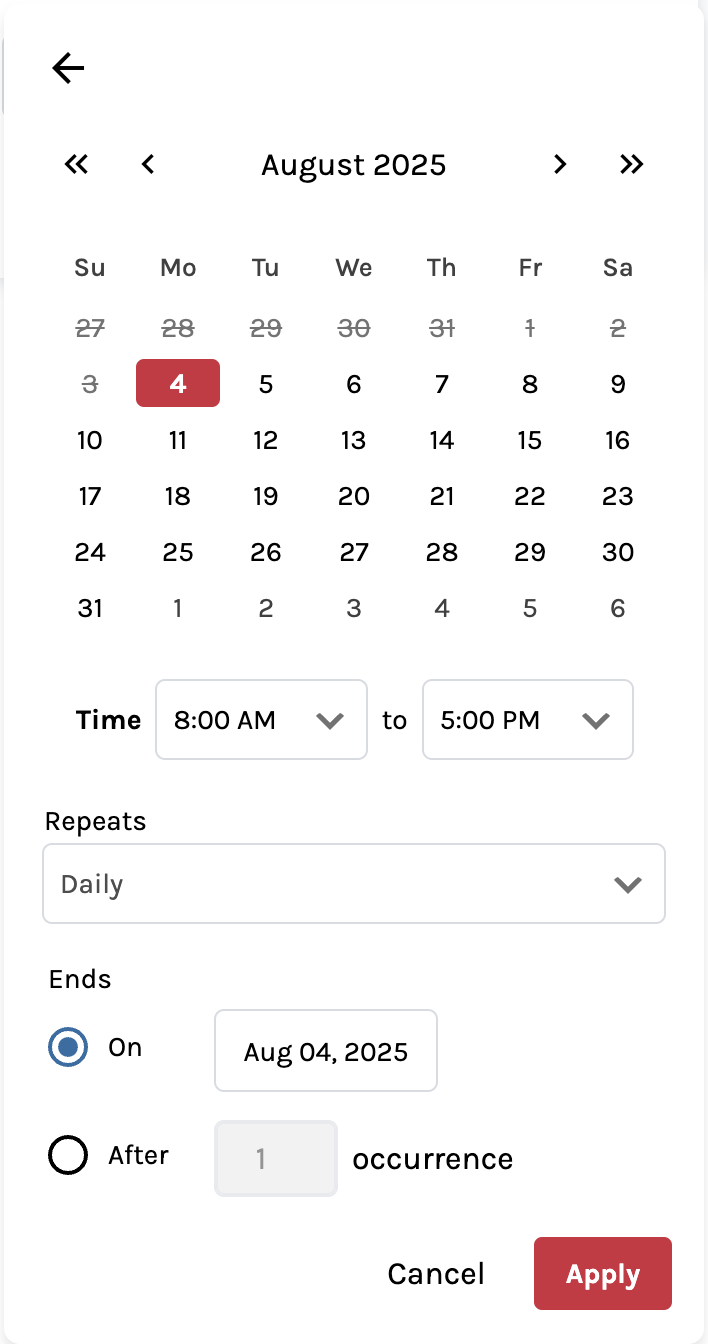
For recurring reservations, you input a start date, choose how reservations should repeat, and specify when they should end.
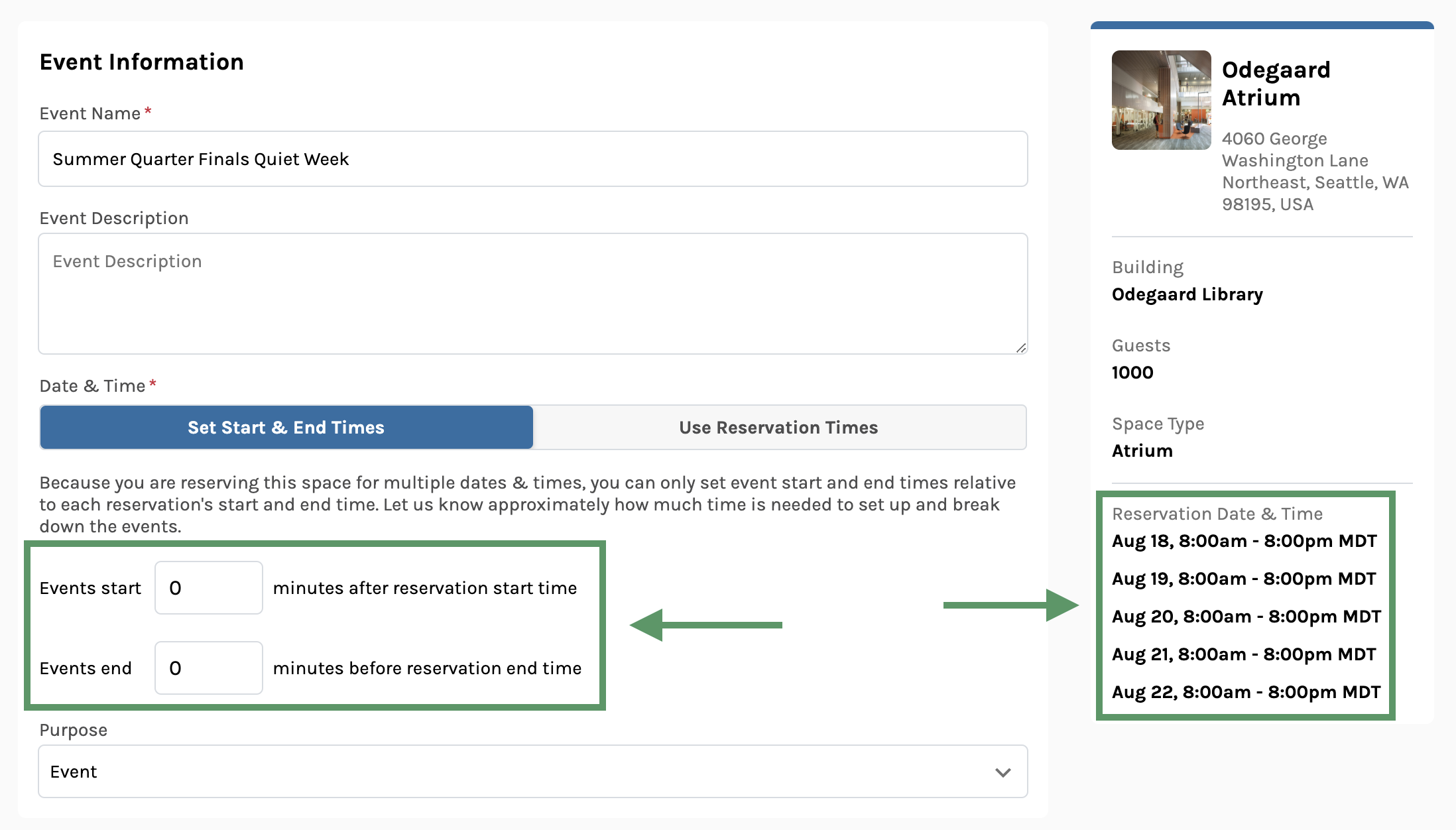
For multiple date reservations, your selected dates and times will display on the right. You can also set how much buffer time your events need within your reservation.
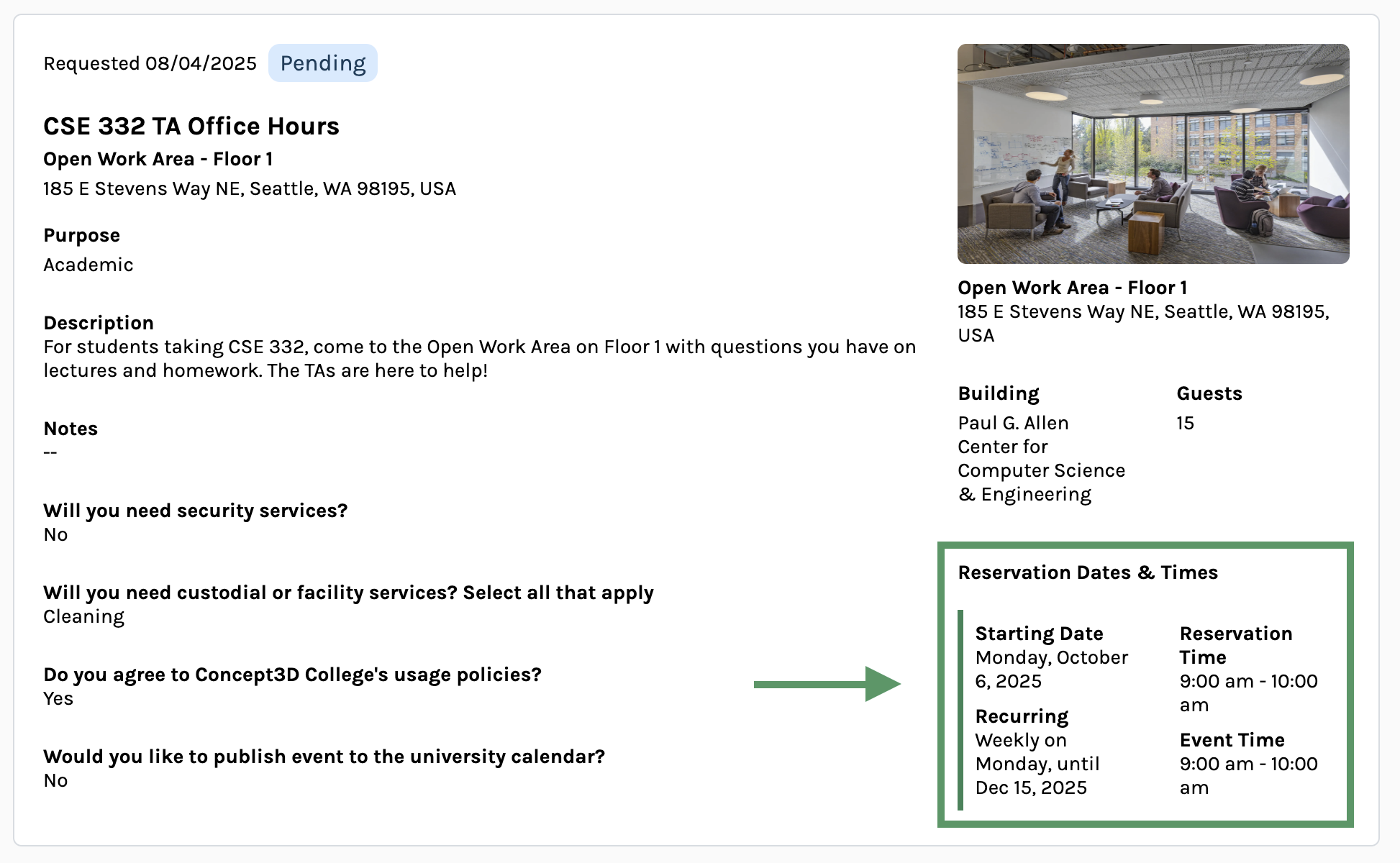
Recurring reservations will display the start date and the recurrence information.
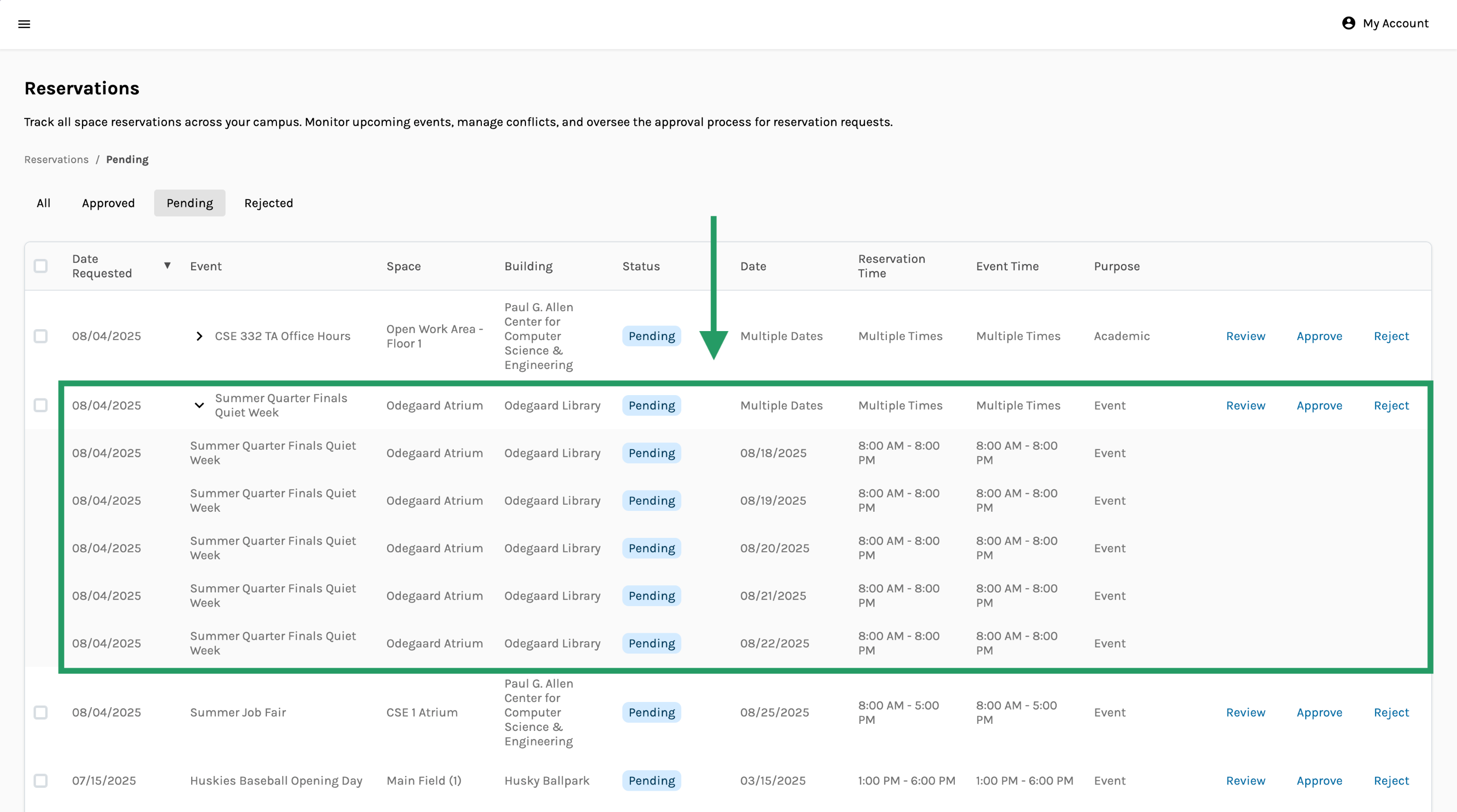
Admins can review multiple date and recurring reservations as a group.
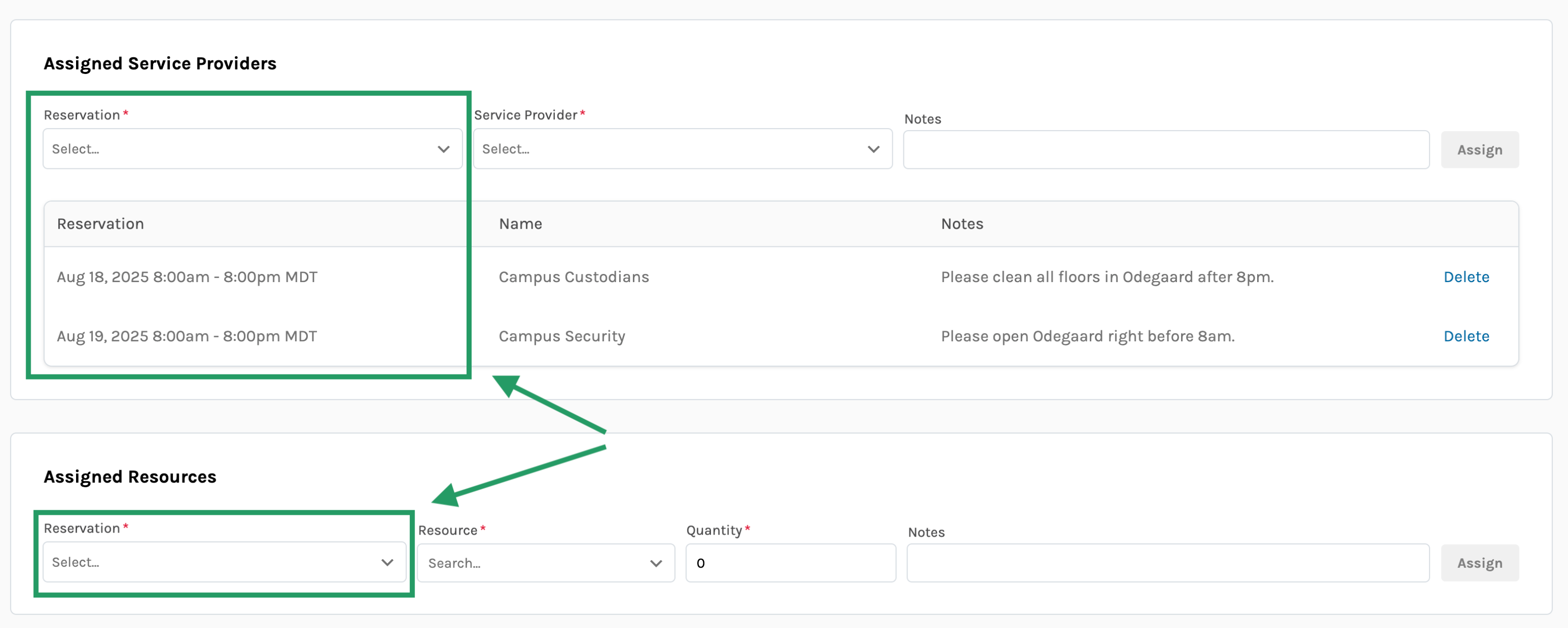
Admins can assign Service Providers and Resources to specific reservations within a multiple date or recurring reservation group.
Usability Updates
Clearer Reservation and Event Workflow
For Room Reservation platforms connected to a Localist calendar, the reservation form no longer displays the “Connect to Localist Calendar” button, and the tab structure now includes a new default “Reserve a Space” tab. These tabs allow you to choose which type of reservation and event you want to make:
- Reserve a Space - a plain and simple room reservation, no event promotion needed
- Create a New Localist Event - reserve space for your event and create a new listing in Localist with all the relevant event categories and filters
- Link Localist Event - reserve the space and link it to an existing Localist event
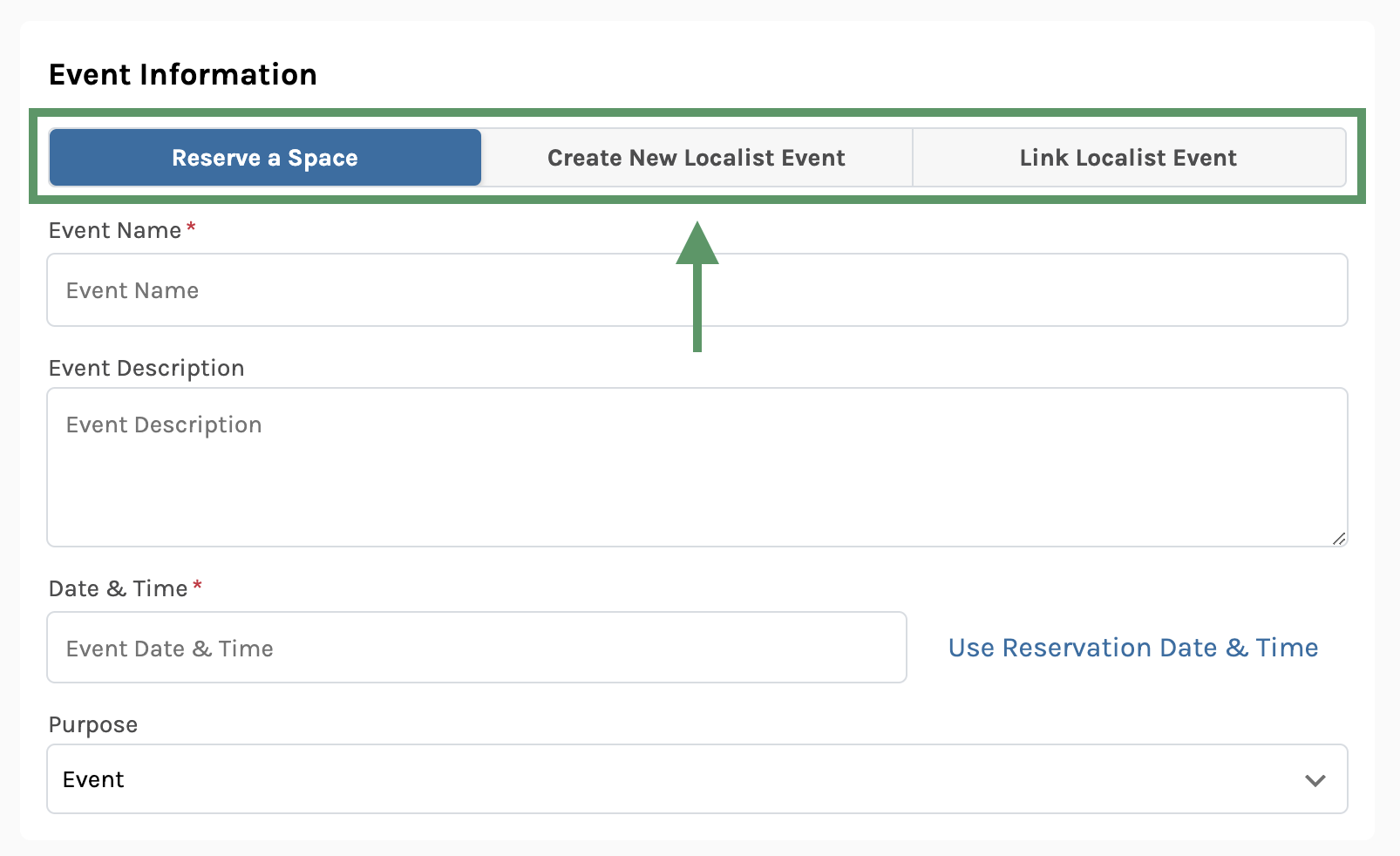
Clearer, Accessible Calendar Date Picker
The calendar date picker has been updated and now follows accessibility best practices:
- Opens only when you press on the date field
- Keyboard focus is trapped within the date picker popup until it is closed
- Standard keyboard shortcuts if you use keyboard navigation or a screen reader
- Meets WCAG 2.1 AA color contrast requirements
We’ve also made a few other adjustments to the date picker:
- Selecting invalid dates such as past dates is no longer permitted
- Separate date and time inputs when starting the reservation process for a space
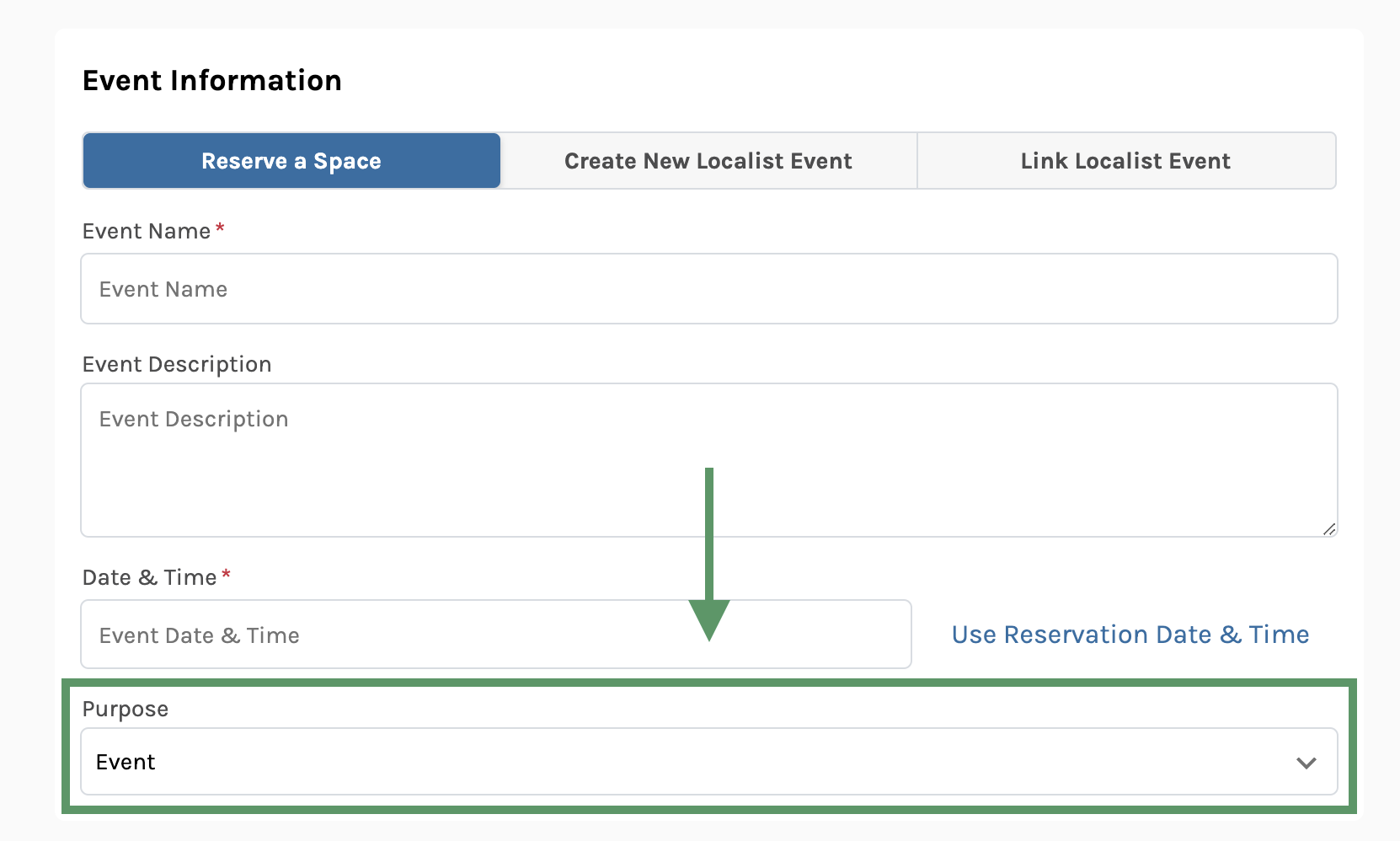
Reservation Purpose Field Added
You can now specify the purpose of your reservation using a new “Purpose” field when creating a reservation. Available options are “Event” and “Academic” to help you differentiate between classroom reservations and event space requests.
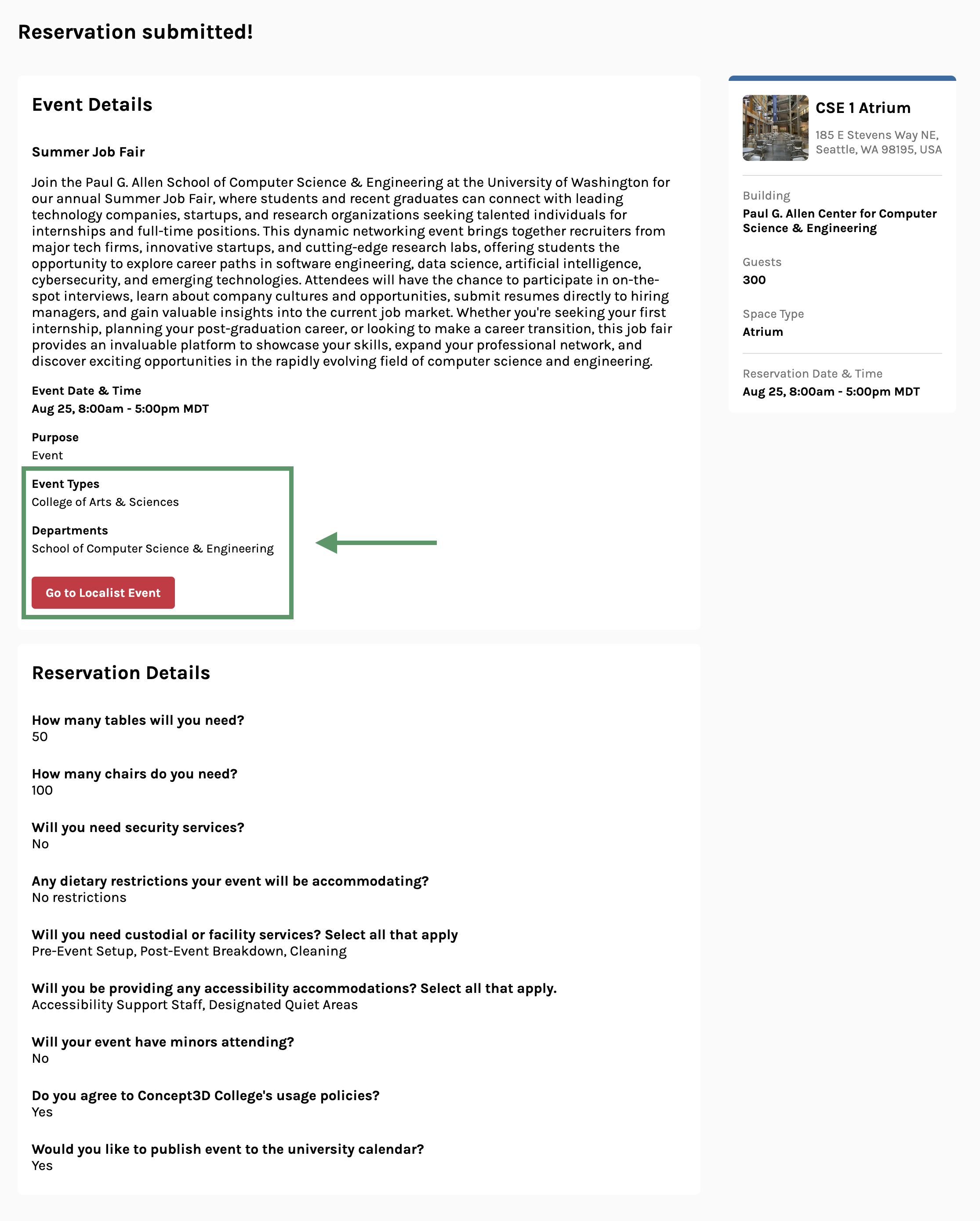
Added Localist Filters to Reservation Confirmation and Detail Pages
If you created your reservation with a Localist event, the Localist filters you selected now appear where reservation details are displayed.
Clear Help Text in Rooms Admin
Help text now appears throughout the admin experience, providing contextual explanations and instructions. Each help text describes the purpose of the page, guidance for setup or management, and links to support resources where applicable.
July 2, 2025
New Feature
Resource Management
Resources is officially launched in Room Reservations. With this update, you can now manage event equipment across campus with ease. Here is what’s new:
- Create, edit, and delete resources available for reservation (e.g. microphones, tables, projectors)
- Set the total available quantity of each resource
- Assign resources to a specific room reservation
- Automatically notify Service Providers of required resource quantities for upcoming events
With these features, Event Coordinators can ensure every reservation has the equipment it needs, and Service Providers know exactly what to prepare and when. From podiums, to catering equipment, to live streaming setups, your events just got easier to manage.
Please note: Resources are currently shared campus-wide, but we’re just getting started! Stay tuned for more controls around where resources are available and smarter tools to help prevent overbooking of resources. In the meantime, log in and start assigning equipment to your upcoming reservations.
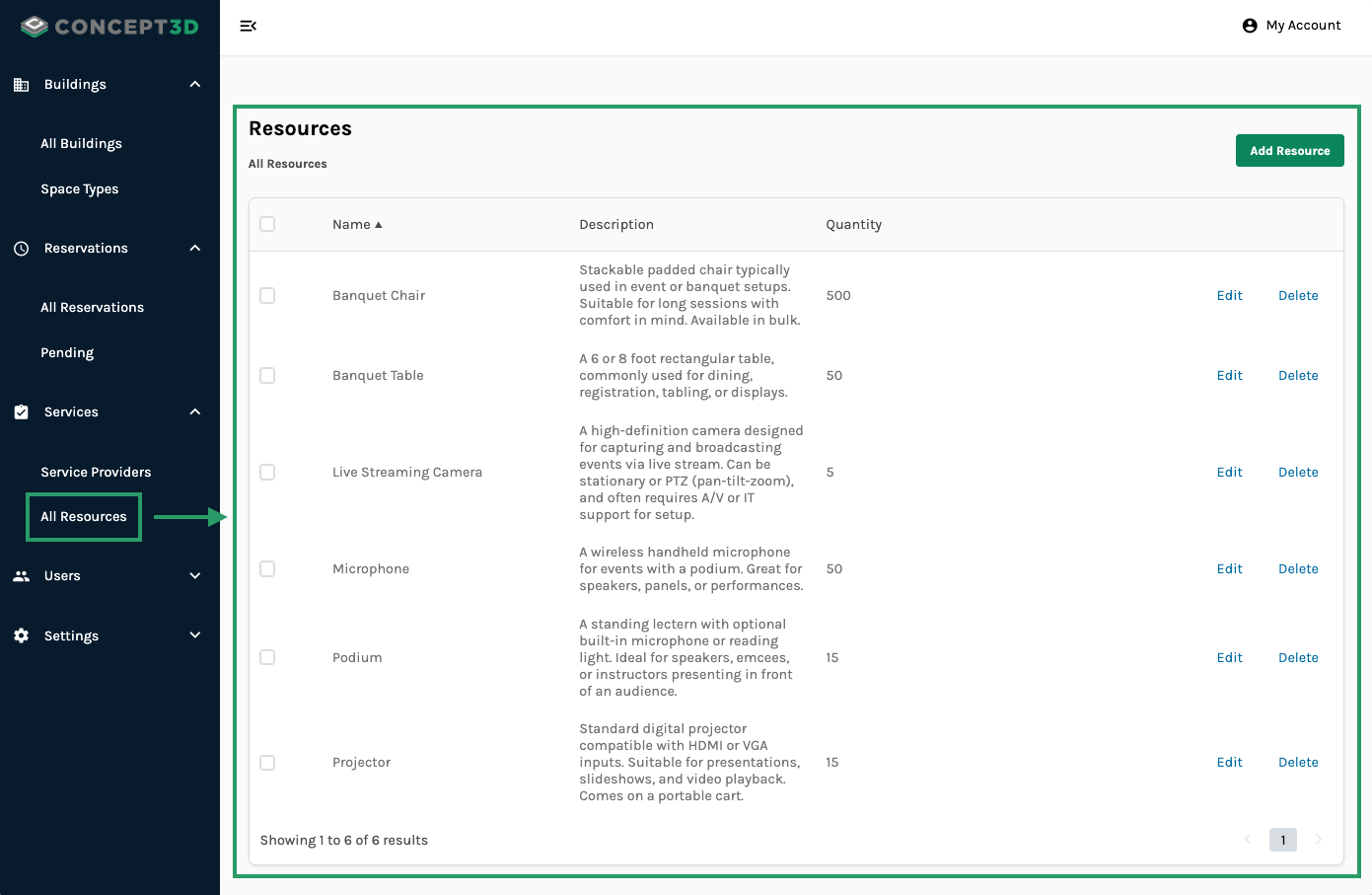
You now have access to Resources in the Admin sidebar.
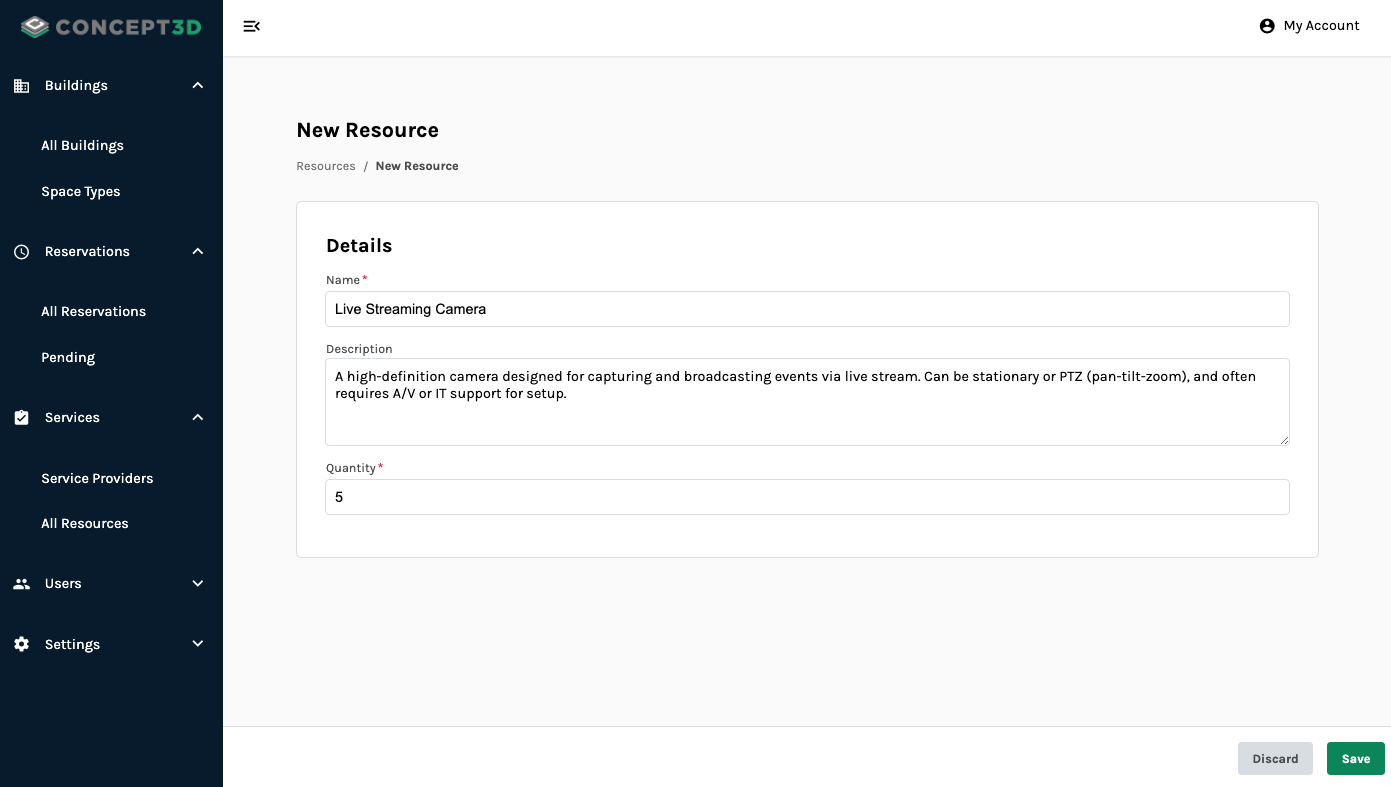
Specify how many total available resources there are for campus.
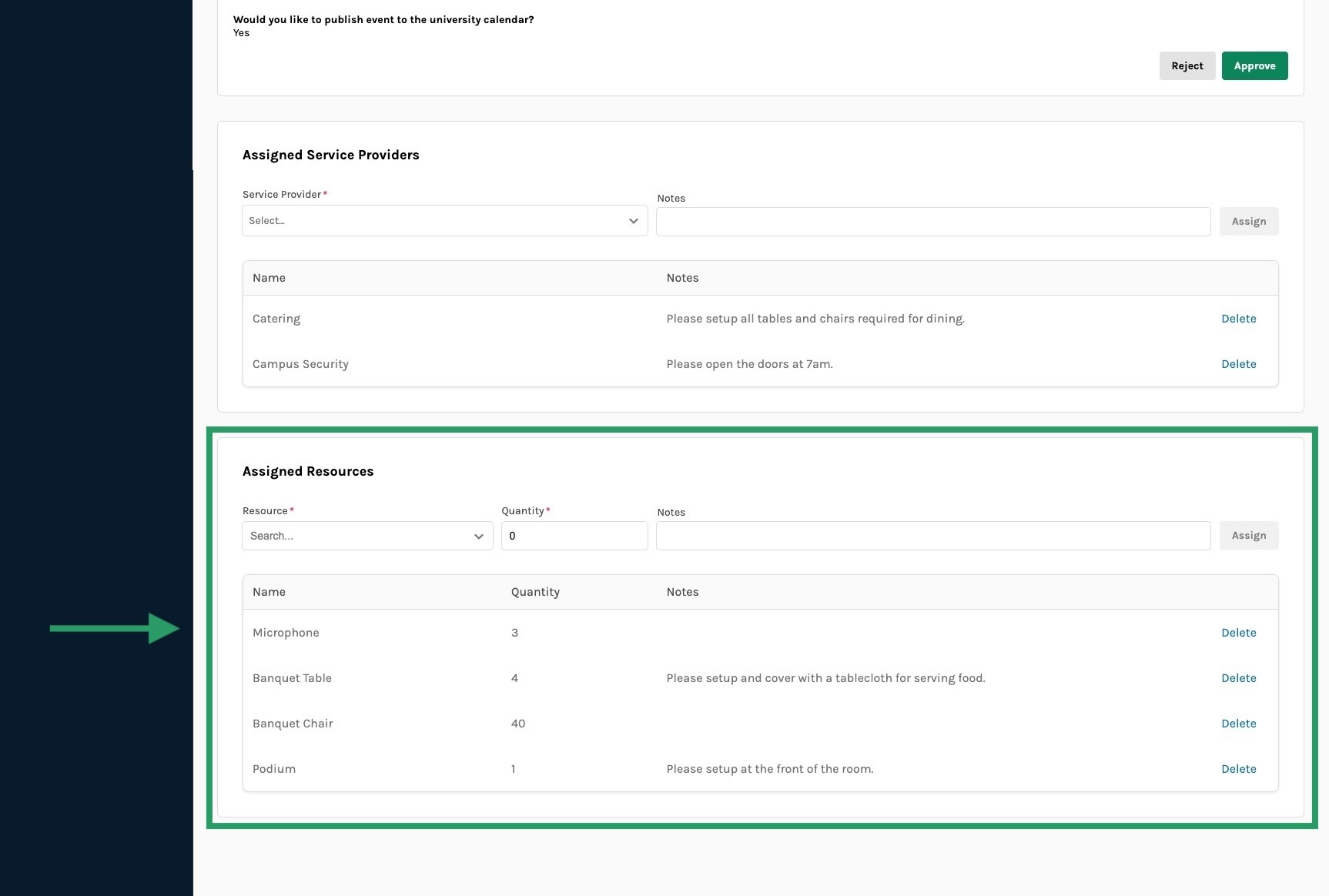
Event Coordinators can assign a specific amount of resources to a reservation.
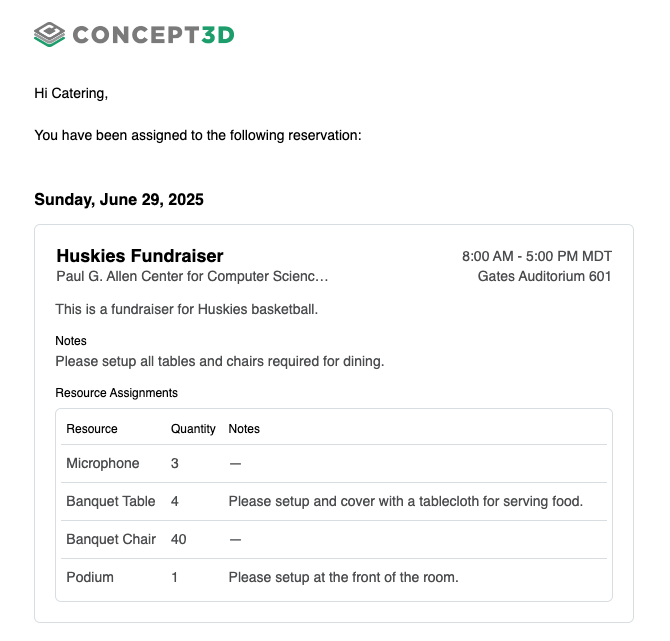
Service Providers will see which resources have been assigned in their task email.
June 16, 2025
New Features
Integration between Room Reservations and Localist Events
We’re excited to launch our new integration between Room Reservations and Localist Events. Now, the process of reserving space and creating your event is smoother and faster. With this new integration, users requesting space can also submit their event to Localist and ensure all key event details stay in sync. This reduces the risk of double bookings and eliminates tedious, duplicate data entry.
The integration supports separate, distinct approval workflows for both Room Reservations and Localist Events. This gives you the flexibility to manage each process independently, assign the right people to each system, and maintain a smooth, end-to-end experience for event organizers.
Room Reservations helps you plan and coordinate your events efficiently, so this integration is “rooms-first” today. This means reserving a space is the first step in the workflow, ensuring venue availability before event details are finalized and promoted via Localist. While the process starts in Room Reservations, you can still add key event details such as name, description, and event type right in the room request form. This reduces the number of steps needed to create a Localist event, making it faster and easier to go from booking space to sharing your event with the wider campus.
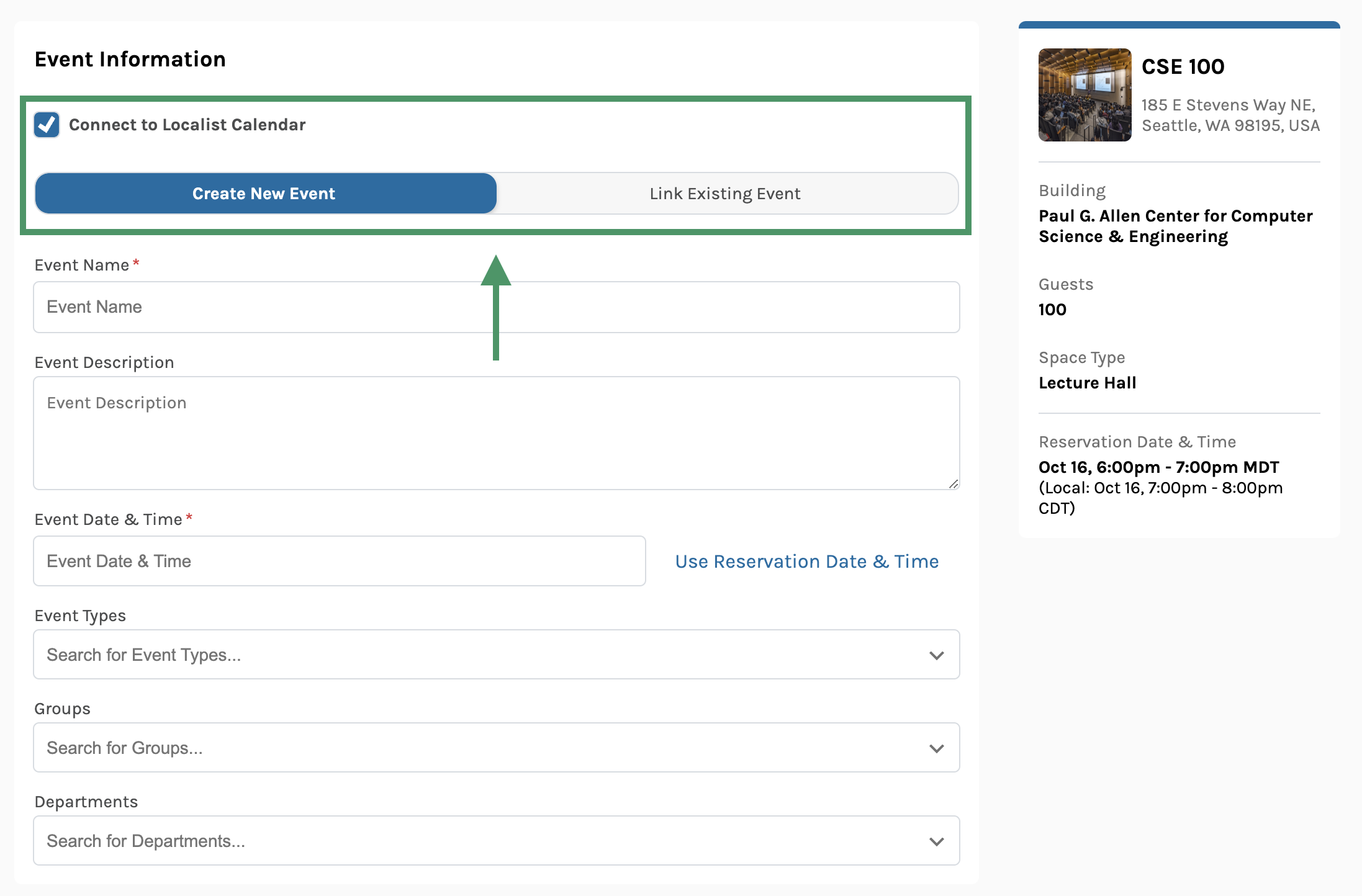
Once the integration is setup between your Room Reservation and Localist platforms, users requesting space will see a few new options to setup their event in Room Reservation.
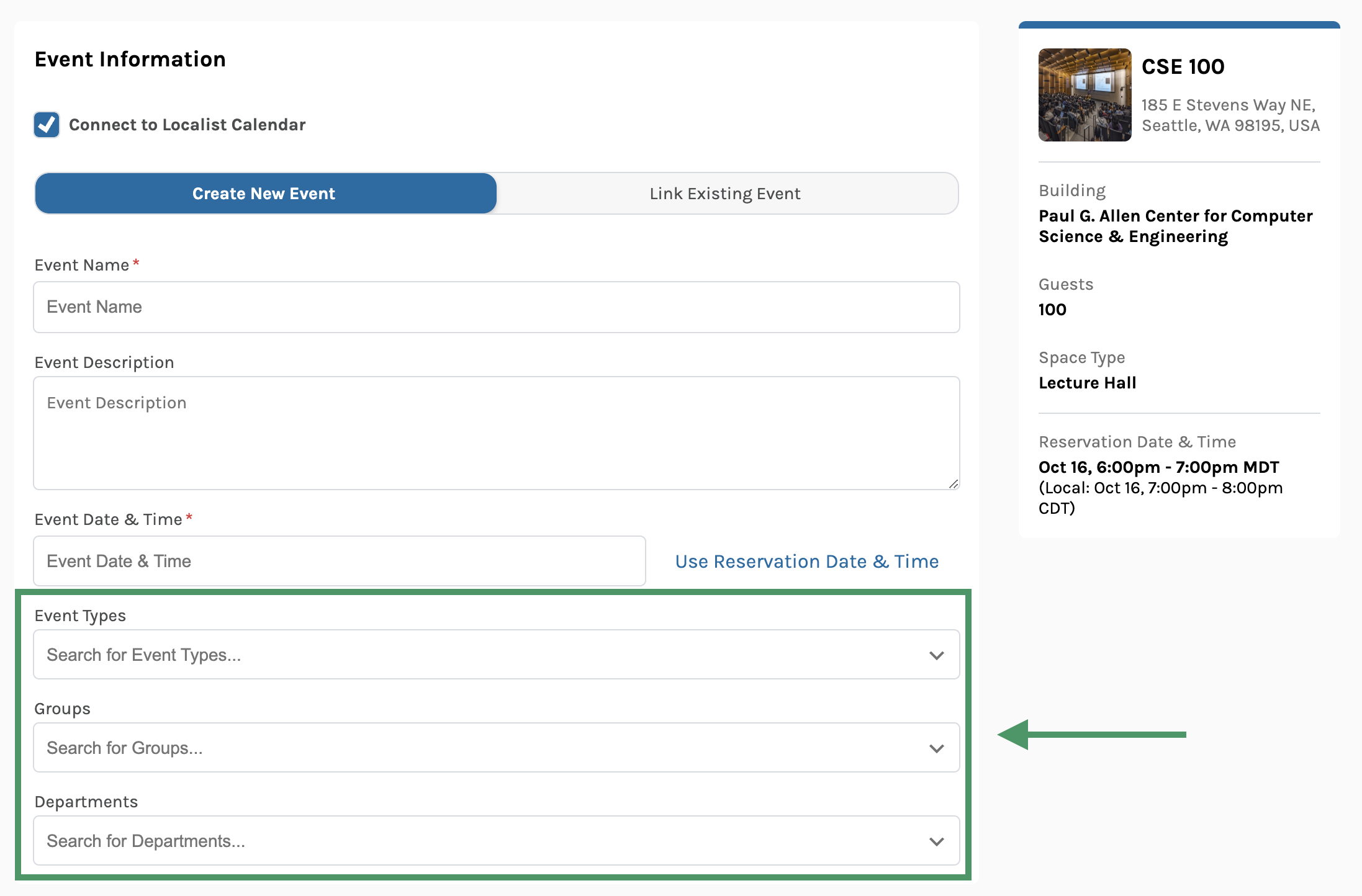
Users requesting space will be able to select from filters and categories available to your Localist calendar’s events.
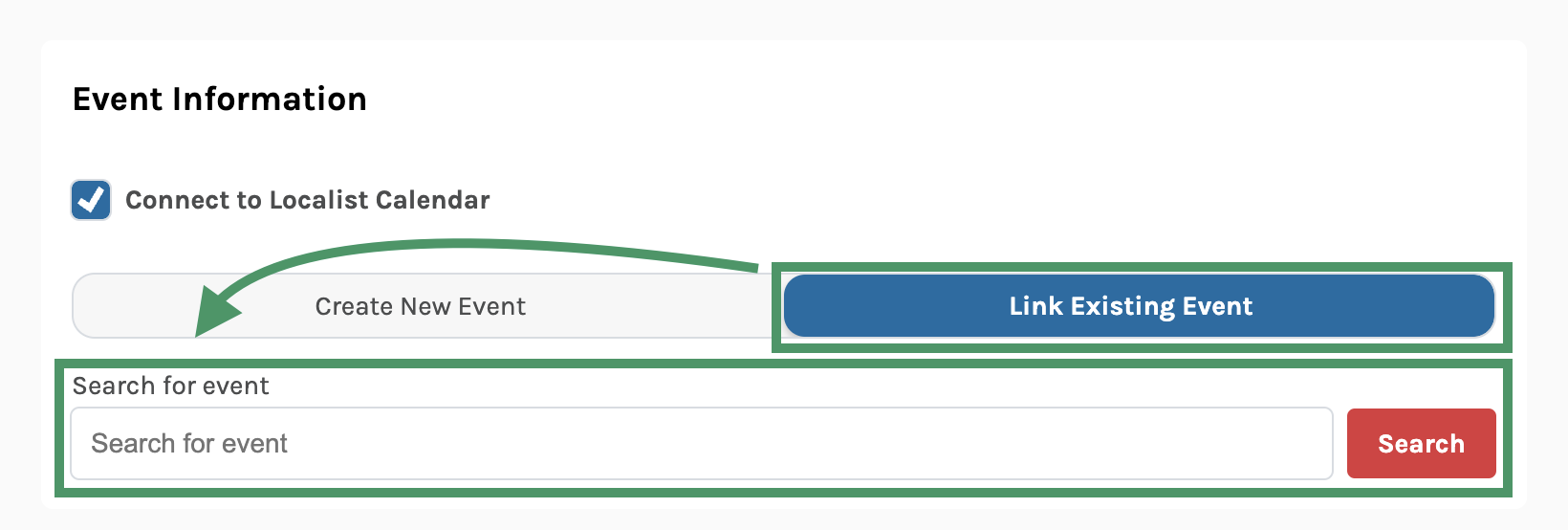
If the Localist event already exists, users will be able to search for those events and link them directly to the room reservation request.
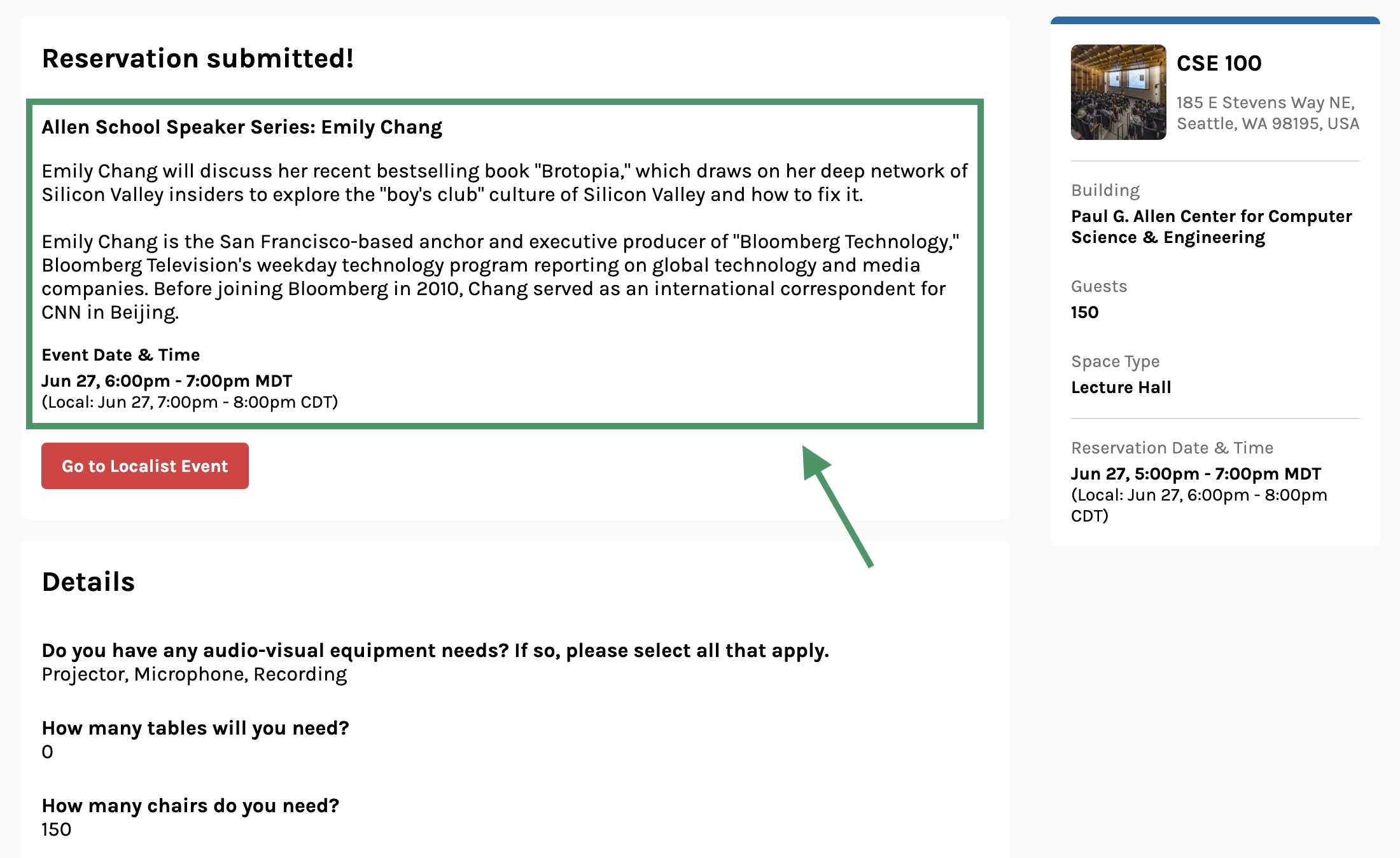
Once the reservation request is submitted, all event information sent to Localist will also display on the confirmation screen.

Users will also have easy access to “Go to Localist Event” right from the room reservation request.
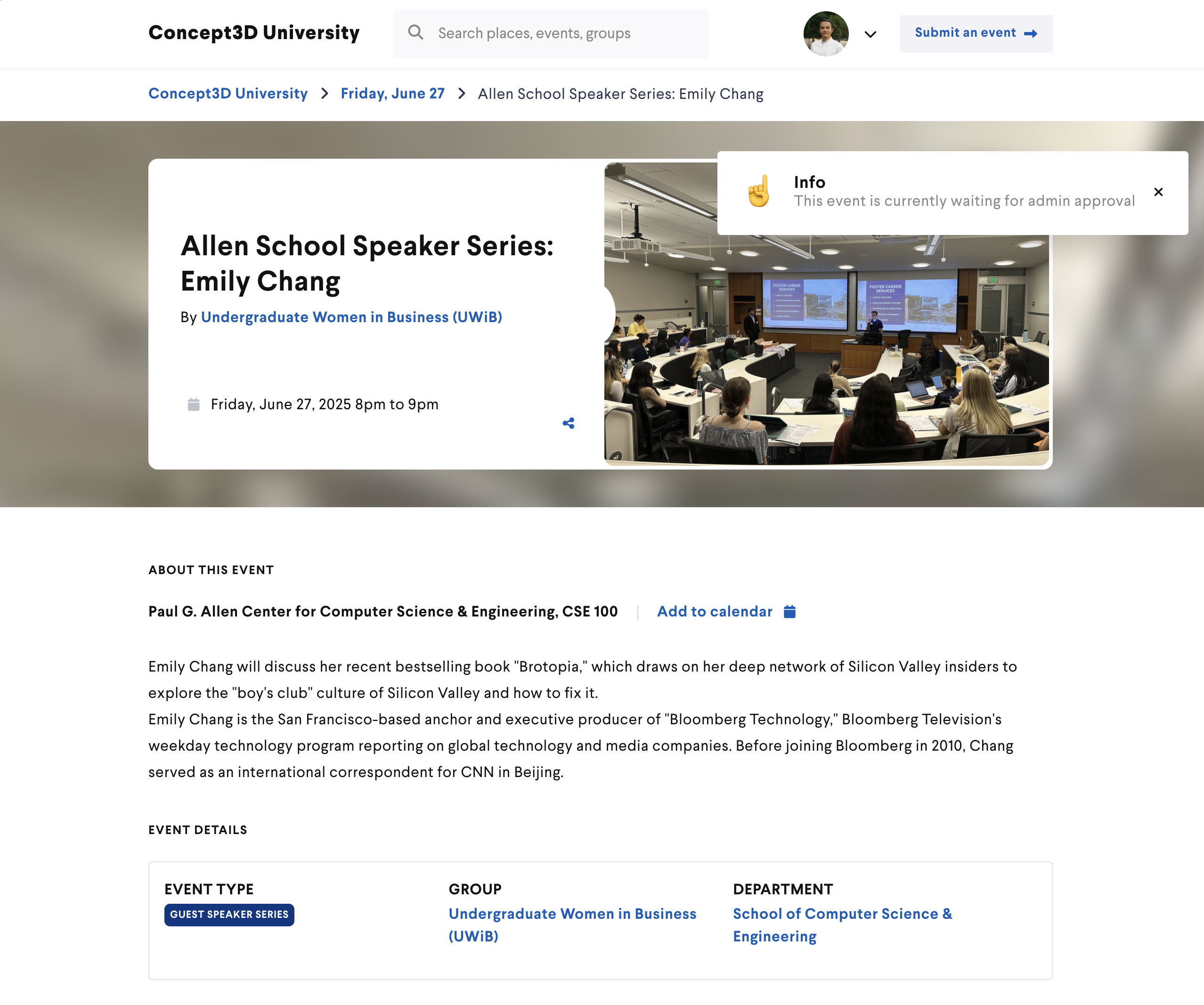
Users clicking “Go to Localist Event” will be brought to a pending view of the Localist event page.
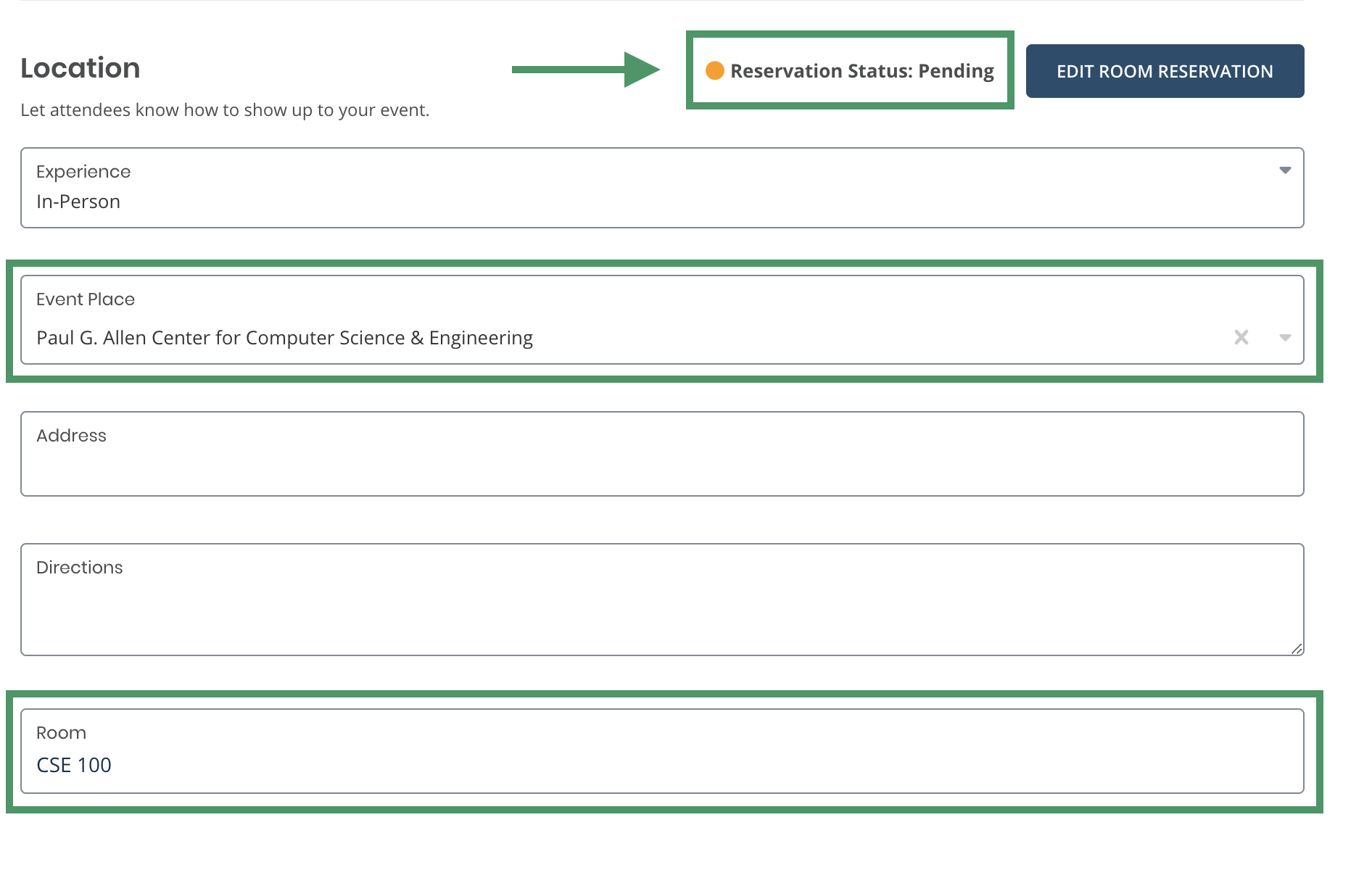
Room reservation info and status are automatically added and updated in Localist.
Easy Switch between Admin and Reserver Experiences
Users with Admin access can now seamlessly switch between the reservation and administration experiences.
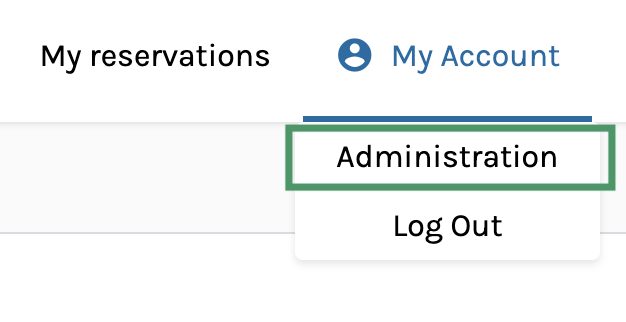
Users can switch easily between the reservation and admin portals from their account dropdown menu.
Separate Event Date & Time
You can now provide separate event date and time details when submitting a reservation request. This update allows you to decouple the event's date and time from the reservation date and time, enabling you to budget setup and breakdown times separate from the event itself. Additionally, there's an option to automatically populate the event date and time using the reservation details, making simpler room requests easy to submit.
Usability Updates
- Expanded tables to use full screen width to improve viewing experience of lots of data
- Added clarity to dates and times across Room Reservations. “Event Date & Time” and “Reservation Date & Time” are the new titles
- Updated to a new, clearer icon for the “close sidebar” button in Admin
- Automatically trimmed extra, trailing space from user input fields
- Added user roles to the table view for managing users
- Added a “clear” option to single select Custom Questions
Accessibility Updates
- Improved used of semantic HTML in Admin
- Added roles to improve clarity of functionality
- Updated breadcrumbs to follow best practices for breadcrumb navigation interfaces
- Included alternative text for all images
- Added titles to tables
- Updated modals to follow best practices and keyboard functionality for modal interfaces