March 26, 2026
Space Utilization & Reservation Reports
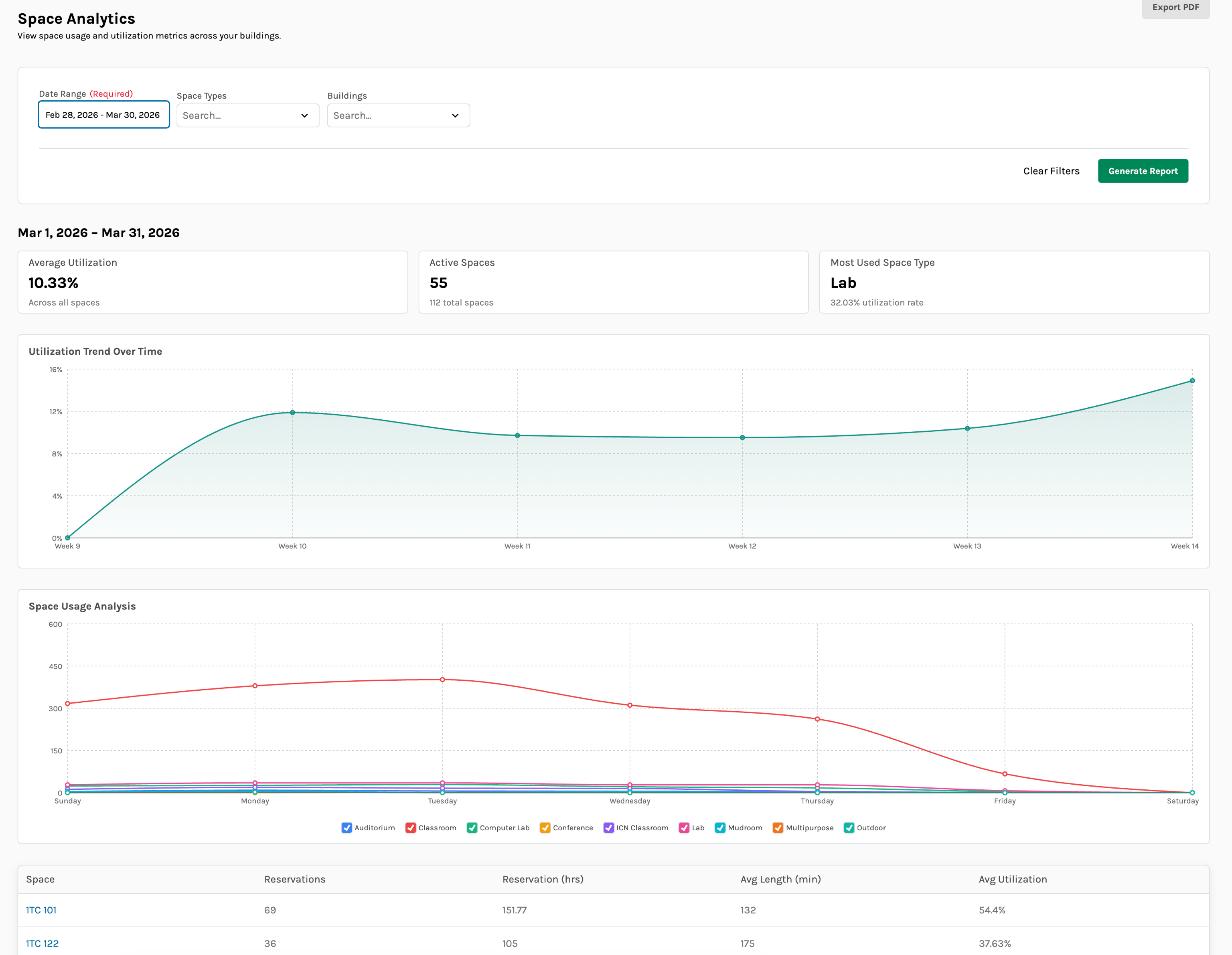
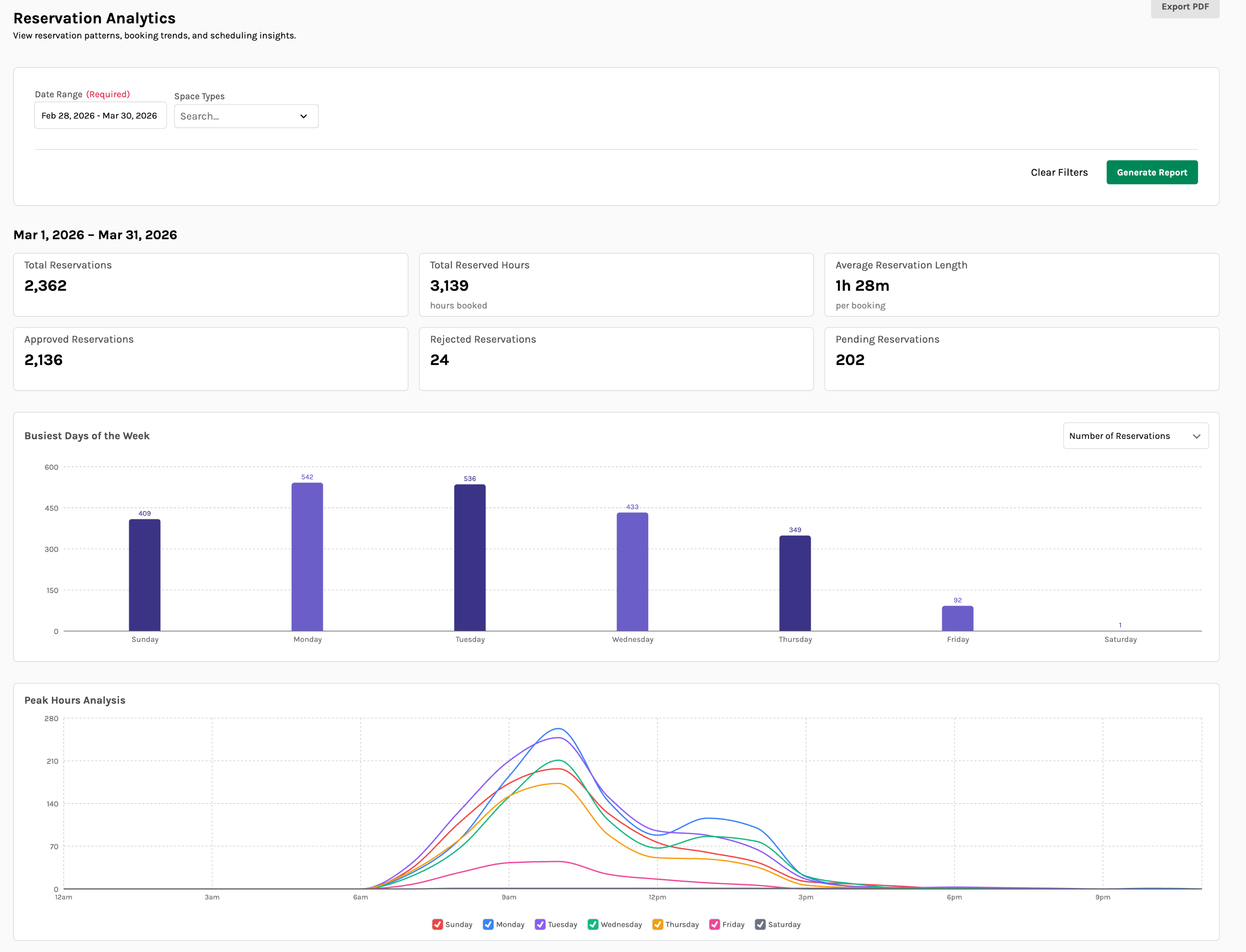
Admins now have access to a new Space Utilization Reports page, providing at-a-glance analytics on how spaces are being used. The reports page includes filterable navigation by date range, building, and space type, along with summary metric cards, interactive charts, and detailed data tables that break down utilization by space. Reports can be exported as PDFs — including full chart screenshots — for easy sharing with stakeholders who may not have platform access.
Service Provider Approvals
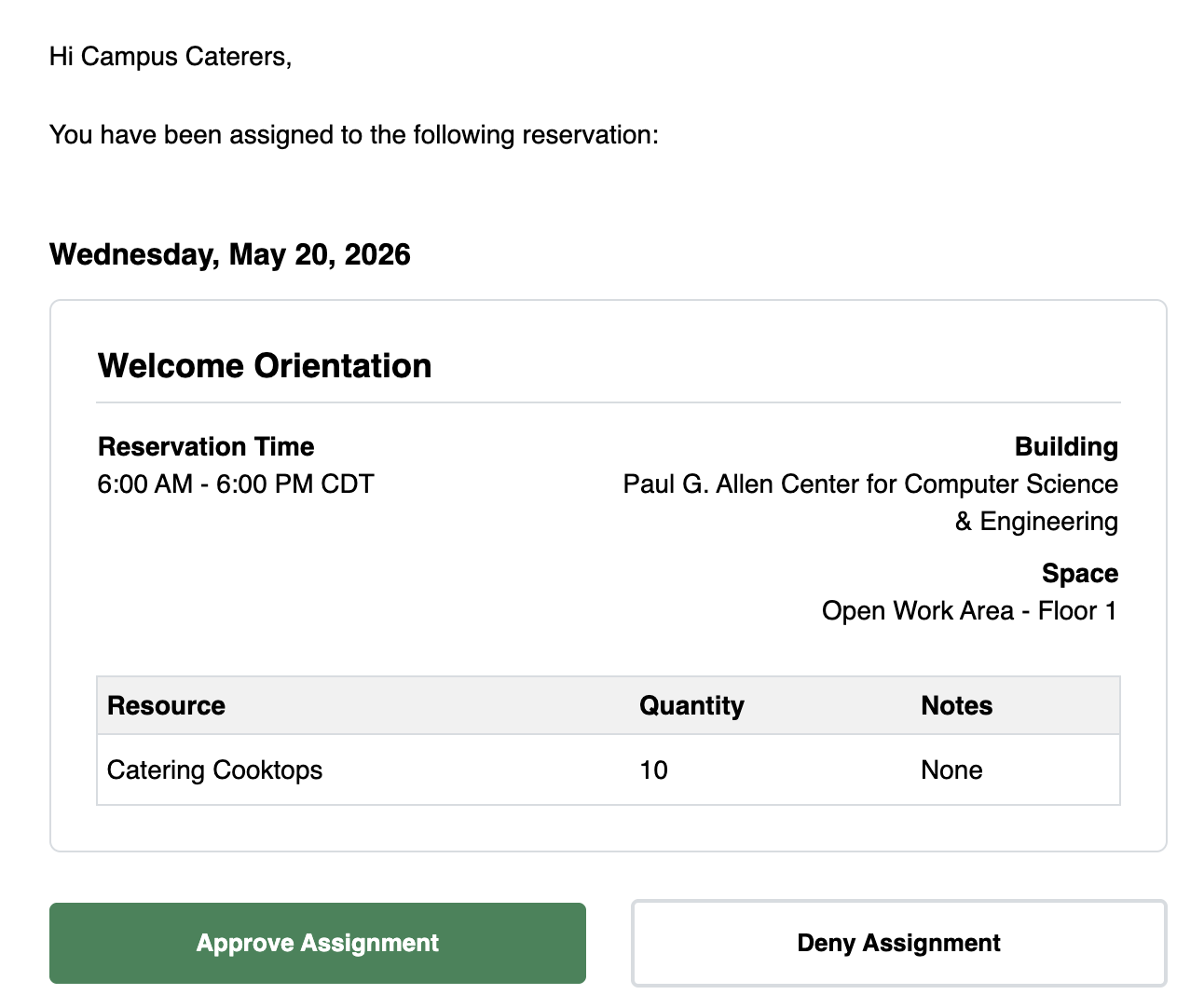
Platform Admins can now enable a Service Provider Approvals workflow from Platform Settings. When a service provider is assigned to a reservation, they receive an email with one-click Approve and Deny buttons. After responding, the service provider sees a public confirmation page and receives a confirmation email. Event Coordinators are automatically notified when a service provider responds. Approval status is visible throughout the platform:
- Reservation review pages display approval status badges for each assigned provider
- The Operations Schedule page shows provider approval status inline
- The Operations Schedule PDF report and weekly email reports include provider approval status
Calendar Feed Subscriptions for Reservers
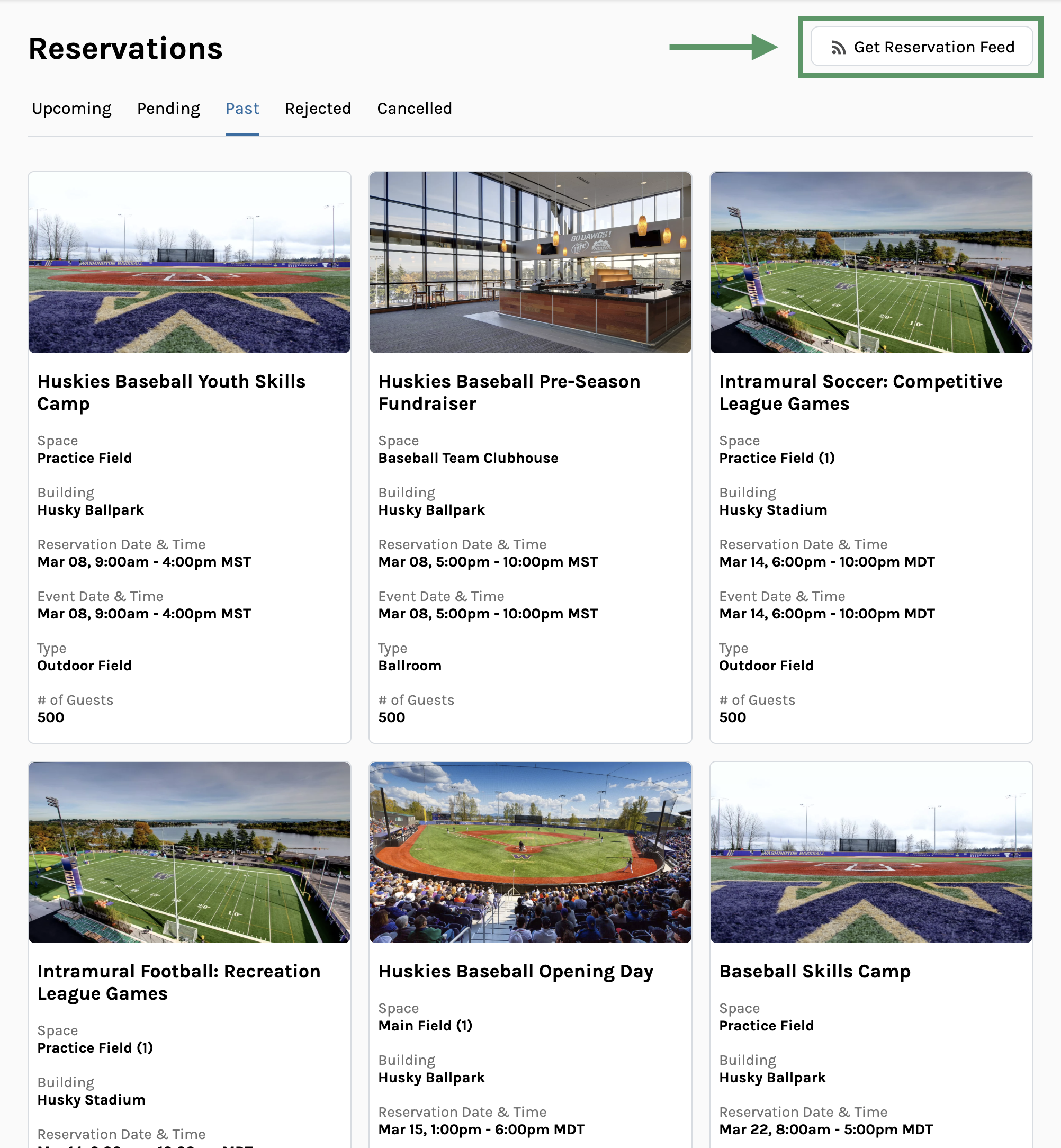
Reservers can now subscribe to a personal ICS calendar feed of their own reservations, compatible with Google Calendar, Outlook, and Apple Calendar. This extends the Calendar Feed Subscriptions feature — previously available only to Event Coordinators and Admins — to all users with reservations in the system.
Usability Updates
- The Operation Schedule Report now supports a condensed view that generates a list of events by space per day, with a layout that matches the Admin UI.
- The My Account dropdown now displays the user's full name, email, and a color-coded role badge (visible for all roles except Reserver).
- Admin flows now display toast notifications for success and error states, replacing inline alerts for a more consistent experience.
- Table sorting has been extended to the Space Types, Capabilities, Service Providers, Resources, and Custom Questions tables in the Admin panel.
March 24, 2026
Reservation Policies
Platform Admins can now configure booking policies at both the Space Type and User Group levels. Policies support a range of time-based rules, including:
- Minimum and maximum advance booking time
- Mandatory setup and breakdown time
- Cancellation lead time
- Daily reservation limits and duration limits
- Auto-approve behavior per user group
When a reserver's request conflicts with their user group's policies, they'll now see clear, specific violation messages — both on the reservation request form and when dragging to create a reservation from the timeline view.
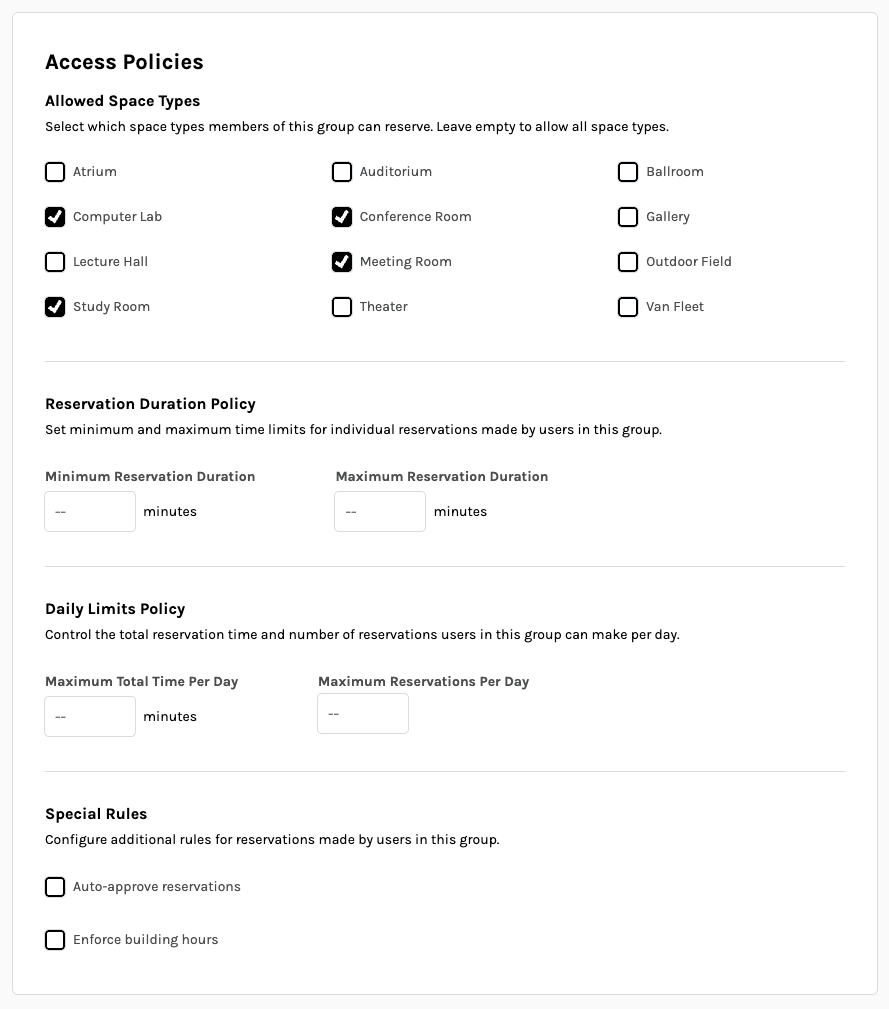
User Groups can now be restricted by both Space Type and time limits.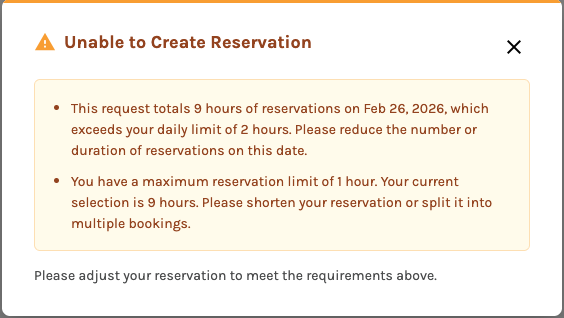
Reservers requesting space outside the limits of their group’s policies will receive clear notifications when they’re not allowed to book.
Calendar Feed Subscriptions
Users can now generate and subscribe to live ICS calendar feeds of reservations, compatible with Google Calendar, Outlook, and Apple Calendar. A common use case is powering digital signage — display screens outside a room can pull the feed to show upcoming reservations in real time, without any manual updates.
Feeds are configurable by role:
- Event Coordinators and Admins can build custom feeds filtered by building, space, space type, resource, and reservation status from a new Export Reservations page. Feeds can optionally include event details such as reservation title and organizer, or no details at all to keep events anonymous.
- Platform Admins can view and revoke all feeds created across the platform.
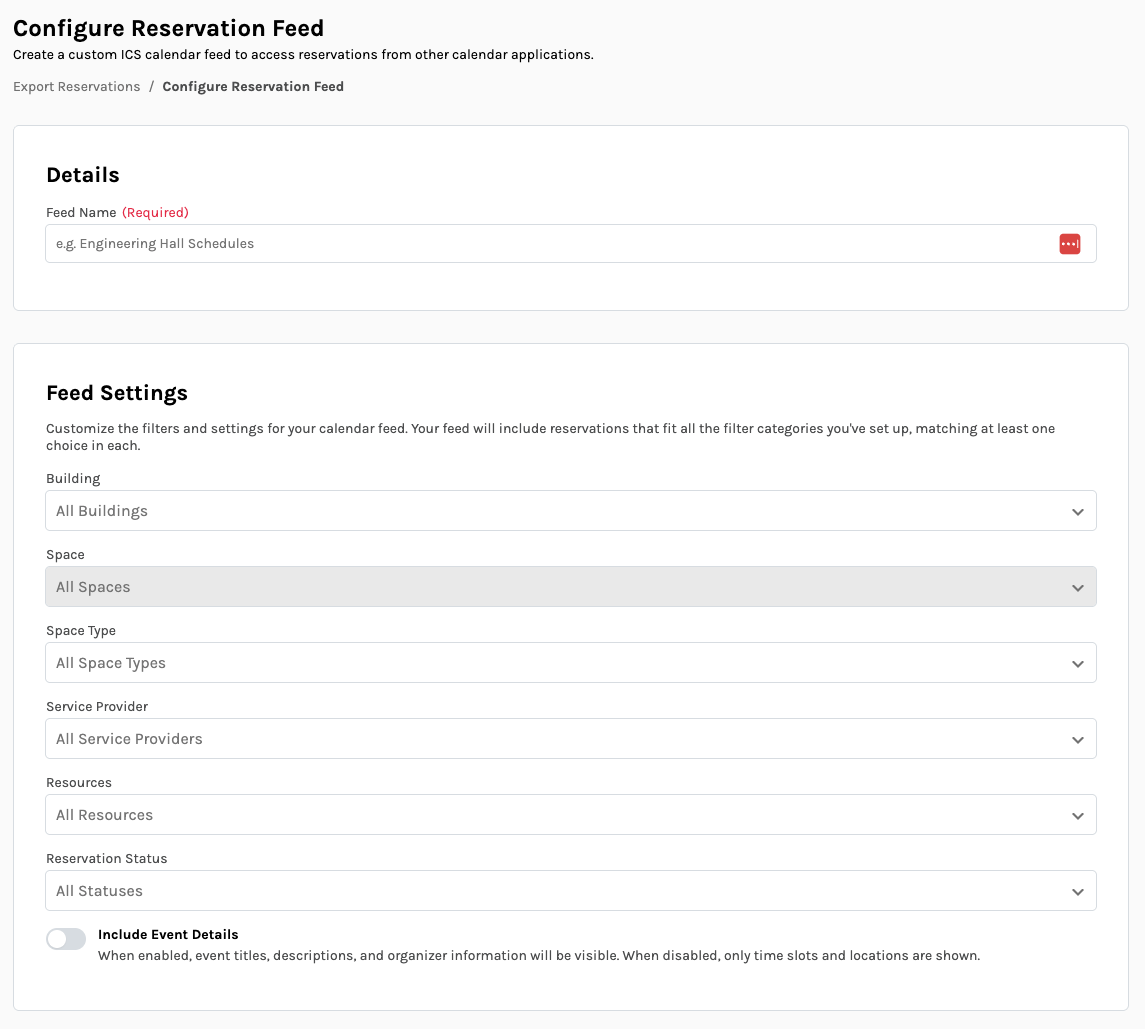
Event Coordinators can select exactly which reservations they want in their feed.
Usability Updates
- Table sorting in the Admin panel now sorts across all data (not just the current page) for the Buildings, Spaces, Reservations, and Users tables.
- Event Coordinators can now search and filter Reservations lists by reservation name, space, building, and status.
- Platform Admins can now search and filter the Users list by name, email, role, user group, and created date.
- Column headers in the Admin timeline view and all data tables are now frozen — they stay visible as the page is scrolled.
- Clicking a reservation block on the Admin timeline view now navigates directly to that reservation's review page.
- The Operation Schedule Report now includes event time and guest count, bringing it in line with what's displayed in the Admin UI.
January 28, 2026
New Features
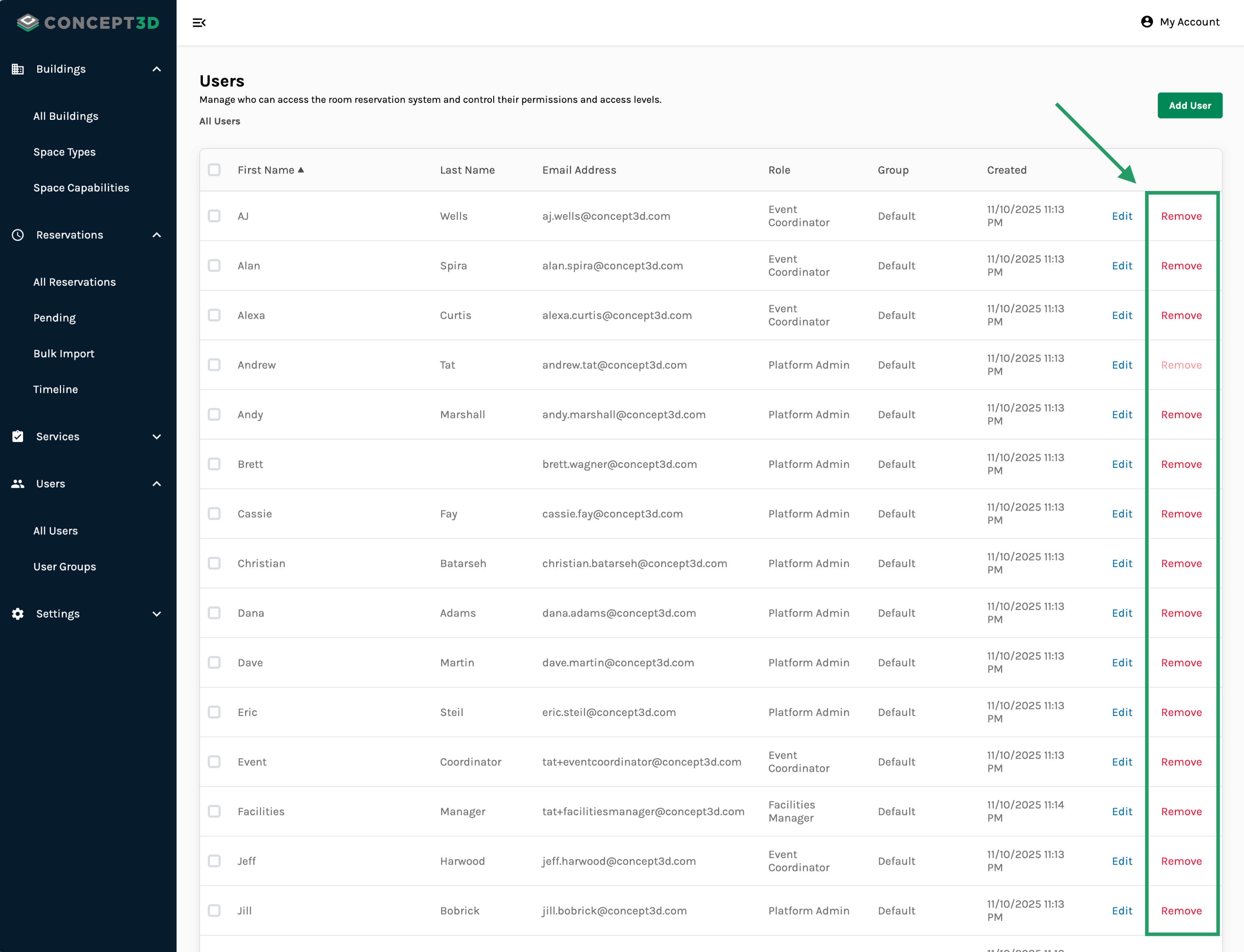
Delete Users from Platform
Platform Admins can now remove users from their platform. When a user is deleted:
- They lose access to the Room Reservations system
- They are automatically removed as approvers from any buildings or spaces
- Their historical reservation data is preserved for record-keeping
January 15, 2026
Icon Selection for Space Capabilities
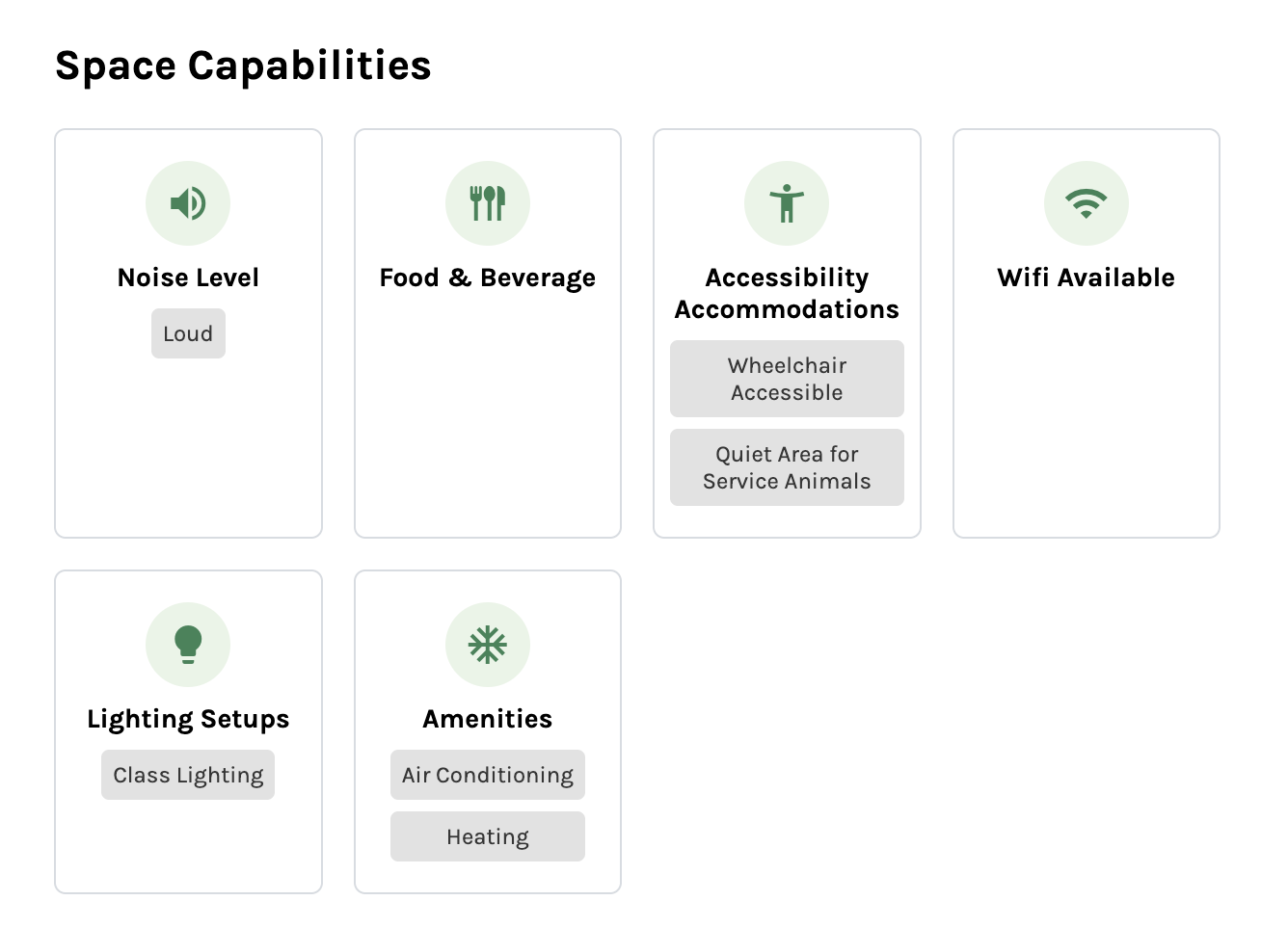
You can now select an icon for each Space Capability when creating or editing from the admin interface, choosing from a comprehensive list of icons. The selected icon is then displayed alongside the Space Capability on the Space details page, visible to Reservers.
Platform Timezone Setting
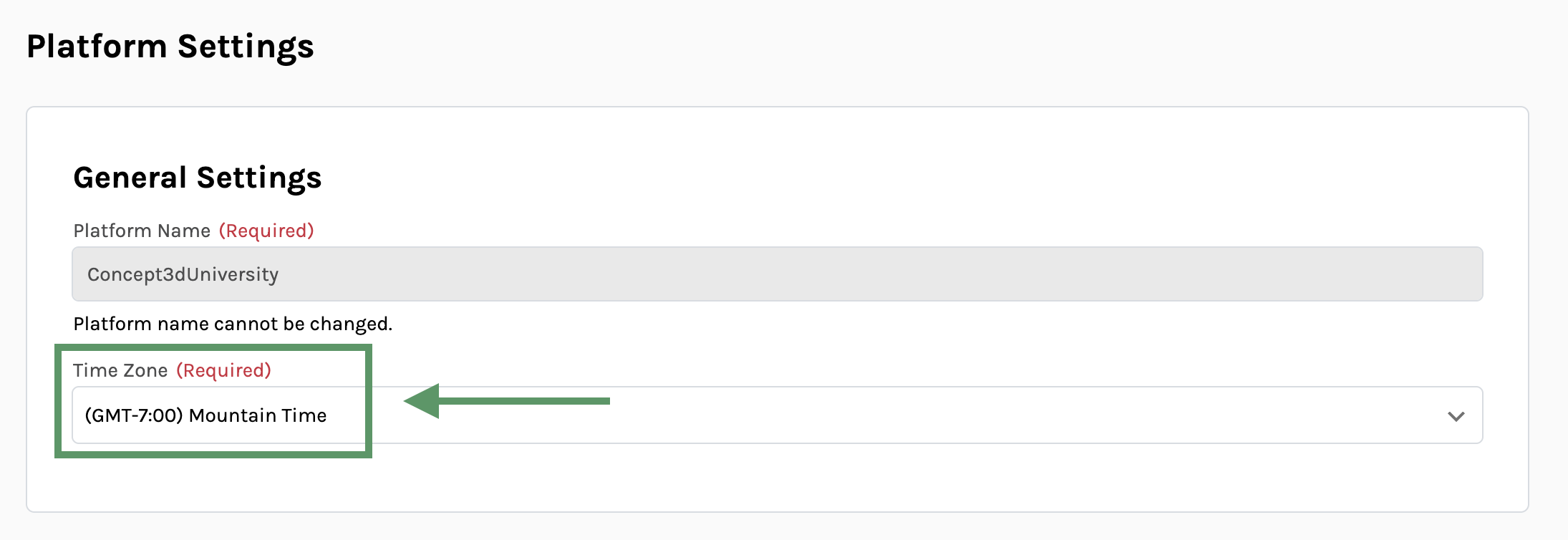
You can now set your platform’s timezone in Platform Settings. A dropdown menu displays all available timezones, including options for all major US timezones.
"All Reservations" Option for Invoice Additional Items
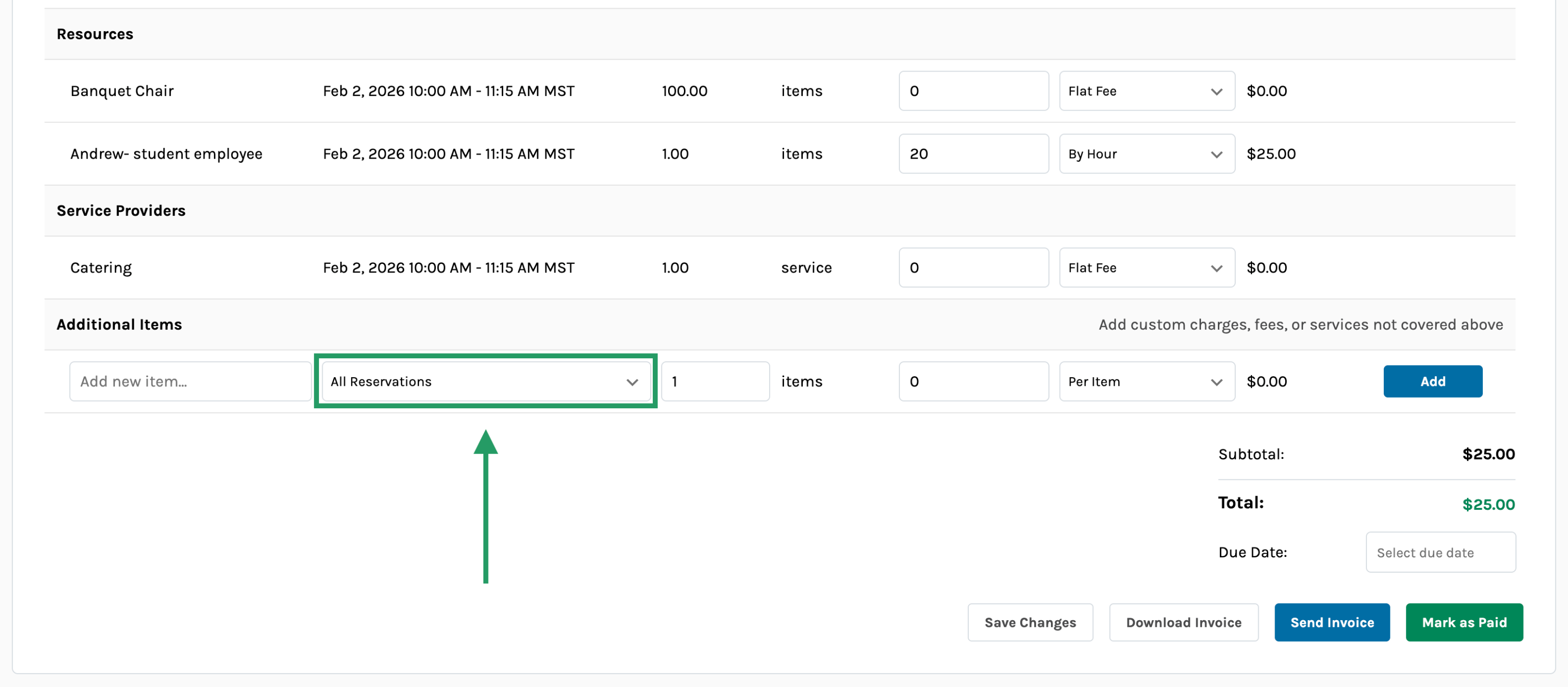
A new “All Reservations” option is now available in the Additional Items section when invoicing a Reservation Group. When selected, additional items set to “All Reservations” are only counted once in the invoice total, regardless of the number of reservations in the group.
Usability Updates
- Buildings and Spaces are validated earlier during the bulk import process, making it easier to find and fix errors before continuing bulk import.
- Reservation cards display “Multiple Space Types” when a reservation includes more than one space type.
- Reservation statuses display on reports generated by Operation Schedule Report.
- Emails are sent when new reservations are added to an existing reservation group.