May 5, 2026
New Features
AI Features Toggle
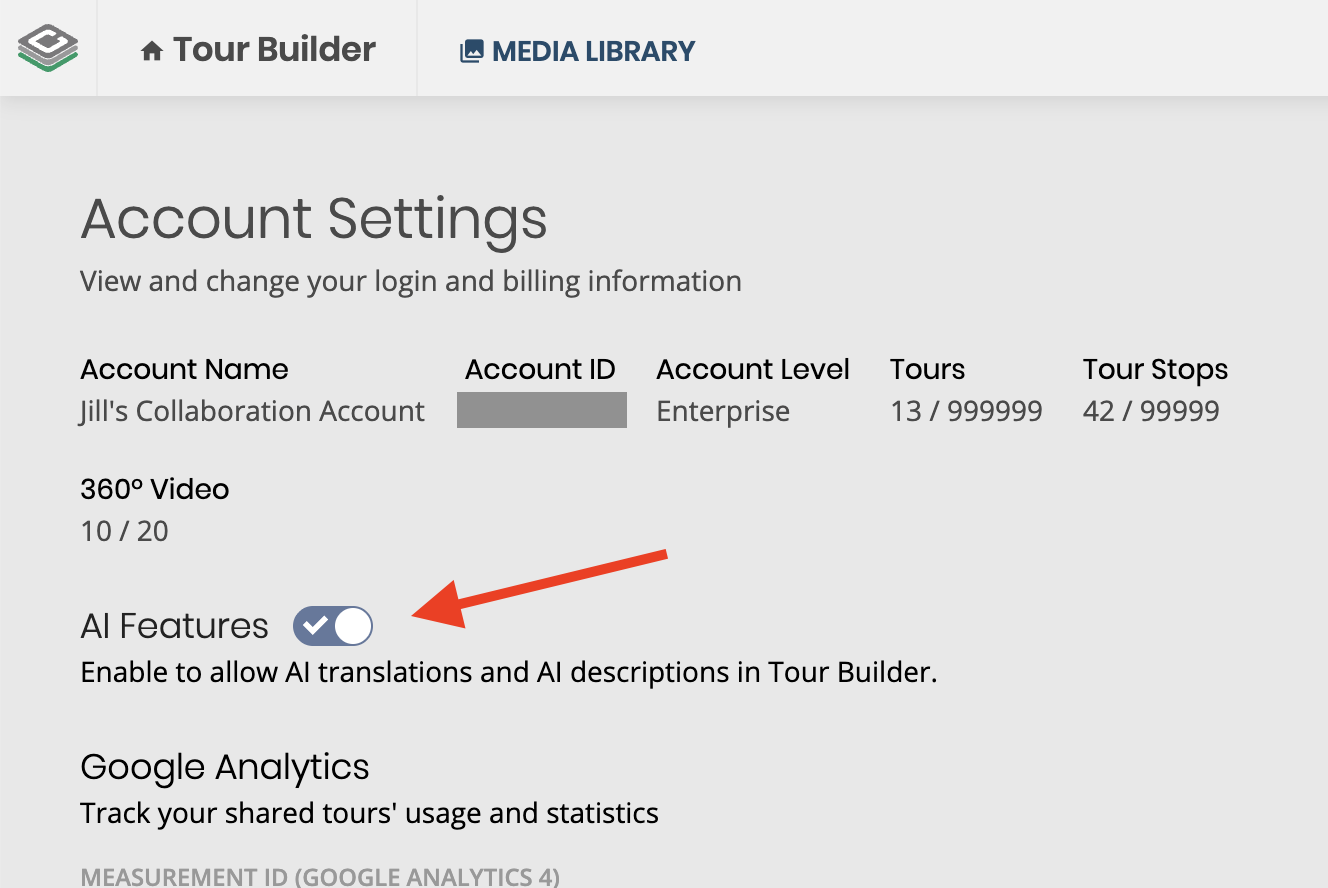
360º Tour Builder users now have a dedicated AI Features toggle on their account page that controls whether AI tools appear in the product. AI Features are on by default, so nothing changes unless a user actively turns them off. For accounts where AI tools are not desired, switching AI Features off cleanly hides AI translations and AI description generation across Tour Builder.
Translate alternative text on stops, hotspots, and tour logos
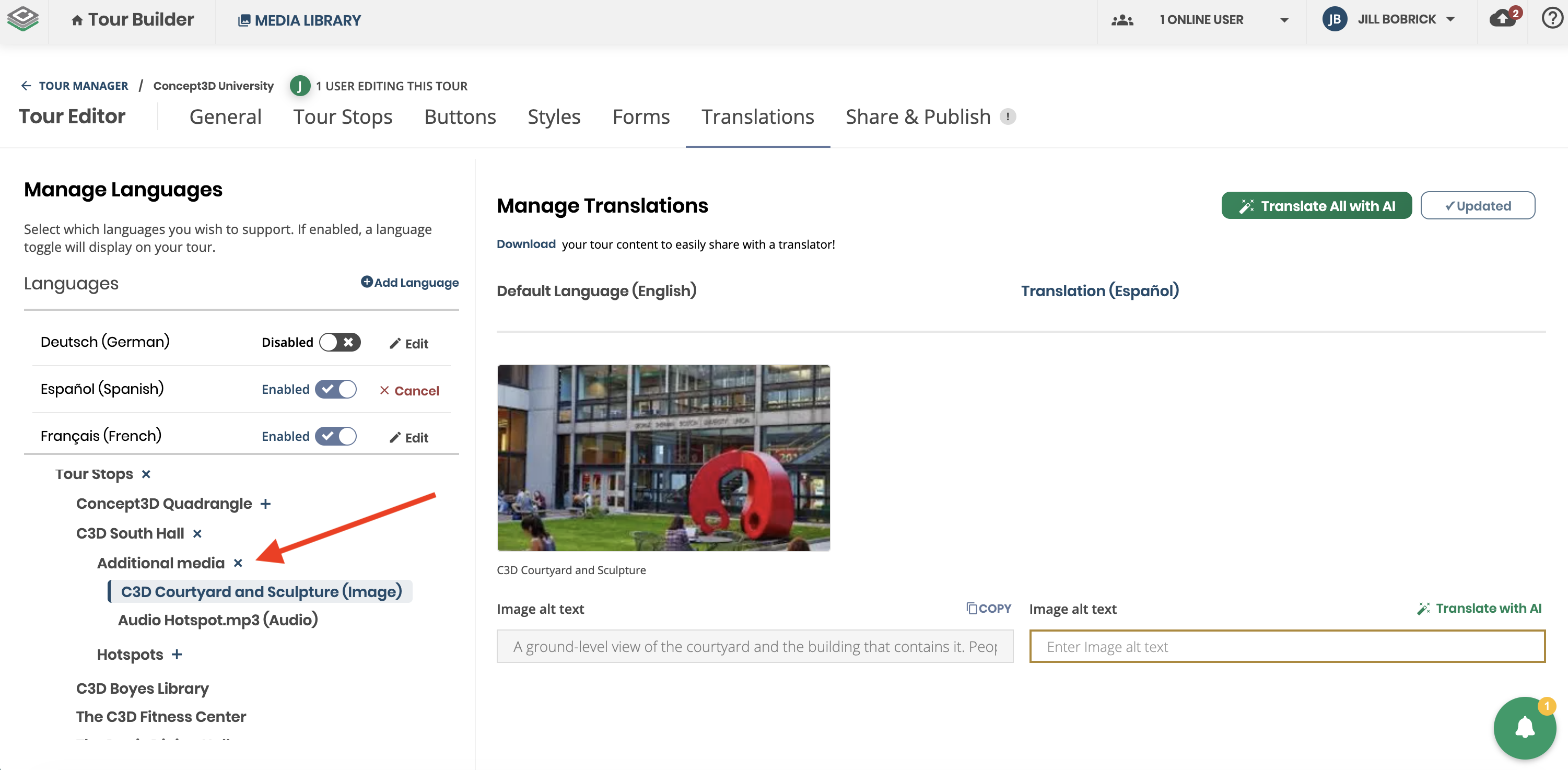
Tour authors can now translate alternative text alongside the rest of their tour content, closing a long-standing accessibility gap for multilingual tours. Previously, alt text on shared library images and panos was only available in the account's default language even when the rest of the tour was fully translated. Now, translated alt text is delivered to assistive technology in the active published language, falling back to the default-language value when a translation is not provided.
- Stops: Translate alternative text for each stop's main image or pano media inside the Stops translation UI.
- Hotspots: When hotspot translations are enabled, translate alt text on image and pano hotspots from the Hotspots translation UI.
- General (logo): When a tour has a logo, translate the logo alt text on the General translation tab.
- CSV export: Translated alt text is included in the translation CSV for bulk authoring.
- Reuse hint: When the same media asset appears in multiple places, authors see a hint that an alt text edit may apply everywhere that asset is used.
April 1, 2026
New Features
AI-Powered Tour Translation
The 360° Tour Builder now includes built-in AI translation, making it easier than ever to offer multilingual tour experiences. Translating tour content has traditionally been one of the most time-consuming and costly steps in launching a multilingual tour. With AI translation, what once took hours of manual work can now be done in minutes.
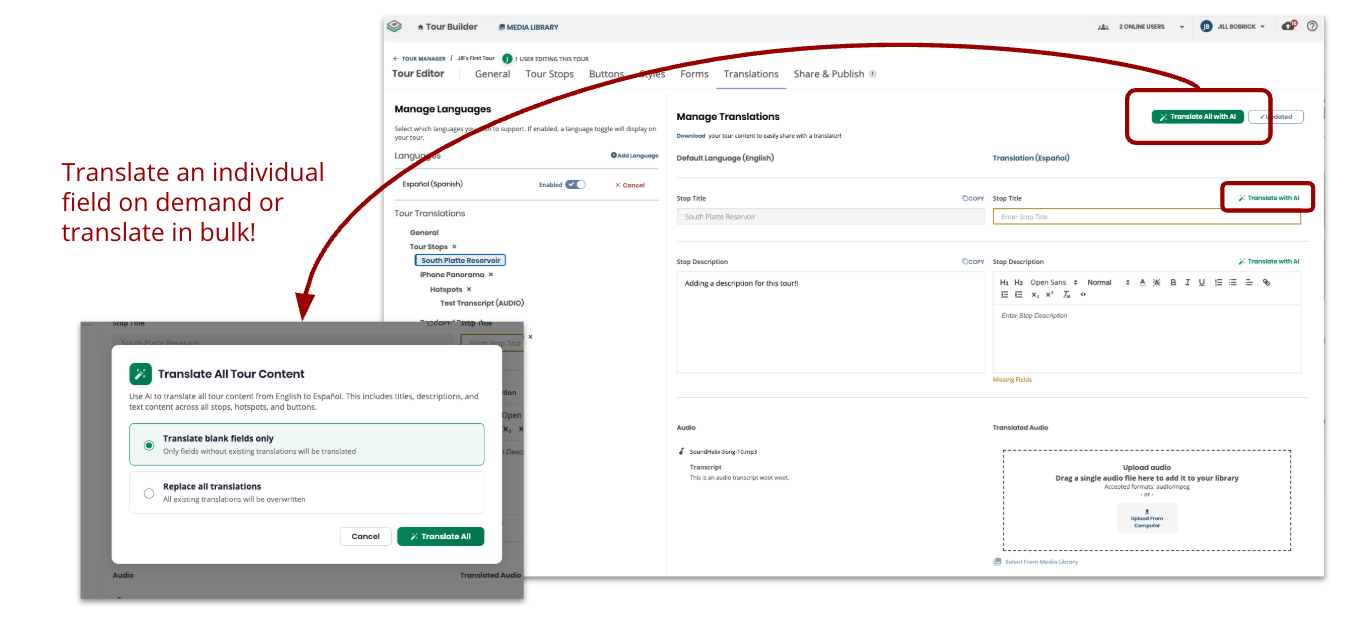
When editing a tour's translations, each translatable field (title, description, and hotspots) now has a "Translate with AI" button that automatically generates a translation from English into the selected language.
Taking it a step further, the "Translate All with AI" button in the header lets editors translate every field at once with a single click. Editors can choose to fill only empty fields or replace all existing translations, making it easy to either start fresh or ensure everything is up to date after content changes. A confirmation step and progress indicator keep editors informed throughout the process. All translated content remains fully editable, and a disclaimer reminds editors that AI-generated translations should be reviewed before publishing.