Required Roles
| Role | Permissions |
|---|---|
| Platform Admin, Facilities Manager | View, Create, Edit, Delete |
| Event Coordinator | View |
What is a Resource?
The Resource management feature in Room Reservations allows you to manage and assign event-related equipment across campus. This functionality supports better coordination between event planners and service providers by keeping resource needs organized and visible within the reservation workflow.
With the Resources feature, users can:
Create, edit, and delete reservable resources
Add equipment such as microphones, tables, projectors, podiums, or catering items to your account.Set available quantities for each resource
Define the total number of units available for each resource. This ensures accurate tracking across all reservations.Assign resources to specific reservations
Allocate the necessary resources when creating or updating a room reservation to indicate equipment needs.Notify service providers automatically
Once resources are assigned to a reservation, designated service providers will be notified with details about the required quantities and event timing.
Step-by-Step Instructions
1. Open the Resources Menu
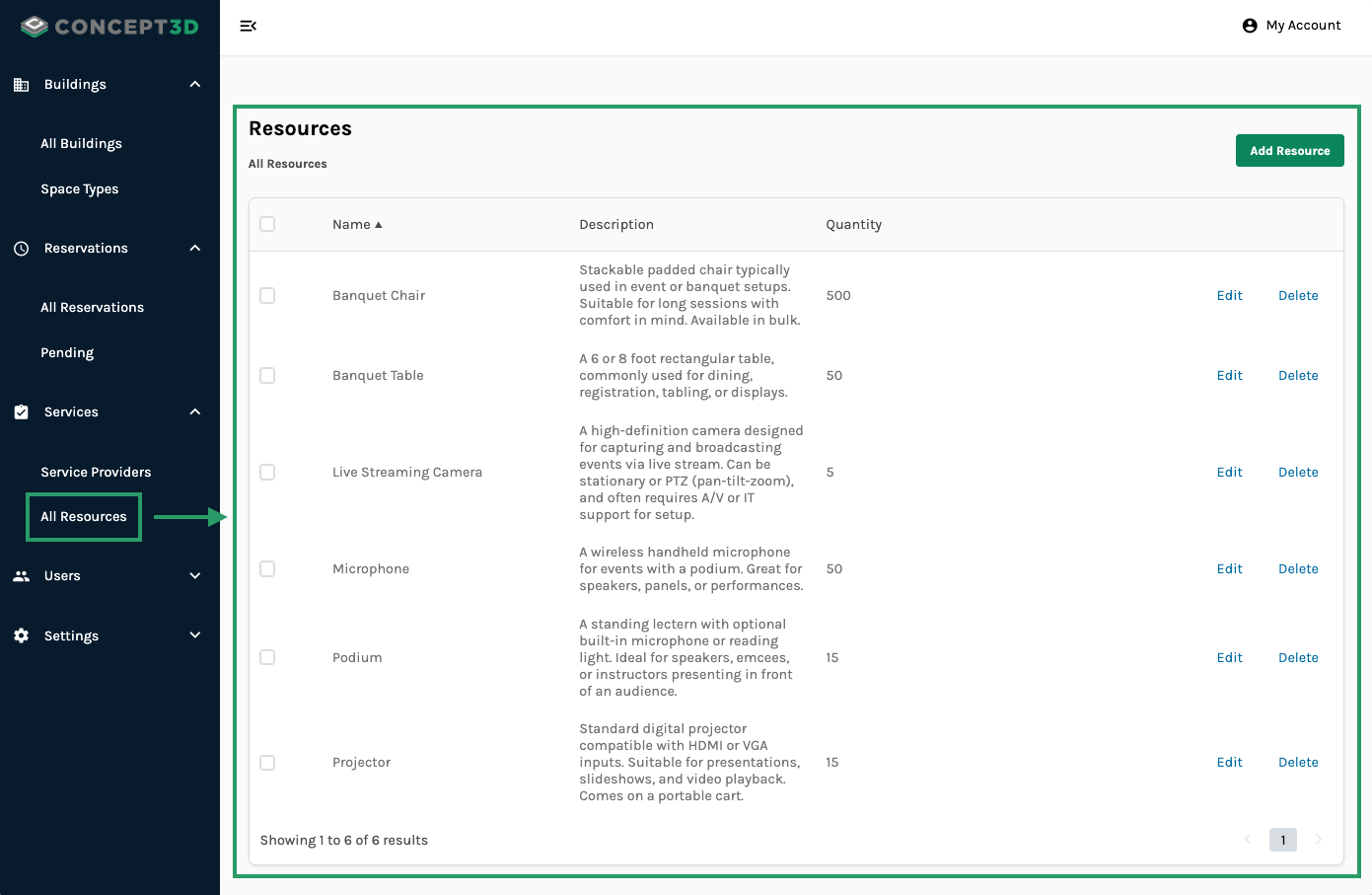
Go to Rooms Admin > Services > All Resources
You'll see a list of any existing Resources including Name, Description, and Quantity
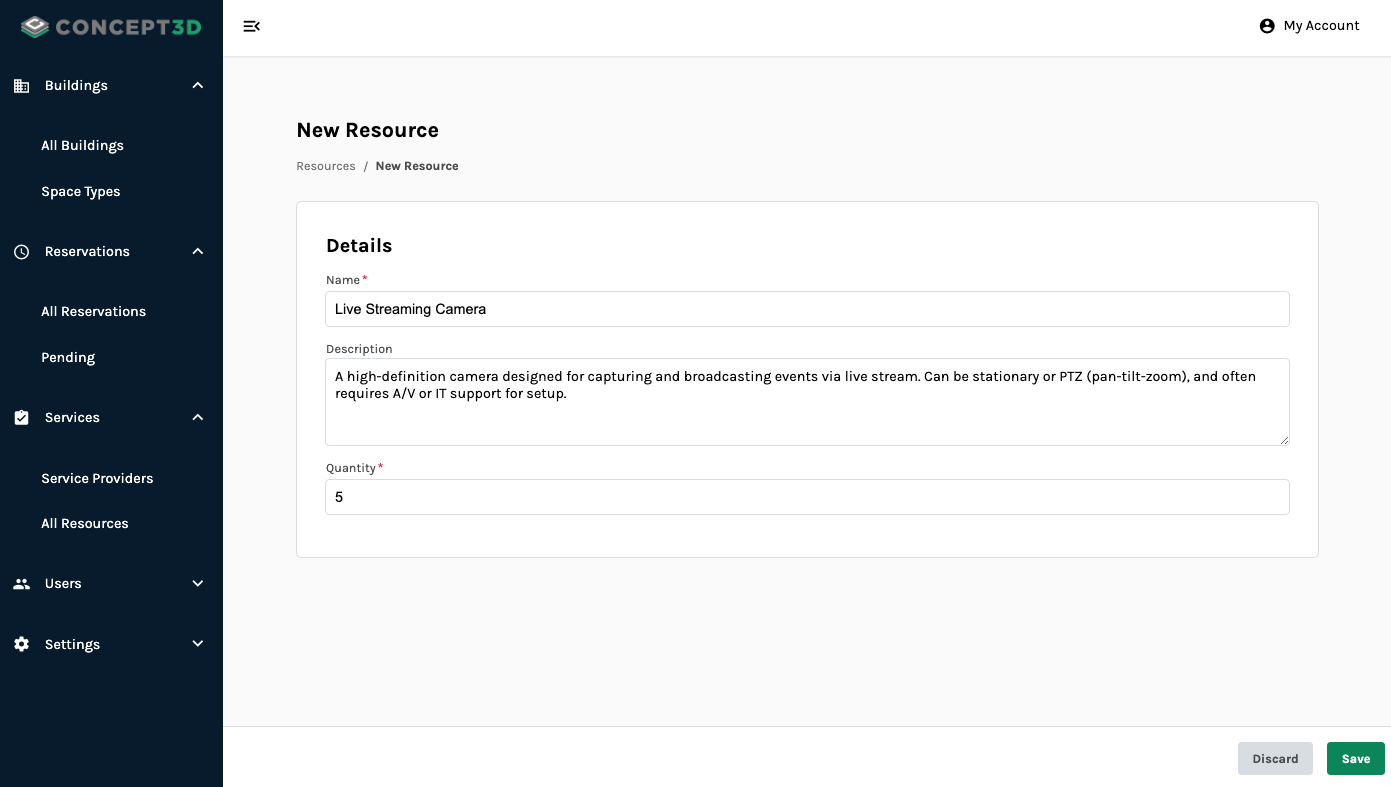
2. Select Add Resource, or Edit an Existing Resource
Here is where you can add or edit the Name, Description, and Quantity of a Resource
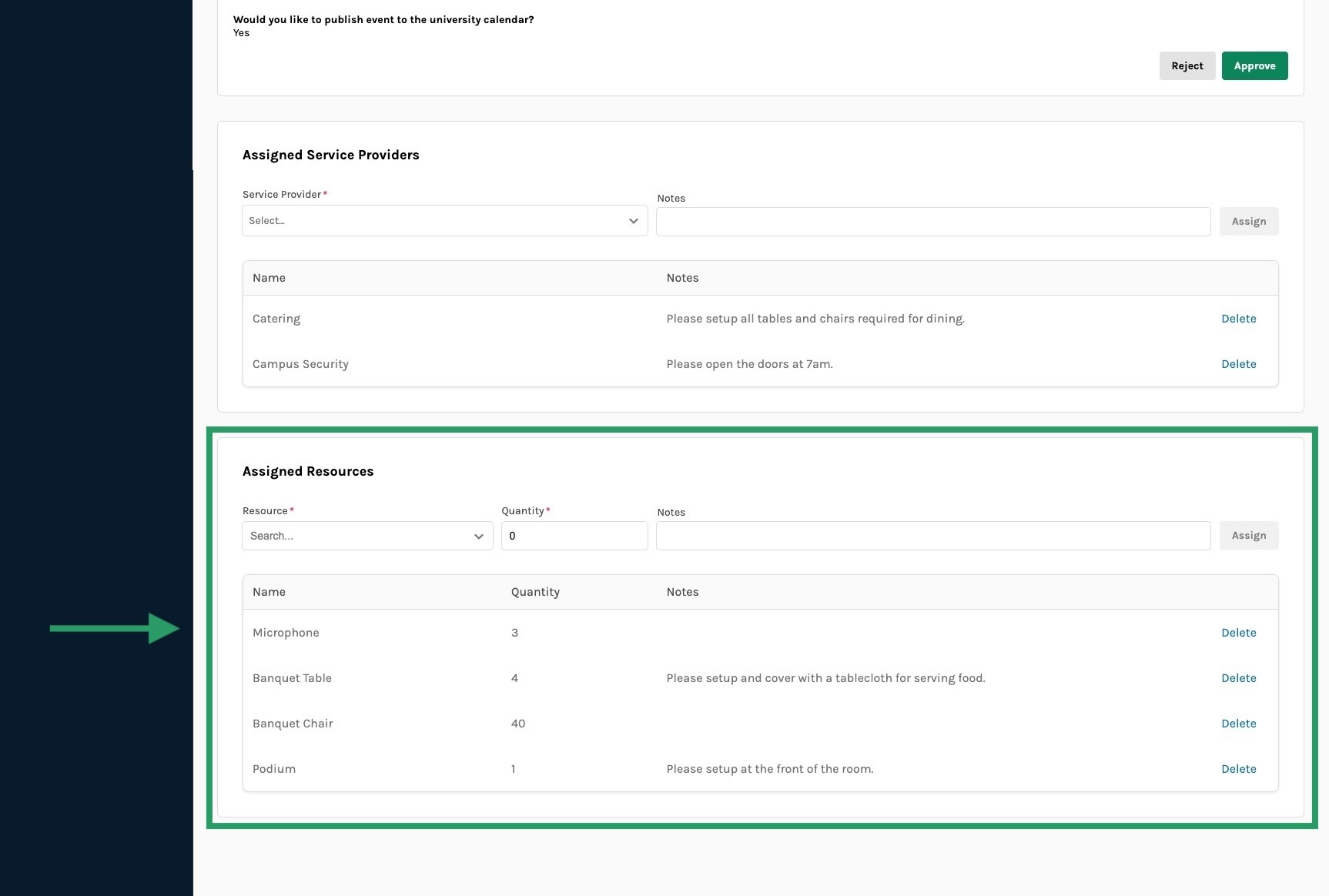
3. Once changes are saved, Event Coordinators can now assign a specific amount of Resources to a Reservation while creating or editing.
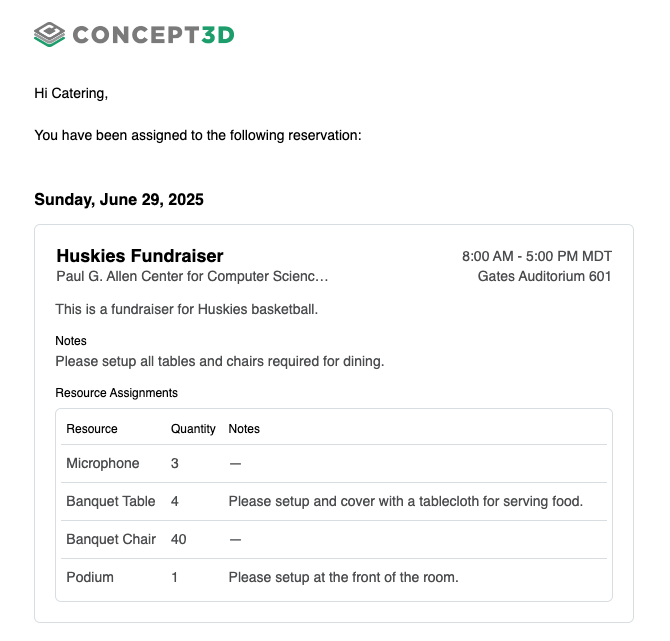
4. Service Providers will see which Resources have been assigned in their task email.