
One of the most popular features of the Localist Events Calendar is the ability to import event content from multiple sources and centralize it in one calendar. This gives your community a single source of truth for what’s happening. Adding a feed is also a convenient way to make sure your Localist page is always up to date with new events from lots of different organizers.
Localist works with feeds using a URL. Many locations export their event data in an RSS or ICS (Outlook, Google, iCal) via URL, so we follow the hCalendar and iCalendar standards, respectively. This ensures we’re using standardized event structures to maximize the number of sources you can use to import events. Sometimes, if a platform is using proprietary tags (more common in RSS), it will not be possible to use that with Localist.
To see a list of what tags are required, please visit these help articles:
There is a third type of feed URL Localist can import, which is a CSV file. CSVs can include ANY field on your Admin Add Event Form and then some, including custom fields and filter families, as well. The catch here is that it’s quite rare for a platform to export to CSV, and almost certainly isn’t using the same column headers required to match to the Localist form.
We also offer EMS feed imports using both the SOAP API and RESTful Platform Services. Check out more about that connection here.
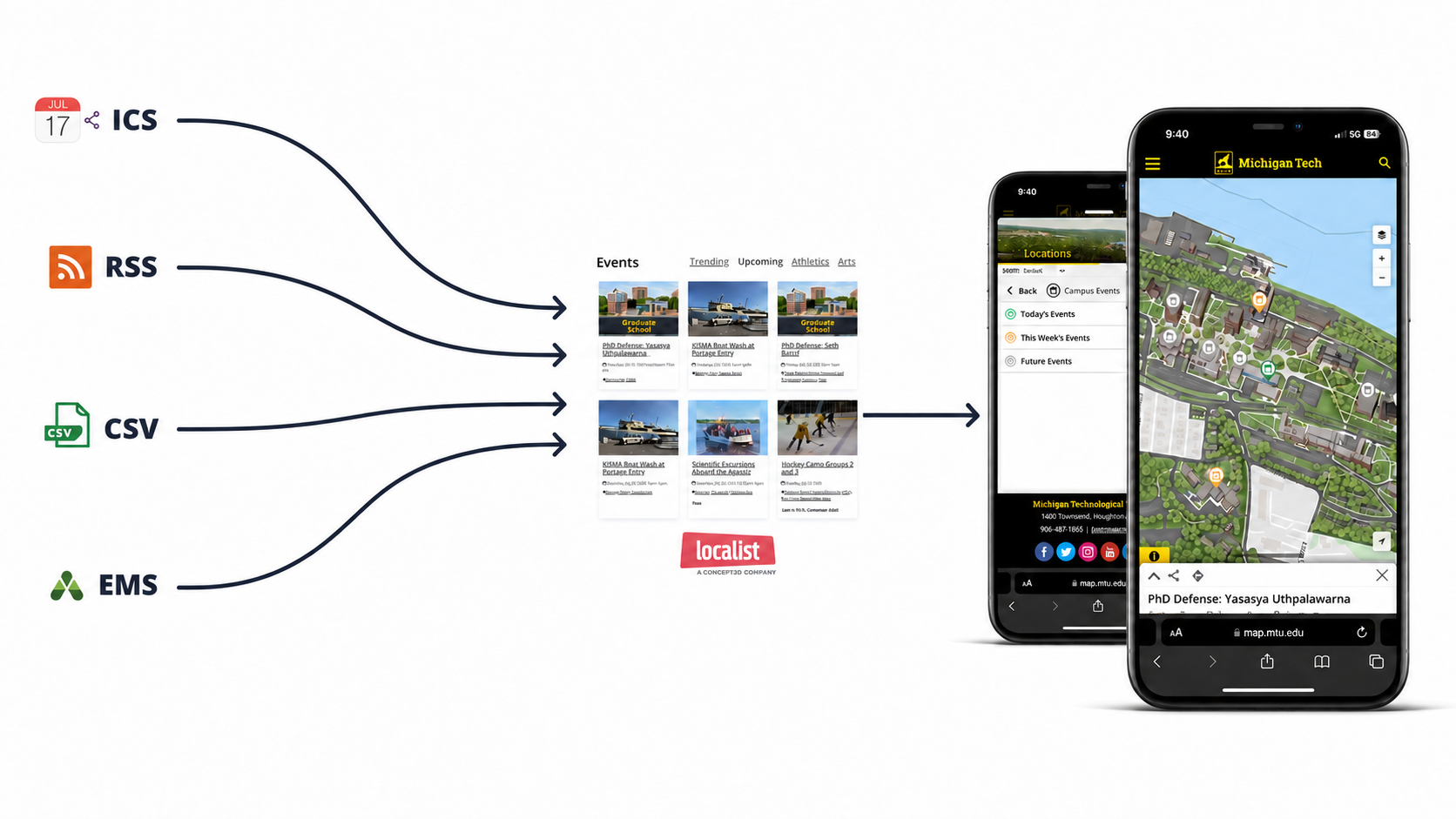
What this means is you're likely going to need to consider building a CSV export to use the columns that match your platform. If you go to Admin Dash > Events > Bulk Add Events > Download CSV Template, you can see exactly what would need to be built in the external system to create your events.
You can also see a list of those fields here, on our Bulk Event Add help article. The Bulk Import template follows the exact same rules as a CSV import, so this template is consistent with what already lives on your calendar.
Before connecting a feed, confirm that the source URL is publicly accessible and consistently returns valid event data. It’s also important to determine which system will be the source of truth for event updates and cancellations. A feed may successfully create events but still produce unexpected results if dates, time zones, categories, locations, or recurring-event data are formatted differently than Localist expects.
Whether you’re connecting an RSS or ICS feed from an existing calendar or building a custom CSV export, Localist feeds make it easier to keep event information centralized, current, and accessible to your community. The best approach depends on the systems you already use and the level of customization you need. Have questions about setting up a feed, troubleshooting an import, or mapping your event data? Let us know in the comments, and tell us how your organization is using feeds with Localist.
Please sign in to leave a comment.
Comments
0 comments