Permission Required: Platform Admin, Calendar Manager
Local Time Zone Support for Events
We’ve added time zone support for Localist events, making it easier for users around the world to understand when your events are happening in their local time.
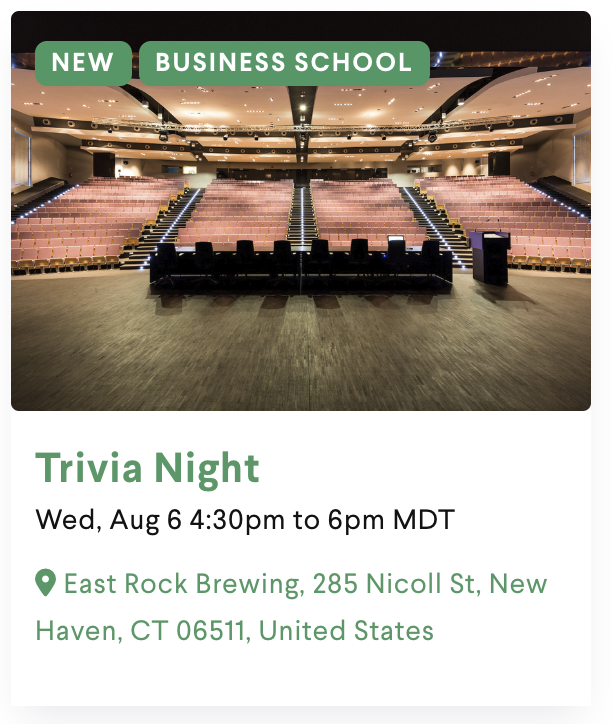
Event times now automatically display in your users’ local time zone when they visit a Localist calendar from a different region. All-day events keep the date unchanged, while events near midnight will translate with correct date adjustments.
There are a few areas where we display your platform’s time zone as is, such as Month View Calendar and Widgets, but the majority of your Localist calendar like event pages, Channels, search results, Departments, Groups, Places, and Register will all display this new translated time zone.
If you host events that happen around the world with users coming from different time zones, check this update out on your calendar today!
Please note: this is available for our Emphasis theme by default. If you’ve customized your theme and don’t see time zones, you’ll need to manually add this enhancement. Visit our Github repository for the update and integrate time zones into your theme. If you receive a 404 error contact support@concept3d.com to access the Github repository.
Your Localist platform's default time zone can be selected for all events via the Admin Dashboard.
- Open Settings > Platform Settings > Choose Platform Time Zone > Save Changes
What should you do if there are events in other time zones?
While the majority of your events will be in the same time zone, we know sometimes that isn't always the case. This is especially true for satellite campuses or locations. While you're unable to select a specific time zone on a per-event basis, there are some simple ways you can get this information across to your audience.
📍 Create a Time Zone Filter Family to apply to events on a Per-Event basis (Please note: Events will still display default time zone on Event Listing)
📍 Add time zone information to Description of the event listing
📍 For Places that will be regularly hosting events in different time zones, consider creating Communities (See below)