
Static Maps are one of the most overlooked tools that I love to share when I meet with C3D admin at universities! They are simple and quick to implement and have a positive visual impact for your website visitors.
- Events: Add a static map embed of an event category on an event page. For example, your university probably hosts homepages for Homecoming, Alumni Weekend, Commencement, and many smaller conferences and events. Example: Mt. San Antonio College hosts events regularly at their Planetarium so they added a map for special events.
-
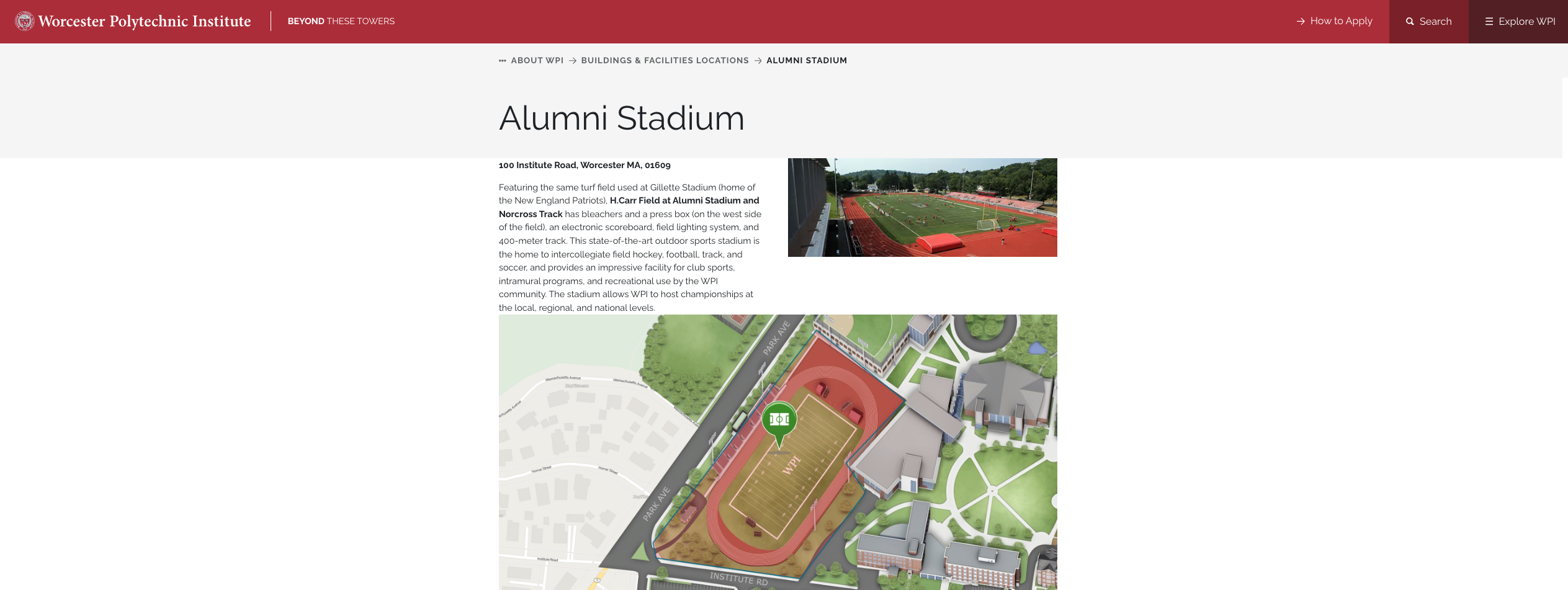
Department or program pages: Embed a map filtered to department specific events directly on its website. For example, admissions can show visitor parking and tour check-in; a science department can highlight its labs and buildings; student services can point students to advising, financial aid, and the registrar—all without requiring someone to navigate the full map first. Example: WPI uses static maps for their facilities pages: Alumni Stadium
-
Visitor resources: Add a static map to pages that answer common “Where do I go?” questions. A campus visit page, parking page, or move-in guide can include a focused map of lots, residence halls, check-in locations, accessibility routes, or shuttle stops. It gives visitors useful context before they arrive and makes the information much easier to scan. Example: TCC hosts a map on their visit page.
P.S. You don't need help from IT to embed! Ask your C3D team if you need help or pop into office hours.
-
 0
0
Please sign in to leave a comment.
Comments
1 comment